
Piny vs X76
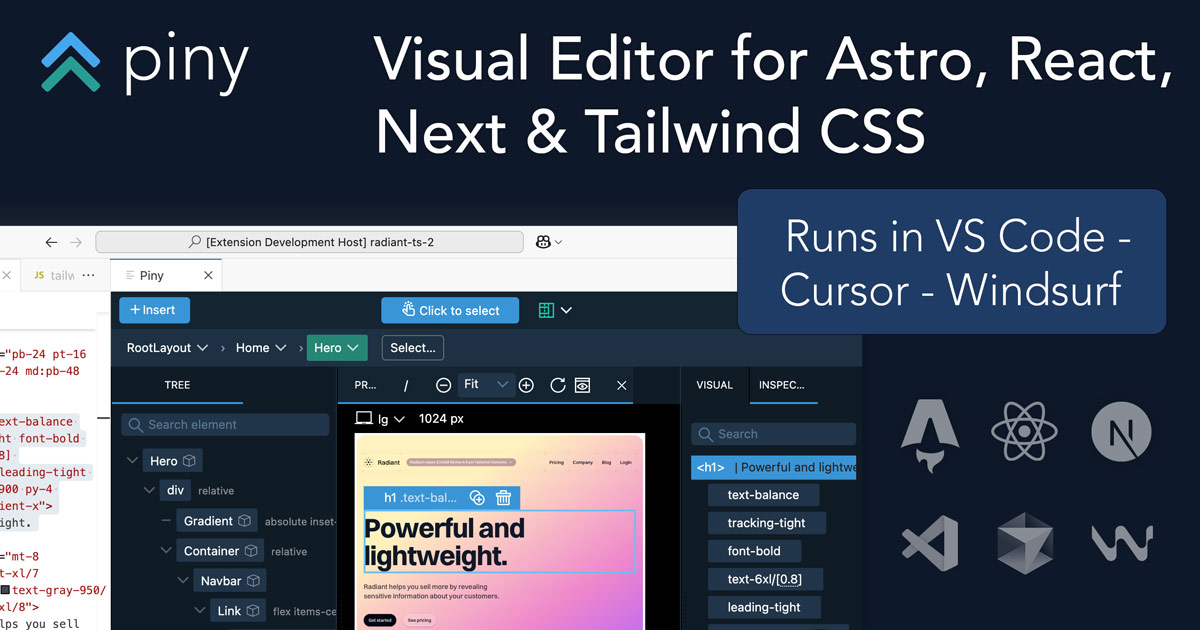

Piny wins in 1 out of 4 categories.
Rating
Not yet rated
Not yet rated
Neither tool has been rated yet.
Popularity
13 views
7 views
Piny is more popular with 13 views.
Pricing
Free
Free
Both tools have free pricing.
Community Reviews
0 reviews
0 reviews
Both tools have a similar number of reviews.
| Criteria | Piny | X76 |
|---|---|---|
| Description | Piny is an innovative in-IDE visual editor designed to streamline UI development for modern web frameworks like Astro, React, Next.js, and Tailwind CSS. It empowers developers to directly edit components visually within their VS Code environment, dramatically accelerating the UI building process. By offering a live preview and writing changes directly to the codebase, Piny minimizes context switching and fosters seamless collaboration between designers and developers, making it a powerful tool for rapid front-end development and maintaining design system consistency. | X76 is an innovative AI-powered platform designed to forge meaningful connections between individuals based on shared intentions, goals, and activities. Moving beyond superficial social networking, it leverages advanced algorithms to intelligently match users for specific projects, events, or common interests. The platform aims to facilitate genuine collaboration and community building by identifying compatible individuals focused on purposeful interactions. It serves anyone looking to expand their network with intention, from professional collaborators to event companions, fostering more productive and relevant relationships. |
| What It Does | Piny functions as a VS Code extension that provides a visual editing interface for web components. Developers can open their existing Astro, React, or Next.js projects and visually interact with components, modifying their props, children, and Tailwind CSS styles through a user-friendly GUI. All visual manipulations are translated directly into clean, readable code within the developer's files, eliminating the need for manual code translation from design mockups. | Uses AI to match users with like-minded individuals for activities, projects, and events. Enables discovery and creation of group activities. |
| Pricing Type | free | free |
| Pricing Model | free | free |
| Pricing Plans | Beta Access: Free | N/A |
| Rating | N/A | N/A |
| Reviews | N/A | N/A |
| Views | 13 | 7 |
| Verified | No | No |
| Key Features | Direct Visual Component Editing, Real-time Live Preview, Multi-Framework Support, Native VS Code Integration, Automatic Code Generation | N/A |
| Value Propositions | Accelerated UI Development, Reduced Context Switching, Improved Designer-Developer Handoff | N/A |
| Use Cases | Rapid UI Prototyping, Building Component Libraries, Implementing Design Systems, Iterating on Existing UIs, Onboarding New Developers | N/A |
| Target Audience | Piny is primarily designed for frontend developers, UI/UX engineers, and full-stack developers working with Astro, React, Next.js, and Tailwind CSS. It's particularly beneficial for teams focused on rapid prototyping, maintaining design systems, and improving collaboration between design and development. Agencies and in-house development teams seeking to accelerate UI iteration cycles will find significant value. | Individuals seeking to connect with others for specific activities, projects, shared interests, or collaborative goals. |
| Categories | Design, Code & Development, Business & Productivity, Automation | Business & Productivity, Automation |
| Tags | visual editor, vs code extension, frontend development, react, next.js, astro, tailwind css, ui building, code generation, developer tools | N/A |
| GitHub Stars | N/A | N/A |
| Last Updated | N/A | N/A |
| Website | getpiny.com | x76.ai |
| GitHub | N/A | N/A |
Who is Piny best for?
Piny is primarily designed for frontend developers, UI/UX engineers, and full-stack developers working with Astro, React, Next.js, and Tailwind CSS. It's particularly beneficial for teams focused on rapid prototyping, maintaining design systems, and improving collaboration between design and development. Agencies and in-house development teams seeking to accelerate UI iteration cycles will find significant value.
Who is X76 best for?
Individuals seeking to connect with others for specific activities, projects, shared interests, or collaborative goals.
Frequently Asked Questions
Neither tool has been rated yet. The best choice depends on your specific needs and use case.
Yes, Piny is free to use.
Yes, X76 is free to use.
The main differences include pricing (free vs free), user ratings (not yet rated vs not yet rated), and community engagement (0 vs 0 reviews). Compare features above for a detailed breakdown.
Piny is best for Piny is primarily designed for frontend developers, UI/UX engineers, and full-stack developers working with Astro, React, Next.js, and Tailwind CSS. It's particularly beneficial for teams focused on rapid prototyping, maintaining design systems, and improving collaboration between design and development. Agencies and in-house development teams seeking to accelerate UI iteration cycles will find significant value.. X76 is best for Individuals seeking to connect with others for specific activities, projects, shared interests, or collaborative goals..






