
Piny vs Svgverseai
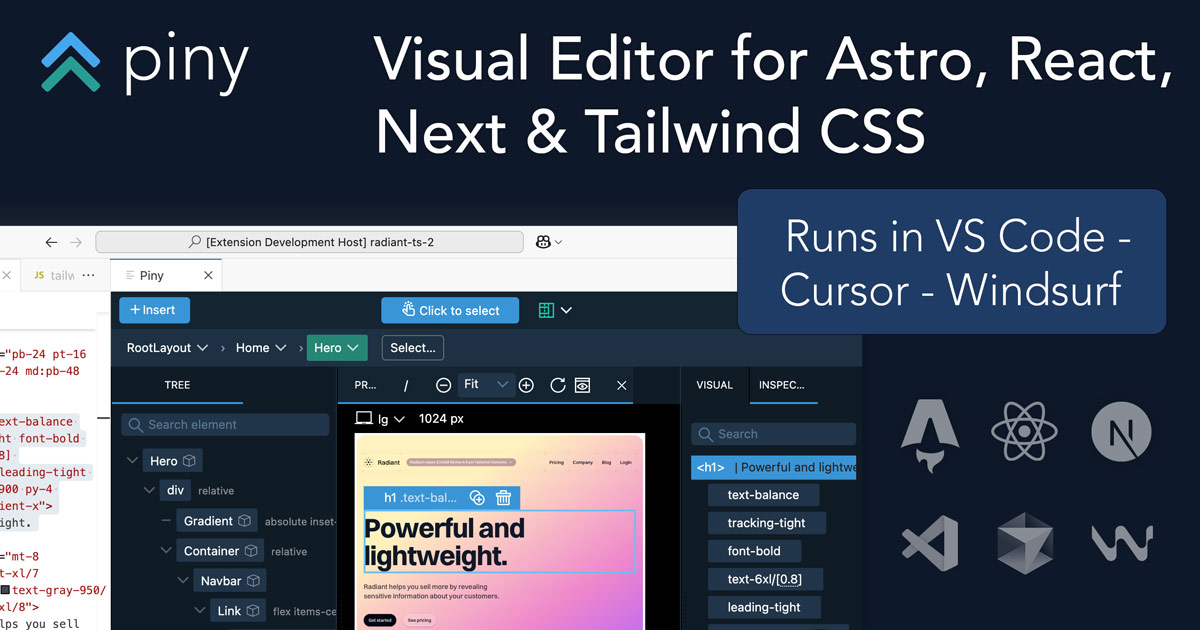

Piny wins in 2 out of 4 categories.
Rating
Neither tool has been rated yet.
Popularity
Piny is more popular with 51 views.
Pricing
Piny is completely free.
Community Reviews
Both tools have a similar number of reviews.
| Criteria | Piny | Svgverseai |
|---|---|---|
| Description | Piny is an innovative in-IDE visual editor designed to streamline UI development for modern web frameworks like Astro, React, Next.js, and Tailwind CSS. It empowers developers to directly edit components visually within their VS Code environment, dramatically accelerating the UI building process. By offering a live preview and writing changes directly to the codebase, Piny minimizes context switching and fosters seamless collaboration between designers and developers, making it a powerful tool for rapid front-end development and maintaining design system consistency. | Svgverseai is an innovative AI-powered tool designed to transform descriptive text prompts into high-quality, scalable vector graphics (SVG). It streamlines the design creation process, enabling users to generate custom icons, illustrations, and graphic elements quickly and efficiently without requiring extensive graphic design skills or software. This platform empowers individuals and businesses to accelerate their creative workflows by providing on-demand vector assets from simple textual input. |
| What It Does | Piny functions as a VS Code extension that provides a visual editing interface for web components. Developers can open their existing Astro, React, or Next.js projects and visually interact with components, modifying their props, children, and Tailwind CSS styles through a user-friendly GUI. All visual manipulations are translated directly into clean, readable code within the developer's files, eliminating the need for manual code translation from design mockups. | The tool's core functionality involves taking a user-provided text prompt, such as "a minimalist icon of a mountain" or "a vibrant illustration of a robot reading a book." Its AI engine then processes this natural language input and generates a corresponding SVG file. Users can immediately download these vector graphics, which are inherently scalable, for use across various digital and print applications. |
| Pricing Type | free | freemium |
| Pricing Model | free | freemium |
| Pricing Plans | Beta Access: Free | Free Plan: Free, Starter Plan: 9, Pro Plan: 29 |
| Rating | N/A | N/A |
| Reviews | N/A | N/A |
| Views | 51 | 43 |
| Verified | No | No |
| Key Features | Direct Visual Component Editing, Real-time Live Preview, Multi-Framework Support, Native VS Code Integration, Automatic Code Generation | AI Vector Generation, Scalable Vector Graphics (SVG), Prompt-Based Design, High-Resolution Output, Fast Processing |
| Value Propositions | Accelerated UI Development, Reduced Context Switching, Improved Designer-Developer Handoff | Rapid Vector Creation, Design Accessibility, Uncompromised Scalability |
| Use Cases | Rapid UI Prototyping, Building Component Libraries, Implementing Design Systems, Iterating on Existing UIs, Onboarding New Developers | Custom Website Icons, Social Media Graphics, UI/UX Component Design, Marketing Campaign Visuals, Educational Content Illustrations |
| Target Audience | Piny is primarily designed for frontend developers, UI/UX engineers, and full-stack developers working with Astro, React, Next.js, and Tailwind CSS. It's particularly beneficial for teams focused on rapid prototyping, maintaining design systems, and improving collaboration between design and development. Agencies and in-house development teams seeking to accelerate UI iteration cycles will find significant value. | This tool is ideal for graphic designers, web developers, content creators, marketers, and UI/UX designers who need quick, scalable vector assets. It also greatly benefits small businesses and individuals without extensive design software knowledge or time, seeking to create custom icons, illustrations, or branding elements. |
| Categories | Design, Code & Development, Business & Productivity, Automation | Image & Design, Image Generation, Design, Automation |
| Tags | visual editor, vs code extension, frontend development, react, next.js, astro, tailwind css, ui building, code generation, developer tools | vector generation, svg, ai design, graphic design, image generation, text to svg, design tool, icon generator, illustration, scalable graphics, design automation |
| GitHub Stars | N/A | N/A |
| Last Updated | N/A | N/A |
| Website | getpiny.com | www.svgverseai.com |
| GitHub | N/A | N/A |
Who is Piny best for?
Piny is primarily designed for frontend developers, UI/UX engineers, and full-stack developers working with Astro, React, Next.js, and Tailwind CSS. It's particularly beneficial for teams focused on rapid prototyping, maintaining design systems, and improving collaboration between design and development. Agencies and in-house development teams seeking to accelerate UI iteration cycles will find significant value.
Who is Svgverseai best for?
This tool is ideal for graphic designers, web developers, content creators, marketers, and UI/UX designers who need quick, scalable vector assets. It also greatly benefits small businesses and individuals without extensive design software knowledge or time, seeking to create custom icons, illustrations, or branding elements.




