
Piny vs Softr
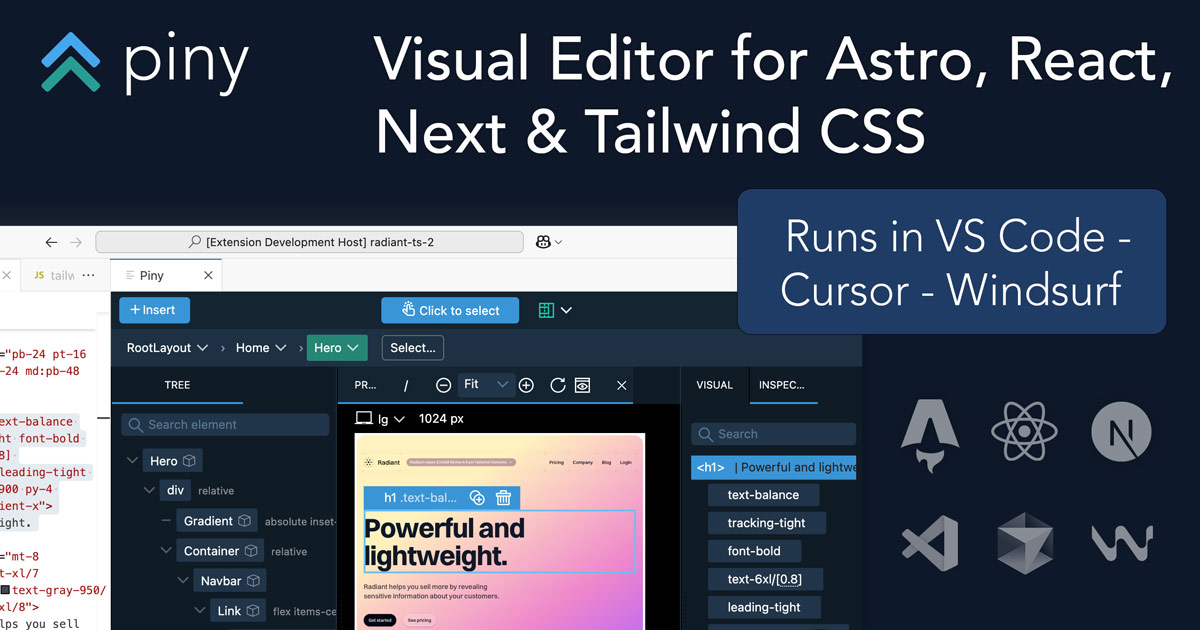
Piny wins in 2 out of 4 categories.
Rating
Neither tool has been rated yet.
Popularity
Piny is more popular with 51 views.
Pricing
Piny is completely free.
Community Reviews
Both tools have a similar number of reviews.
| Criteria | Piny | Softr |
|---|---|---|
| Description | Piny is an innovative in-IDE visual editor designed to streamline UI development for modern web frameworks like Astro, React, Next.js, and Tailwind CSS. It empowers developers to directly edit components visually within their VS Code environment, dramatically accelerating the UI building process. By offering a live preview and writing changes directly to the codebase, Piny minimizes context switching and fosters seamless collaboration between designers and developers, making it a powerful tool for rapid front-end development and maintaining design system consistency. | Softr is a leading no-code platform designed to empower individuals and businesses to rapidly build powerful, custom web applications, client portals, and internal tools without writing a single line of code. It distinguishes itself by seamlessly integrating with popular data sources like Airtable, Google Sheets, and SmartSuite, transforming raw data into robust, interactive software solutions. This platform is ideal for accelerating development cycles and making application building accessible to non-technical users, from startups to large enterprises. |
| What It Does | Piny functions as a VS Code extension that provides a visual editing interface for web components. Developers can open their existing Astro, React, or Next.js projects and visually interact with components, modifying their props, children, and Tailwind CSS styles through a user-friendly GUI. All visual manipulations are translated directly into clean, readable code within the developer's files, eliminating the need for manual code translation from design mockups. | Softr enables users to create functional web applications by connecting to existing data sources and utilizing a drag-and-drop interface with pre-built blocks and templates. It translates backend data into dynamic front-end experiences, complete with user authentication, custom permissions, and various interactive components. The platform handles the underlying technical complexities, allowing creators to focus on design and functionality. |
| Pricing Type | free | freemium |
| Pricing Model | free | freemium |
| Pricing Plans | Beta Access: Free | Free: Free, Starter: 59, Professional: 139 |
| Rating | N/A | N/A |
| Reviews | N/A | N/A |
| Views | 51 | 38 |
| Verified | No | No |
| Key Features | Direct Visual Component Editing, Real-time Live Preview, Multi-Framework Support, Native VS Code Integration, Automatic Code Generation | Drag-and-Drop Builder, Data Source Integrations, User Accounts & Permissions, Pre-built Blocks & Templates, Payments & Subscriptions |
| Value Propositions | Accelerated UI Development, Reduced Context Switching, Improved Designer-Developer Handoff | Rapid Application Development, No-Code Accessibility, Data-Driven Applications |
| Use Cases | Rapid UI Prototyping, Building Component Libraries, Implementing Design Systems, Iterating on Existing UIs, Onboarding New Developers | Client Portals, Internal Tools & Dashboards, Membership Sites, Online Marketplaces, Resource Hubs |
| Target Audience | Piny is primarily designed for frontend developers, UI/UX engineers, and full-stack developers working with Astro, React, Next.js, and Tailwind CSS. It's particularly beneficial for teams focused on rapid prototyping, maintaining design systems, and improving collaboration between design and development. Agencies and in-house development teams seeking to accelerate UI iteration cycles will find significant value. | Softr primarily targets non-technical founders, small to medium-sized businesses, agencies, and internal teams looking to rapidly deploy custom web applications. It's also ideal for solopreneurs, consultants, and enterprises aiming to build client portals, internal tools, membership sites, or online communities without significant development costs or time. |
| Categories | Design, Code & Development, Business & Productivity, Automation | Code & Development, Business & Productivity, Automation, Data Visualization |
| Tags | visual editor, vs code extension, frontend development, react, next.js, astro, tailwind css, ui building, code generation, developer tools | no-code, web-app-builder, client-portal, internal-tools, membership-site, airtable-integration, google-sheets, data-driven-apps, business-automation, drag-and-drop |
| GitHub Stars | N/A | N/A |
| Last Updated | N/A | N/A |
| Website | getpiny.com | grsm.io |
| GitHub | N/A | N/A |
Who is Piny best for?
Piny is primarily designed for frontend developers, UI/UX engineers, and full-stack developers working with Astro, React, Next.js, and Tailwind CSS. It's particularly beneficial for teams focused on rapid prototyping, maintaining design systems, and improving collaboration between design and development. Agencies and in-house development teams seeking to accelerate UI iteration cycles will find significant value.
Who is Softr best for?
Softr primarily targets non-technical founders, small to medium-sized businesses, agencies, and internal teams looking to rapidly deploy custom web applications. It's also ideal for solopreneurs, consultants, and enterprises aiming to build client portals, internal tools, membership sites, or online communities without significant development costs or time.



