
Jots vs Piny
Piny wins in 2 out of 4 categories.
Rating
Neither tool has been rated yet.
Popularity
Piny is more popular with 51 views.
Pricing
Piny is completely free.
Community Reviews
Both tools have a similar number of reviews.
| Criteria | Jots | Piny |
|---|---|---|
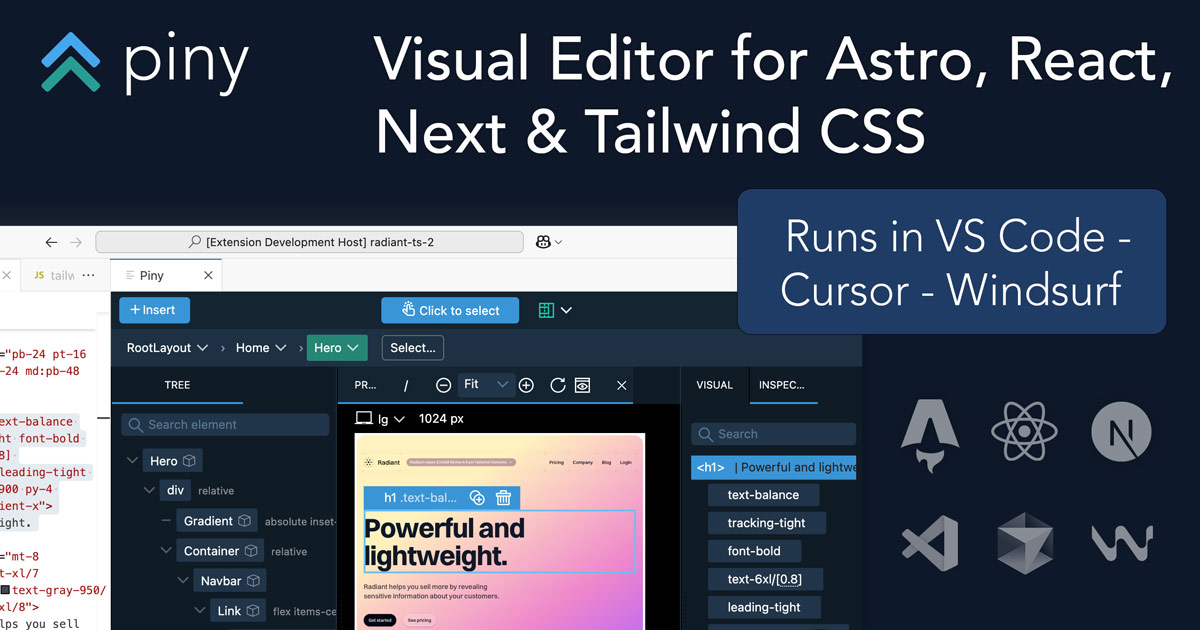
| Description | Jots is an AI-powered journaling application specifically designed for developers and tech professionals. It aims to accelerate professional goals, facilitate progress tracking, encourage deep reflection on work, and foster continuous improvement of technical skills. By offering daily AI-generated prompts and personalized insights, Jots provides a structured framework for self-improvement and career growth, standing out as a specialized tool in the productivity and learning space for the developer community. | Piny is an innovative in-IDE visual editor designed to streamline UI development for modern web frameworks like Astro, React, Next.js, and Tailwind CSS. It empowers developers to directly edit components visually within their VS Code environment, dramatically accelerating the UI building process. By offering a live preview and writing changes directly to the codebase, Piny minimizes context switching and fosters seamless collaboration between designers and developers, making it a powerful tool for rapid front-end development and maintaining design system consistency. |
| What It Does | Jots provides an interactive journaling experience by leveraging AI to generate daily prompts tailored to a developer's professional journey. Users document their thoughts, progress, and challenges, and the AI then processes these entries to offer personalized insights, track goal attainment, and highlight patterns in their work. This systematic approach helps developers reflect effectively and identify areas for skill development. | Piny functions as a VS Code extension that provides a visual editing interface for web components. Developers can open their existing Astro, React, or Next.js projects and visually interact with components, modifying their props, children, and Tailwind CSS styles through a user-friendly GUI. All visual manipulations are translated directly into clean, readable code within the developer's files, eliminating the need for manual code translation from design mockups. |
| Pricing Type | freemium | free |
| Pricing Model | paid | free |
| Pricing Plans | Free Trial: Free, Monthly Plan: 10, Yearly Plan: 96 | Beta Access: Free |
| Rating | N/A | N/A |
| Reviews | N/A | N/A |
| Views | 45 | 51 |
| Verified | No | No |
| Key Features | AI-Powered Daily Prompts, Structured Goal Tracking, Personalized Progress Insights, Technical Skill Development Focus, Cross-Platform Accessibility | Direct Visual Component Editing, Real-time Live Preview, Multi-Framework Support, Native VS Code Integration, Automatic Code Generation |
| Value Propositions | Structured Professional Development, Accelerated Goal Achievement, Deepened Technical Mastery | Accelerated UI Development, Reduced Context Switching, Improved Designer-Developer Handoff |
| Use Cases | Daily Work Reflection, Tracking Technical Skill Acquisition, Project Retrospective Analysis, Career Goal Setting & Review, Performance Review Preparation | Rapid UI Prototyping, Building Component Libraries, Implementing Design Systems, Iterating on Existing UIs, Onboarding New Developers |
| Target Audience | Jots is primarily designed for software developers, engineers, tech leads, and any technical professional seeking a structured approach to personal and professional development. It's ideal for those who want to accelerate career growth, systematically improve technical skills, and engage in meaningful self-reflection to prevent burnout and enhance productivity. | Piny is primarily designed for frontend developers, UI/UX engineers, and full-stack developers working with Astro, React, Next.js, and Tailwind CSS. It's particularly beneficial for teams focused on rapid prototyping, maintaining design systems, and improving collaboration between design and development. Agencies and in-house development teams seeking to accelerate UI iteration cycles will find significant value. |
| Categories | Text & Writing, Code & Development, Business & Productivity, Learning | Design, Code & Development, Business & Productivity, Automation |
| Tags | ai journaling, developer productivity, technical growth, career reflection, daily prompts, goal tracking, software engineering, personal development, dev tools, learning aid | visual editor, vs code extension, frontend development, react, next.js, astro, tailwind css, ui building, code generation, developer tools |
| GitHub Stars | N/A | N/A |
| Last Updated | N/A | N/A |
| Website | www.daily-jots.com | getpiny.com |
| GitHub | github.com | N/A |
Who is Jots best for?
Jots is primarily designed for software developers, engineers, tech leads, and any technical professional seeking a structured approach to personal and professional development. It's ideal for those who want to accelerate career growth, systematically improve technical skills, and engage in meaningful self-reflection to prevent burnout and enhance productivity.
Who is Piny best for?
Piny is primarily designed for frontend developers, UI/UX engineers, and full-stack developers working with Astro, React, Next.js, and Tailwind CSS. It's particularly beneficial for teams focused on rapid prototyping, maintaining design systems, and improving collaboration between design and development. Agencies and in-house development teams seeking to accelerate UI iteration cycles will find significant value.



