
FlexApp vs Piny

Both tools are evenly matched across our comparison criteria.
Rating
Neither tool has been rated yet.
Popularity
FlexApp is more popular with 55 views.
Pricing
Piny is completely free.
Community Reviews
Both tools have a similar number of reviews.
| Criteria | FlexApp | Piny |
|---|---|---|
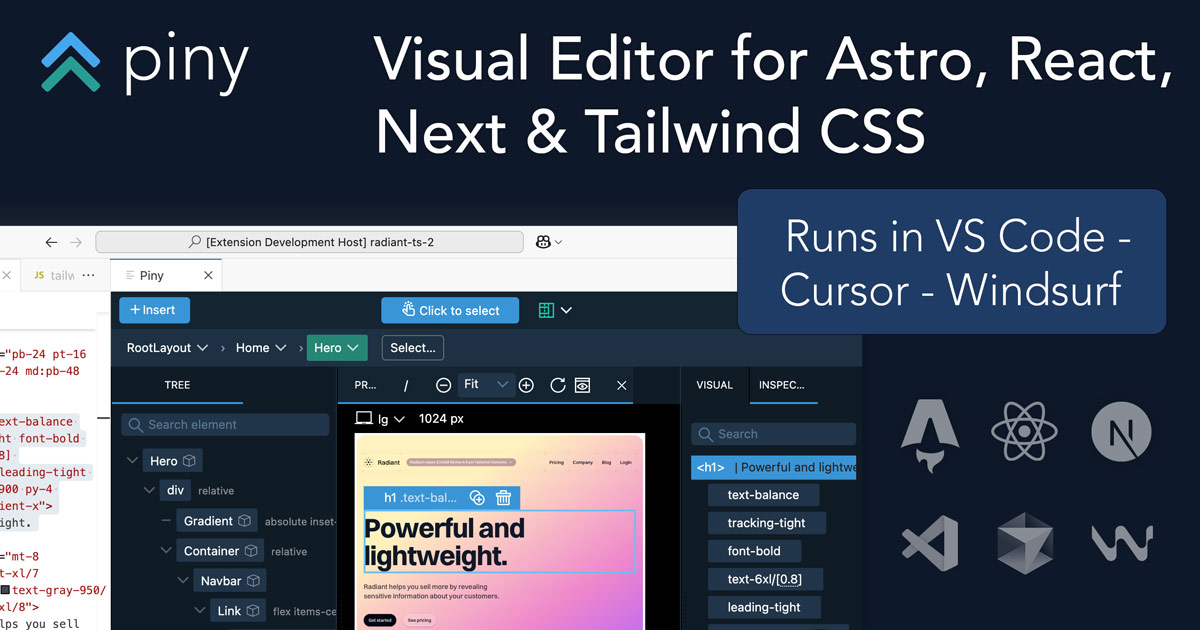
| Description | FlexApp stands as an innovative AI-powered no-code platform, revolutionizing the way native iOS and Android mobile applications are developed. It empowers individuals, particularly non-technical entrepreneurs and small business owners, to transform their app concepts into fully functional mobile experiences by simply articulating their ideas in natural language. This tool significantly streamlines the entire app development lifecycle, from ideation to deployment, making advanced mobile technology accessible to a broader audience without the traditional hurdles of coding or extensive technical knowledge. Its unique approach leverages artificial intelligence to interpret user descriptions and automatically generate the necessary code and UI components, marking a significant leap in democratizing app creation. | Piny is an innovative in-IDE visual editor designed to streamline UI development for modern web frameworks like Astro, React, Next.js, and Tailwind CSS. It empowers developers to directly edit components visually within their VS Code environment, dramatically accelerating the UI building process. By offering a live preview and writing changes directly to the codebase, Piny minimizes context switching and fosters seamless collaboration between designers and developers, making it a powerful tool for rapid front-end development and maintaining design system consistency. |
| What It Does | At its core, FlexApp functions as an intelligent translator, converting natural language input directly into deployable native mobile applications. Users interact with the platform by describing their desired app's purpose, features, and aesthetic preferences using plain English. The underlying AI engine then processes this information, dynamically generating the complete application logic, user interface, and backend integrations required to produce a robust, native app for both iOS and Android ecosystems. This process fundamentally bypasses manual coding, automating complex development tasks to deliver a functional mobile product efficiently. | Piny functions as a VS Code extension that provides a visual editing interface for web components. Developers can open their existing Astro, React, or Next.js projects and visually interact with components, modifying their props, children, and Tailwind CSS styles through a user-friendly GUI. All visual manipulations are translated directly into clean, readable code within the developer's files, eliminating the need for manual code translation from design mockups. |
| Pricing Type | freemium | free |
| Pricing Model | freemium | free |
| Pricing Plans | Free: Free, Growth: 29, Pro: 99 | Beta Access: Free |
| Rating | N/A | N/A |
| Reviews | N/A | N/A |
| Views | 55 | 51 |
| Verified | No | No |
| Key Features | N/A | Direct Visual Component Editing, Real-time Live Preview, Multi-Framework Support, Native VS Code Integration, Automatic Code Generation |
| Value Propositions | N/A | Accelerated UI Development, Reduced Context Switching, Improved Designer-Developer Handoff |
| Use Cases | N/A | Rapid UI Prototyping, Building Component Libraries, Implementing Design Systems, Iterating on Existing UIs, Onboarding New Developers |
| Target Audience | FlexApp is primarily designed for non-technical entrepreneurs, small business owners, and individuals with innovative app ideas but no coding background. It also serves product managers or marketers looking to quickly prototype and validate mobile application concepts without significant development resources. Anyone aiming to rapidly bring a mobile app concept to life without investing in traditional development can benefit. | Piny is primarily designed for frontend developers, UI/UX engineers, and full-stack developers working with Astro, React, Next.js, and Tailwind CSS. It's particularly beneficial for teams focused on rapid prototyping, maintaining design systems, and improving collaboration between design and development. Agencies and in-house development teams seeking to accelerate UI iteration cycles will find significant value. |
| Categories | Design, Code & Development, Code Generation, Automation | Design, Code & Development, Business & Productivity, Automation |
| Tags | N/A | visual editor, vs code extension, frontend development, react, next.js, astro, tailwind css, ui building, code generation, developer tools |
| GitHub Stars | N/A | N/A |
| Last Updated | N/A | N/A |
| Website | flexapp.ai | getpiny.com |
| GitHub | N/A | N/A |
Who is FlexApp best for?
FlexApp is primarily designed for non-technical entrepreneurs, small business owners, and individuals with innovative app ideas but no coding background. It also serves product managers or marketers looking to quickly prototype and validate mobile application concepts without significant development resources. Anyone aiming to rapidly bring a mobile app concept to life without investing in traditional development can benefit.
Who is Piny best for?
Piny is primarily designed for frontend developers, UI/UX engineers, and full-stack developers working with Astro, React, Next.js, and Tailwind CSS. It's particularly beneficial for teams focused on rapid prototyping, maintaining design systems, and improving collaboration between design and development. Agencies and in-house development teams seeking to accelerate UI iteration cycles will find significant value.



