

Zyng AI
Last updated:
Zyng AI is an advanced AI-powered image editing platform specifically designed to optimize visual content creation for e-commerce businesses and professionals. It excels at automating repetitive and complex image manipulation tasks, such as background removal, image enhancement, upscaling, and compression, all at scale. By leveraging sophisticated AI algorithms, Zyng AI enables users to process thousands of images efficiently and consistently, ensuring high-quality visual assets for online stores, marketing campaigns, and digital platforms. This tool significantly streamlines workflows, reduces manual effort, and helps maintain a professional visual standard across large volumes of images.
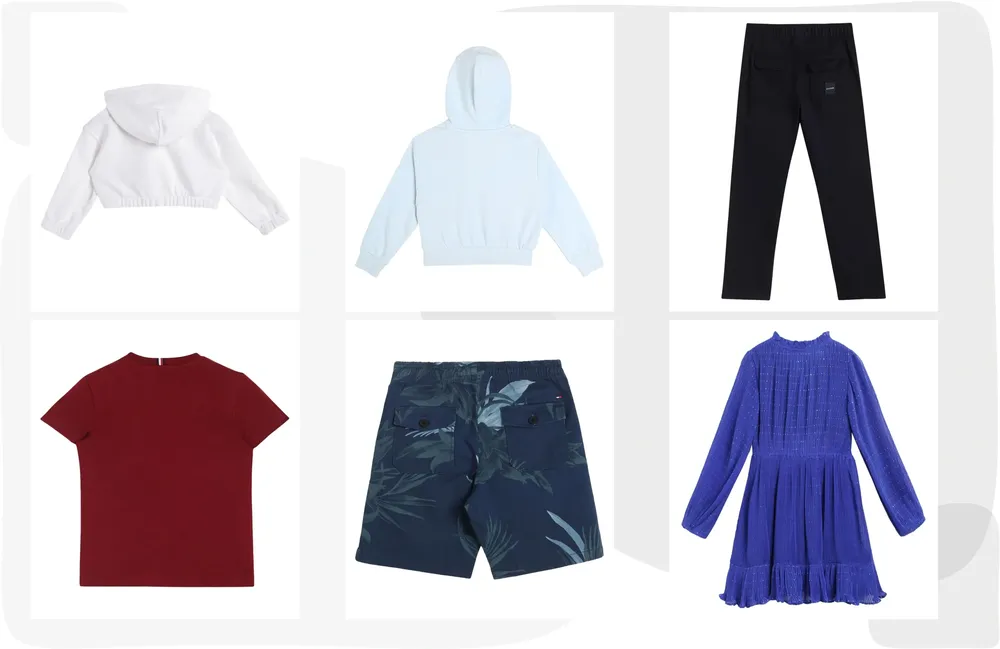
What It Does
Zyng AI automates time-consuming image editing processes by applying artificial intelligence to common tasks. Users can upload images in bulk and apply various AI-driven transformations like removing backgrounds, enhancing product details, or upscaling resolution. The platform processes these images rapidly, converting raw visual data into polished, ready-to-use assets for various digital applications, thereby eliminating the need for extensive manual editing.
Pricing
Pricing Plans
A starter plan to experience Zyng AI's core features with a limited number of credits.
- 5 credits
- AI Background Remover
- AI Image Upscaler
- AI Image Enhancer
- AI Object Remover
- +3 more
Ideal for individuals and small businesses needing more credits for regular image processing tasks.
- 100 credits/month
- All Free plan features
- Priority Support
Discounted yearly subscription for the Pro plan, offering the same benefits at a lower monthly cost.
- 100 credits/month
- All Free plan features
- Priority Support
Suited for growing businesses with higher volume image processing needs.
- 300 credits/month
- All Pro plan features
- Enhanced Support
Discounted yearly subscription for the Business plan, providing greater value for higher credit usage.
- 300 credits/month
- All Pro plan features
- Enhanced Support
Tailored solutions for large organizations with specific requirements and very high volume processing.
- Custom credits
- Dedicated Account Manager
- SLA
- API Access
Core Value Propositions
Unmatched Workflow Efficiency
Automates repetitive tasks for bulk image processing, significantly reducing the time and effort spent on manual editing.
Consistent High-Quality Output
Ensures professional and uniform results across all processed images, maintaining brand consistency and visual appeal.
Cost and Time Savings
Minimizes the need for extensive manual labor or expensive software, optimizing resource allocation for businesses and individuals.
Simplified Complex Edits
Makes advanced image manipulations like background or object removal accessible and easy, even for non-experts, through AI.
Use Cases
E-commerce Product Photography
Automatically remove backgrounds from thousands of product images, ensuring consistent, clean visuals for online stores and marketplaces.
Digital Marketing Campaigns
Quickly resize, enhance, and compress images for various social media platforms and ad creatives, optimizing load times and engagement.
Professional Photo Editing
Batch process event or portrait photos for enhancement, upscaling, or object removal, dramatically speeding up post-production workflows.
Content Creation for Blogs
Optimize images for web display by compressing and resizing them, improving page load speeds and overall user experience on websites.
Graphic Design Asset Preparation
Prepare image assets by removing backgrounds or upscaling for use in larger design projects, ensuring high quality and flexibility.
Visual Asset Management
Standardize image formats, apply watermarks, and compress files for efficient storage and organization within digital asset libraries.
Technical Features & Integration
AI Background Remover
Automatically and precisely removes backgrounds from images, ideal for product photography and e-commerce listings, saving significant manual editing time.
AI Image Upscaler
Enhances image resolution and quality without pixelation, making low-resolution images suitable for larger displays or print.
AI Image Enhancer
Intelligently improves image clarity, color, and overall visual appeal with a single click, ensuring professional-grade output.
AI Object Remover
Effortlessly eliminates unwanted objects or imperfections from images, allowing users to clean up visuals quickly and effectively.
Bulk Processing Capabilities
Processes hundreds or thousands of images simultaneously, drastically accelerating workflows for large-scale visual content projects.
AI Image Watermark
Applies custom watermarks to images in bulk, helping to protect intellectual property and brand assets efficiently.
AI Image Resizer
Adjusts image dimensions to fit specific platform requirements or design layouts, ensuring optimal display without manual cropping.
AI Image Compressor
Reduces file sizes of images while maintaining visual quality, perfect for optimizing website loading speeds and storage efficiency.
Target Audience
This tool is ideal for e-commerce businesses, online retailers, digital marketing agencies, professional photographers, and graphic designers who manage large volumes of visual content. It particularly benefits those needing to quickly prepare product images for online stores, marketing campaigns, or catalogs, aiming to reduce manual editing time and cost significantly.
Frequently Asked Questions
Zyng AI offers a free plan with limited features. Paid plans are available for additional features and capabilities. Available plans include: Free, Pro, Pro (Yearly), Business, Business (Yearly), Enterprise.
Zyng AI automates time-consuming image editing processes by applying artificial intelligence to common tasks. Users can upload images in bulk and apply various AI-driven transformations like removing backgrounds, enhancing product details, or upscaling resolution. The platform processes these images rapidly, converting raw visual data into polished, ready-to-use assets for various digital applications, thereby eliminating the need for extensive manual editing.
Key features of Zyng AI include: AI Background Remover: Automatically and precisely removes backgrounds from images, ideal for product photography and e-commerce listings, saving significant manual editing time.. AI Image Upscaler: Enhances image resolution and quality without pixelation, making low-resolution images suitable for larger displays or print.. AI Image Enhancer: Intelligently improves image clarity, color, and overall visual appeal with a single click, ensuring professional-grade output.. AI Object Remover: Effortlessly eliminates unwanted objects or imperfections from images, allowing users to clean up visuals quickly and effectively.. Bulk Processing Capabilities: Processes hundreds or thousands of images simultaneously, drastically accelerating workflows for large-scale visual content projects.. AI Image Watermark: Applies custom watermarks to images in bulk, helping to protect intellectual property and brand assets efficiently.. AI Image Resizer: Adjusts image dimensions to fit specific platform requirements or design layouts, ensuring optimal display without manual cropping.. AI Image Compressor: Reduces file sizes of images while maintaining visual quality, perfect for optimizing website loading speeds and storage efficiency..
Zyng AI is best suited for This tool is ideal for e-commerce businesses, online retailers, digital marketing agencies, professional photographers, and graphic designers who manage large volumes of visual content. It particularly benefits those needing to quickly prepare product images for online stores, marketing campaigns, or catalogs, aiming to reduce manual editing time and cost significantly..
Automates repetitive tasks for bulk image processing, significantly reducing the time and effort spent on manual editing.
Ensures professional and uniform results across all processed images, maintaining brand consistency and visual appeal.
Minimizes the need for extensive manual labor or expensive software, optimizing resource allocation for businesses and individuals.
Makes advanced image manipulations like background or object removal accessible and easy, even for non-experts, through AI.
Automatically remove backgrounds from thousands of product images, ensuring consistent, clean visuals for online stores and marketplaces.
Quickly resize, enhance, and compress images for various social media platforms and ad creatives, optimizing load times and engagement.
Batch process event or portrait photos for enhancement, upscaling, or object removal, dramatically speeding up post-production workflows.
Optimize images for web display by compressing and resizing them, improving page load speeds and overall user experience on websites.
Prepare image assets by removing backgrounds or upscaling for use in larger design projects, ensuring high quality and flexibility.
Standardize image formats, apply watermarks, and compress files for efficient storage and organization within digital asset libraries.


Get new AI tools weekly
Join readers discovering the best AI tools every week.