
Usemotion.com
Last updated:
Motion is an AI-powered 'super app' designed to revolutionize personal and team productivity by intelligently managing tasks, projects, and calendars. It acts as a proactive AI executive assistant, dynamically scheduling your entire day to maximize efficiency and ensure high-priority work gets done. By integrating seamlessly with existing calendars and communication tools, Motion eliminates the need for manual scheduling and constant re-prioritization, allowing users to focus on execution rather than organization. It's built for individuals and teams seeking to automate their daily planning, protect focus time, and improve overall output without the overhead of traditional project management.
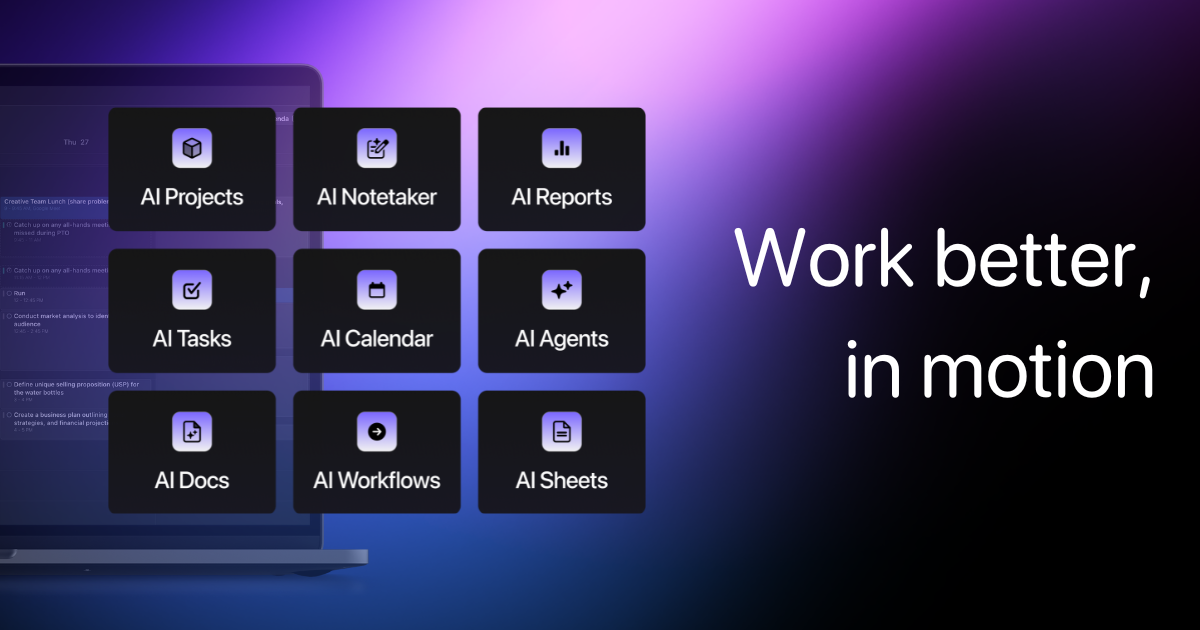
What It Does
Motion connects to your calendars, email, and task lists, then uses AI to analyze your priorities, deadlines, and availability. It automatically generates an optimized daily schedule, intelligently blocking time for tasks, meetings, and focused work. The system dynamically adjusts your schedule in real-time as new events or priorities emerge, ensuring you always have an up-to-date and efficient plan for your day.
Pricing
Pricing Plans
Designed for single users seeking to automate their personal productivity and time management with AI.
- AI Smart Scheduling
- AI Meeting Assistant
- Task & Project Management
- Calendar Integration (Google/Outlook)
- Email Integration (Gmail/Outlook)
- +3 more
Monthly subscription for individual users, offering flexibility.
- AI Smart Scheduling
- AI Meeting Assistant
- Task & Project Management
- Calendar Integration (Google/Outlook)
- Email Integration (Gmail/Outlook)
- +3 more
Per-user pricing (minimum 2 users) for teams needing collaborative AI-driven scheduling and project management.
- All Individual Features
- Team Workspaces
- Team Scheduling
- Team Analytics
- Priority Support
Monthly per-user pricing (minimum 2 users) for teams, providing flexibility for collaborative features.
- All Individual Features
- Team Workspaces
- Team Scheduling
- Team Analytics
- Priority Support
Core Value Propositions
Automated Daily Planning
Eliminates the time and mental effort spent on planning and re-planning your day, allowing you to jump straight into productive work.
Optimized Focus & Deep Work
Intelligently blocks time for critical tasks and protects it from interruptions, ensuring you have dedicated periods for high-value work.
Reduced Scheduling Friction
Automates meeting coordination and task prioritization, significantly cutting down on back-and-forth communication and manual adjustments.
Holistic Work Management
Unifies tasks, projects, and calendars into one smart system, providing a clear, actionable plan for everything on your plate.
Use Cases
Individual Productivity Enhancement
A freelancer uses Motion to automatically schedule client meetings, project deadlines, and deep work blocks for coding, ensuring timely delivery and focused effort.
Executive Time Management
An executive leverages Motion to manage a packed schedule of internal meetings, external calls, and strategic planning, ensuring high-priority tasks are always addressed.
Project Team Coordination
A project manager uses Motion to integrate team members' tasks and availability, automatically scheduling collaborative work sessions and individual task completion times for project milestones.
Sales Professional Efficiency
A sales rep uses Motion to intelligently schedule client calls, follow-ups, and proposal drafting around their existing calendar, maximizing outreach and administrative time.
Academic Study Planning
A student utilizes Motion to block out study sessions for different subjects, integrate lecture times, and schedule assignment deadlines, optimizing their academic workload.
Technical Features & Integration
AI Smart Scheduling
Automatically schedules tasks, meetings, and deep work blocks based on urgency, importance, and availability, dynamically adjusting throughout the day to optimize productivity.
AI Meeting Assistant
Finds the best meeting times, sends invites, and handles follow-ups, protecting your focus time and reducing scheduling friction with intelligent conflict resolution.
Integrated Task Management
Centralizes all your tasks, allowing you to prioritize, set deadlines, and have the AI automatically fit them into your schedule, ensuring nothing falls through the cracks.
Comprehensive Project Management
Organize larger projects into manageable tasks, track progress, and integrate project timelines directly into your daily schedule for better oversight and execution.
Calendar & Email Sync
Seamlessly connects with Google Calendar, Outlook Calendar, Gmail, and Outlook Email to pull in commitments and communicate scheduling updates directly.
Dynamic Time Blocking
Automatically allocates specific time blocks for tasks and activities, preventing overbooking and ensuring dedicated focus periods for important work.
Cross-Platform Access
Available via desktop app, mobile app (iOS/Android), and browser extension, allowing users to manage their schedule and tasks from any device, anywhere.
Target Audience
Motion is ideal for busy professionals, entrepreneurs, and small to medium-sized teams struggling with time management and scheduling overhead. It particularly benefits individuals in roles requiring deep work, frequent meetings, and complex project coordination, such as product managers, consultants, and executives. Anyone looking to eliminate manual planning and reclaim mental energy for actual work will find significant value.
Frequently Asked Questions
Usemotion.com is a paid tool. Available plans include: Individual, Individual (Monthly), Team, Team (Monthly).
Motion connects to your calendars, email, and task lists, then uses AI to analyze your priorities, deadlines, and availability. It automatically generates an optimized daily schedule, intelligently blocking time for tasks, meetings, and focused work. The system dynamically adjusts your schedule in real-time as new events or priorities emerge, ensuring you always have an up-to-date and efficient plan for your day.
Key features of Usemotion.com include: AI Smart Scheduling: Automatically schedules tasks, meetings, and deep work blocks based on urgency, importance, and availability, dynamically adjusting throughout the day to optimize productivity.. AI Meeting Assistant: Finds the best meeting times, sends invites, and handles follow-ups, protecting your focus time and reducing scheduling friction with intelligent conflict resolution.. Integrated Task Management: Centralizes all your tasks, allowing you to prioritize, set deadlines, and have the AI automatically fit them into your schedule, ensuring nothing falls through the cracks.. Comprehensive Project Management: Organize larger projects into manageable tasks, track progress, and integrate project timelines directly into your daily schedule for better oversight and execution.. Calendar & Email Sync: Seamlessly connects with Google Calendar, Outlook Calendar, Gmail, and Outlook Email to pull in commitments and communicate scheduling updates directly.. Dynamic Time Blocking: Automatically allocates specific time blocks for tasks and activities, preventing overbooking and ensuring dedicated focus periods for important work.. Cross-Platform Access: Available via desktop app, mobile app (iOS/Android), and browser extension, allowing users to manage their schedule and tasks from any device, anywhere..
Usemotion.com is best suited for Motion is ideal for busy professionals, entrepreneurs, and small to medium-sized teams struggling with time management and scheduling overhead. It particularly benefits individuals in roles requiring deep work, frequent meetings, and complex project coordination, such as product managers, consultants, and executives. Anyone looking to eliminate manual planning and reclaim mental energy for actual work will find significant value..
Eliminates the time and mental effort spent on planning and re-planning your day, allowing you to jump straight into productive work.
Intelligently blocks time for critical tasks and protects it from interruptions, ensuring you have dedicated periods for high-value work.
Automates meeting coordination and task prioritization, significantly cutting down on back-and-forth communication and manual adjustments.
Unifies tasks, projects, and calendars into one smart system, providing a clear, actionable plan for everything on your plate.
A freelancer uses Motion to automatically schedule client meetings, project deadlines, and deep work blocks for coding, ensuring timely delivery and focused effort.
An executive leverages Motion to manage a packed schedule of internal meetings, external calls, and strategic planning, ensuring high-priority tasks are always addressed.
A project manager uses Motion to integrate team members' tasks and availability, automatically scheduling collaborative work sessions and individual task completion times for project milestones.
A sales rep uses Motion to intelligently schedule client calls, follow-ups, and proposal drafting around their existing calendar, maximizing outreach and administrative time.
A student utilizes Motion to block out study sessions for different subjects, integrate lecture times, and schedule assignment deadlines, optimizing their academic workload.





Get new AI tools weekly
Join readers discovering the best AI tools every week.