
Supa Screenshot
Last updated:
Supa Screenshot is a comprehensive web-based platform designed to streamline visual communication through high-quality screenshot capture, intuitive annotation, and interactive product demo creation. It empowers users to transform static images into engaging, step-by-step guides and tutorials, enhancing clarity for product showcases, onboarding processes, bug reporting, and feedback loops. The tool simplifies the creation and sharing of rich visual content, fostering better collaboration and understanding across teams and with clients.
What It Does
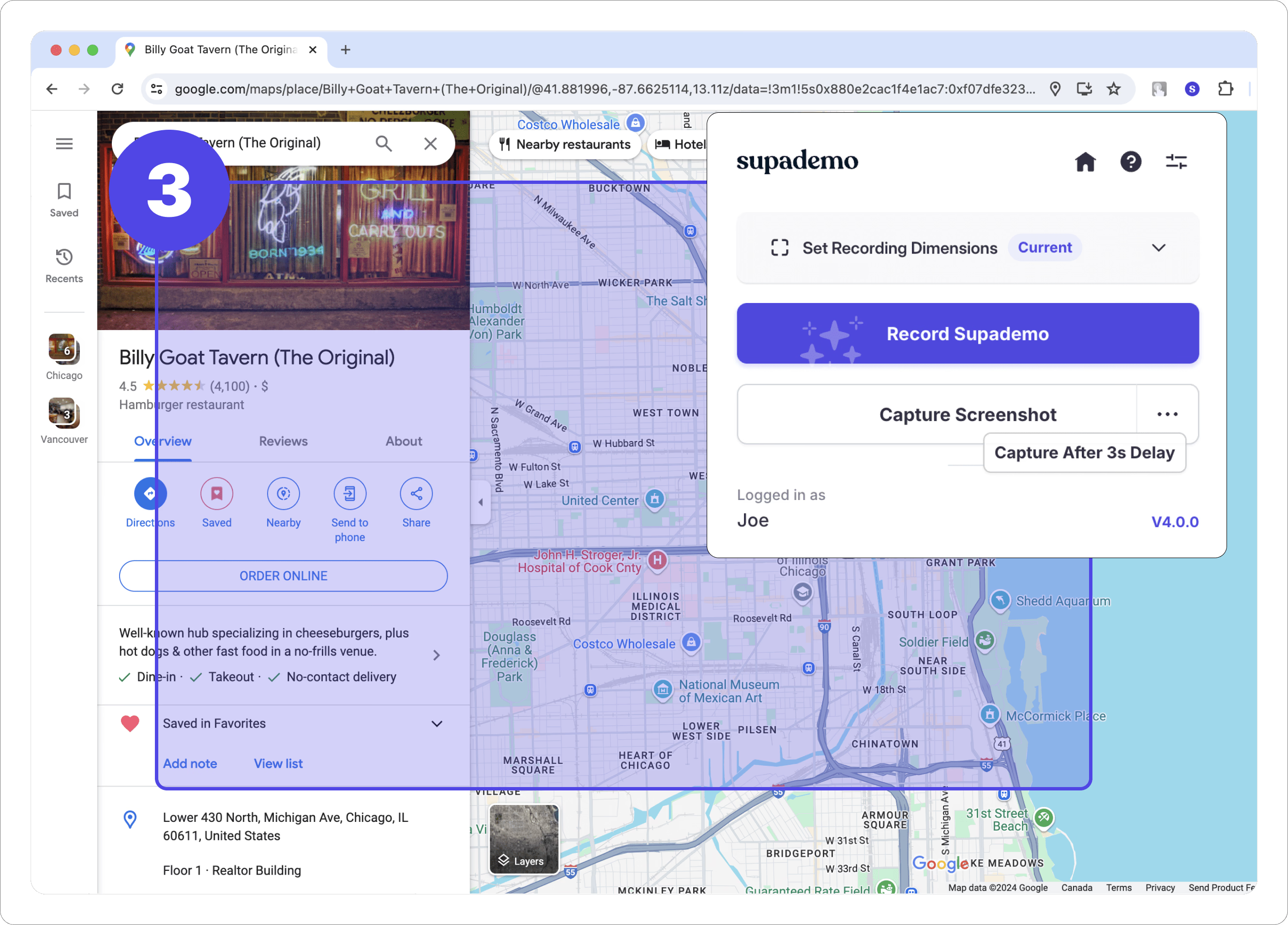
This tool captures precise screenshots of web pages, offering options for full-page, visible area, or element-specific capture via a browser extension. Users can then enhance these images with a variety of annotation tools, including arrows, text, shapes, and blur effects. Its core functionality extends to creating interactive product demos by linking annotated screenshots with hotspots and tooltips, guiding viewers through a simulated user experience.
Pricing
Pricing Plans
Ideal for individuals starting out, offering essential features to create and share basic visual content.
- 1 interactive demo
- 10 screenshots/month
- Basic annotations
- Basic sharing
Designed for professionals seeking unlimited capabilities, advanced features, and custom branding for their visual communication needs.
- Unlimited interactive demos
- Unlimited screenshots
- Advanced annotations
- Cloud storage
- Custom branding
- +2 more
Perfect for small teams requiring collaborative features, shared workspaces, and centralized user management for enhanced productivity.
- All Pro features
- 3 users
- User management
- Shared workspace
Core Value Propositions
Enhanced Visual Clarity
Communicate complex ideas and processes more effectively with interactive demos and precise annotations, minimizing misunderstandings.
Streamlined Content Creation
Accelerate the production of tutorials, product showcases, and documentation with an all-in-one capture, annotation, and interactive guide builder.
Improved Collaboration & Feedback
Facilitate clearer feedback loops and foster better team collaboration by sharing easily understandable and interactive visual content.
Reduced Onboarding & Support Costs
Empower users with self-service interactive guides, decreasing the need for extensive training and reducing the volume of customer support inquiries.
Use Cases
Product Onboarding & User Guides
Create interactive walkthroughs to guide new users through your product's features, improving adoption and reducing time-to-value.
Bug Reporting & QA Testing
Generate clear, annotated screenshots and step-by-step demos to accurately report bugs, helping developers quickly understand and resolve issues.
Software Tutorials & Documentation
Develop comprehensive visual tutorials and support documentation, making it easier for users to learn and troubleshoot software applications.
Sales & Marketing Product Demos
Showcase product features and benefits interactively to prospects, providing a compelling visual experience that drives engagement.
Design Feedback & Iteration
Provide precise visual feedback on UI/UX designs to team members or clients, streamlining the iteration process and ensuring clarity.
Internal Training & Process Explanations
Create interactive guides for internal training, explaining complex workflows or new software implementations to employees effectively.
Technical Features & Integration
Interactive Product Demos
Create engaging, step-by-step guides with clickable hotspots and tooltips, simulating real user interactions for product onboarding or feature showcases.
High-Quality Screenshot Capture
Capture full web pages, visible areas, or specific elements with precision, ensuring crisp and clear visuals for any documentation or presentation.
Intuitive Annotation Tools
Enhance screenshots with a suite of annotation features including arrows, text, shapes, blurring sensitive information, and highlighting key areas.
Browser Extension (Chrome/Edge)
Seamlessly capture screenshots and initiate demo creation directly from your browser, integrating the tool into your daily workflow.
Cloud Storage & Organization
Store, manage, and organize all your captured screenshots and interactive demos in one centralized cloud-based workspace for easy access and collaboration.
Shareable Links & Embeds
Effortlessly share your interactive content via unique links or embed codes, making it simple to distribute demos and tutorials to teams or clients.
Custom Branding (Pro Plan)
Apply your company's branding to shared content, maintaining a professional and consistent look across all your visual communications.
Team Collaboration Features
Facilitate teamwork with shared workspaces and user management, allowing multiple team members to contribute to and manage projects.
Target Audience
This tool is ideal for product managers, UX/UI designers, marketing professionals, customer support teams, educators, and technical writers. It caters to anyone needing to visually explain complex processes, showcase product features, or provide clear, actionable feedback and tutorials.
Frequently Asked Questions
Supa Screenshot offers a free plan with limited features. Paid plans are available for additional features and capabilities. Available plans include: Free, Pro, Team.
This tool captures precise screenshots of web pages, offering options for full-page, visible area, or element-specific capture via a browser extension. Users can then enhance these images with a variety of annotation tools, including arrows, text, shapes, and blur effects. Its core functionality extends to creating interactive product demos by linking annotated screenshots with hotspots and tooltips, guiding viewers through a simulated user experience.
Key features of Supa Screenshot include: Interactive Product Demos: Create engaging, step-by-step guides with clickable hotspots and tooltips, simulating real user interactions for product onboarding or feature showcases.. High-Quality Screenshot Capture: Capture full web pages, visible areas, or specific elements with precision, ensuring crisp and clear visuals for any documentation or presentation.. Intuitive Annotation Tools: Enhance screenshots with a suite of annotation features including arrows, text, shapes, blurring sensitive information, and highlighting key areas.. Browser Extension (Chrome/Edge): Seamlessly capture screenshots and initiate demo creation directly from your browser, integrating the tool into your daily workflow.. Cloud Storage & Organization: Store, manage, and organize all your captured screenshots and interactive demos in one centralized cloud-based workspace for easy access and collaboration.. Shareable Links & Embeds: Effortlessly share your interactive content via unique links or embed codes, making it simple to distribute demos and tutorials to teams or clients.. Custom Branding (Pro Plan): Apply your company's branding to shared content, maintaining a professional and consistent look across all your visual communications.. Team Collaboration Features: Facilitate teamwork with shared workspaces and user management, allowing multiple team members to contribute to and manage projects..
Supa Screenshot is best suited for This tool is ideal for product managers, UX/UI designers, marketing professionals, customer support teams, educators, and technical writers. It caters to anyone needing to visually explain complex processes, showcase product features, or provide clear, actionable feedback and tutorials..
Communicate complex ideas and processes more effectively with interactive demos and precise annotations, minimizing misunderstandings.
Accelerate the production of tutorials, product showcases, and documentation with an all-in-one capture, annotation, and interactive guide builder.
Facilitate clearer feedback loops and foster better team collaboration by sharing easily understandable and interactive visual content.
Empower users with self-service interactive guides, decreasing the need for extensive training and reducing the volume of customer support inquiries.
Create interactive walkthroughs to guide new users through your product's features, improving adoption and reducing time-to-value.
Generate clear, annotated screenshots and step-by-step demos to accurately report bugs, helping developers quickly understand and resolve issues.
Develop comprehensive visual tutorials and support documentation, making it easier for users to learn and troubleshoot software applications.
Showcase product features and benefits interactively to prospects, providing a compelling visual experience that drives engagement.
Provide precise visual feedback on UI/UX designs to team members or clients, streamlining the iteration process and ensuring clarity.
Create interactive guides for internal training, explaining complex workflows or new software implementations to employees effectively.






Get new AI tools weekly
Join readers discovering the best AI tools every week.