

Sketchar.io
Last updated:
Sketchar is an innovative augmented reality (AR) drawing application that transforms the user's real-world environment into an interactive canvas. It leverages AR technology to overlay virtual drawing guides and tools onto physical surroundings, enabling users to trace, draw, and create digital art directly in their space. This tool is designed for a wide audience, from complete beginners seeking to learn drawing fundamentals to experienced artists exploring new mediums, offering a unique blend of digital creativity and real-world interaction.
What It Does
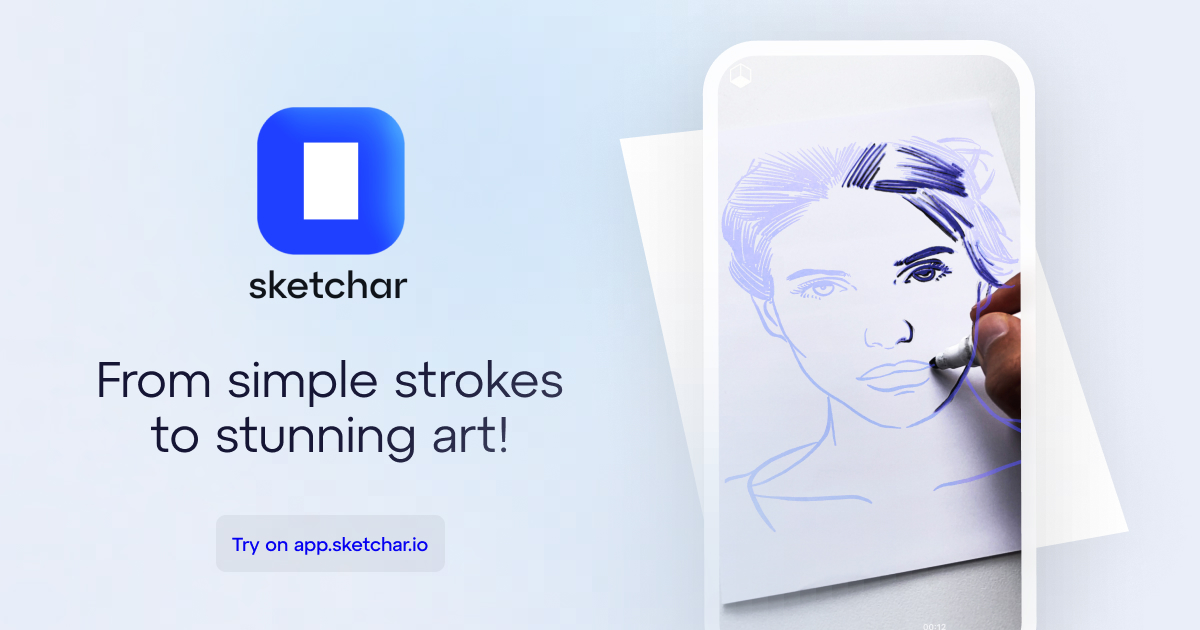
Sketchar utilizes a smartphone or tablet camera to project virtual drawing outlines onto any surface, allowing users to trace and learn at their own pace. It provides interactive lessons, step-by-step guides, and a variety of digital tools to create artworks that can then be saved, shared, or even printed. The application essentially acts as a personal AR drawing assistant, making art creation accessible and engaging.
Pricing
Pricing Plans
Provides essential features to get started with AR drawing and explore the app's core functionality.
- Limited access to AR drawing lessons
- Basic drawing tools
- Community access for viewing
Unlocks the full potential of Sketchar with comprehensive lessons, advanced tools, and an uninterrupted creative experience.
- Unlimited access to all AR lessons
- Full suite of drawing tools and effects
- Ad-free experience
- Advanced export options
- Priority support
Core Value Propositions
Accessible Drawing Education
Learn to draw with interactive AR guides, making art accessible to everyone regardless of prior experience or traditional art supplies.
Innovative AR Creativity
Explore a novel way to create art by blending digital elements with your real-world surroundings, fostering unique artistic expressions.
Engaging Skill Development
Progress through structured lessons and challenges in a fun, gamified environment, enhancing drawing skills effectively and enjoyably.
Global Artistic Community
Connect with fellow artists, share your creations, and draw inspiration from a diverse and supportive online community.
Use Cases
Learning Basic Drawing Skills
Beginners use AR lessons to trace basic shapes and objects projected onto paper, building foundational drawing techniques.
Sketching Mural Ideas
Artists project a digital sketch onto a wall using AR to visualize and refine mural designs before painting them physically.
Interactive Art Education
Teachers incorporate Sketchar into art classes to provide students with guided, hands-on drawing experiences using AR technology.
Personalized Portrait Practice
Users upload a photo of a friend or pet into 'Trace Mode' to practice portrait drawing with AR guidance.
Creative Hobby & Stress Relief
Individuals use the app to unwind and engage in creative expression, transforming their environment into a playful canvas for digital art.
Technical Features & Integration
AR Drawing Lessons
Step-by-step augmented reality tutorials guide users through drawing various objects and scenes, making learning intuitive and interactive.
Trace Mode
Users can upload their own images or photos and transform them into AR outlines, enabling them to trace and recreate personal artworks.
Digital Art Tools
A comprehensive suite of brushes, colors, textures, and effects empowers users to create detailed and personalized digital artworks.
Community & Sharing
An integrated social platform allows artists to share their creations, explore works by others, and engage with a global artistic community.
Export & Print Options
Finished artworks can be easily exported in different formats or prepared for printing, extending the utility beyond the digital canvas.
Progress Tracking
Monitors user progress through lessons and challenges, providing a structured path for skill development and motivation.
Target Audience
Sketchar is ideal for aspiring artists and beginners who want to learn drawing in an engaging and accessible way, without the need for traditional art supplies. It also caters to experienced artists looking to experiment with augmented reality as a new creative medium or to quickly sketch ideas in a digital format. Educators can leverage it as a modern tool for teaching art, and creative hobbyists will find it a fun and innovative way to express themselves.
Frequently Asked Questions
Sketchar.io offers a free plan with limited features. Paid plans are available for additional features and capabilities. Available plans include: Free, Premium / Pro.
Sketchar utilizes a smartphone or tablet camera to project virtual drawing outlines onto any surface, allowing users to trace and learn at their own pace. It provides interactive lessons, step-by-step guides, and a variety of digital tools to create artworks that can then be saved, shared, or even printed. The application essentially acts as a personal AR drawing assistant, making art creation accessible and engaging.
Key features of Sketchar.io include: AR Drawing Lessons: Step-by-step augmented reality tutorials guide users through drawing various objects and scenes, making learning intuitive and interactive.. Trace Mode: Users can upload their own images or photos and transform them into AR outlines, enabling them to trace and recreate personal artworks.. Digital Art Tools: A comprehensive suite of brushes, colors, textures, and effects empowers users to create detailed and personalized digital artworks.. Community & Sharing: An integrated social platform allows artists to share their creations, explore works by others, and engage with a global artistic community.. Export & Print Options: Finished artworks can be easily exported in different formats or prepared for printing, extending the utility beyond the digital canvas.. Progress Tracking: Monitors user progress through lessons and challenges, providing a structured path for skill development and motivation..
Sketchar.io is best suited for Sketchar is ideal for aspiring artists and beginners who want to learn drawing in an engaging and accessible way, without the need for traditional art supplies. It also caters to experienced artists looking to experiment with augmented reality as a new creative medium or to quickly sketch ideas in a digital format. Educators can leverage it as a modern tool for teaching art, and creative hobbyists will find it a fun and innovative way to express themselves..
Learn to draw with interactive AR guides, making art accessible to everyone regardless of prior experience or traditional art supplies.
Explore a novel way to create art by blending digital elements with your real-world surroundings, fostering unique artistic expressions.
Progress through structured lessons and challenges in a fun, gamified environment, enhancing drawing skills effectively and enjoyably.
Connect with fellow artists, share your creations, and draw inspiration from a diverse and supportive online community.
Beginners use AR lessons to trace basic shapes and objects projected onto paper, building foundational drawing techniques.
Artists project a digital sketch onto a wall using AR to visualize and refine mural designs before painting them physically.
Teachers incorporate Sketchar into art classes to provide students with guided, hands-on drawing experiences using AR technology.
Users upload a photo of a friend or pet into 'Trace Mode' to practice portrait drawing with AR guidance.
Individuals use the app to unwind and engage in creative expression, transforming their environment into a playful canvas for digital art.







Get new AI tools weekly
Join readers discovering the best AI tools every week.