

Raycast AI Lite
Last updated:
Raycast AI Lite is a powerful macOS productivity tool that seamlessly integrates a versatile launcher with advanced artificial intelligence capabilities. It is designed to accelerate workflows for professionals across various domains, offering swift access to applications, files, and web content, significantly enhanced by AI-driven functionalities. This tool stands out by centralizing diverse tasks, from generating text and summarizing documents to assisting with code and translating languages, all within a highly customizable and extensible interface. It's ideal for users looking to streamline their daily computing tasks and inject intelligent automation into their productivity stack.
What It Does
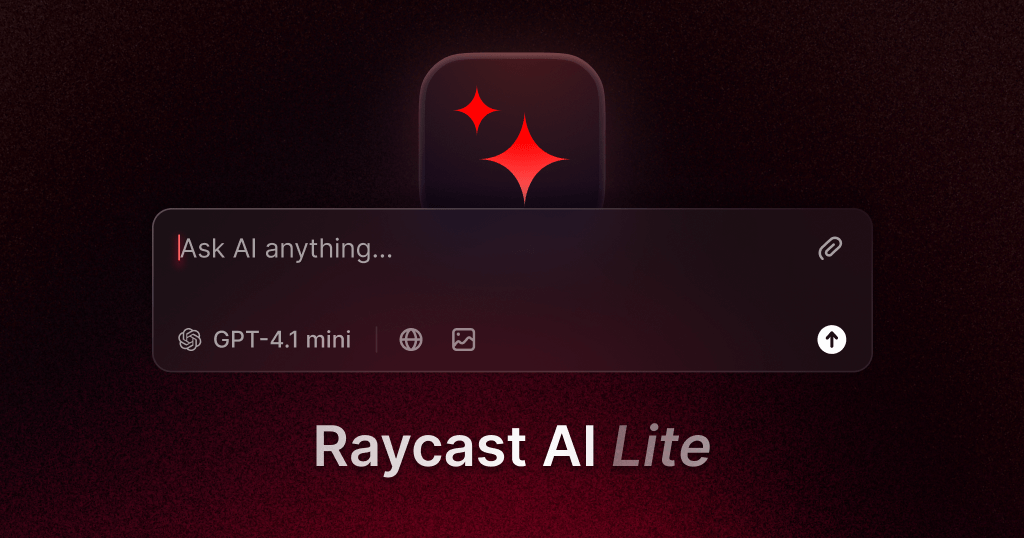
Raycast AI Lite functions as a command palette for macOS, providing universal search, application launching, and system control. Its integrated AI features allow users to interact with large language models directly from the launcher, enabling on-the-fly text generation, summarization, and code assistance. Users can invoke AI commands, engage in chat, or use quicklinks to process selected text, dramatically reducing context switching and boosting efficiency.
Pricing
Pricing Plans
Access core Raycast features and a limited set of AI capabilities for individual users.
- Universal Search
- Snippets
- Clipboard History
- Extensions
- Limited AI features (e.g., 20 AI commands/month)
Unlock unlimited AI potential, cloud synchronization, and premium features for enhanced productivity.
- Unlimited AI features
- Custom AI commands
- Cloud Sync
- Theming
- Priority Support
- +1 more
Designed for teams to collaborate, share extensions, and manage access with enterprise-grade features.
- All Pro features
- Team Management
- Shared Extensions
- Centralized Billing
- SAML SSO
Core Value Propositions
Accelerated Productivity
Streamline daily tasks and reduce context switching with quick access to apps, files, and AI commands. This saves valuable time and improves overall efficiency throughout the workday.
Integrated AI Assistance
Leverage powerful AI for text generation, summarization, and coding help directly within your launcher. This provides instant, intelligent support without needing to open separate applications.
Customizable & Extensible
Tailor the tool to your exact workflow with thousands of extensions and custom commands. This ensures Raycast fits seamlessly into your unique professional environment and preferences.
Seamless Workflow Automation
Automate repetitive actions and integrate with various services through custom scripts and commands. This minimizes manual effort and enhances consistency in routine operations.
Use Cases
Code Generation & Explanation
A developer uses AI commands to generate boilerplate code, explain unfamiliar functions, or refactor existing code directly from the launcher. This speeds up coding and understanding.
Content Summarization
A researcher selects a lengthy article in their browser and uses an AI Quicklink command to get a concise summary. This saves time and helps quickly grasp key information.
Email Drafting & Brainstorming
A marketer uses AI Chat to brainstorm subject lines for a campaign or draft a professional email. This accelerates the content creation process for communications.
Meeting Note Processing
After a meeting, a project manager copies their raw notes and uses an AI command to organize them into actionable tasks and key takeaways. This transforms unstructured data into valuable insights.
Language Translation
A user encounters text in a foreign language and uses an AI Quicklink to instantly translate it into their native language. This removes language barriers in online content.
Automated System Tasks
A power user creates custom commands to automate opening specific project folders, launching multiple applications, or toggling system settings. This personalizes and streamlines their daily setup.
Technical Features & Integration
AI Chat
Engage directly with AI models for conversational queries, brainstorming, or detailed explanations without leaving your workflow. This provides instant access to AI assistance for various tasks.
AI Commands
Execute predefined or custom AI prompts to perform actions like summarizing text, generating code, or translating content. This automates common AI-driven tasks with a keystroke.
AI Quicklink
Process selected text from any application using AI, enabling quick summarization, rephrasing, or translation on the fly. This streamlines text manipulation across applications.
Universal Search & Launcher
Quickly find and open applications, files, and browser tabs, or perform system actions from a single, unified search bar. This significantly reduces navigation time and enhances access speed.
Extensibility & Store
Customize Raycast with thousands of community-created extensions for popular apps, services, and developer tools. This allows users to integrate Raycast deeply into their specific workflows.
Snippet Management
Store and quickly insert frequently used text snippets, code blocks, or email templates. This saves time on repetitive typing and ensures consistency in communication.
Clipboard History
Access a chronological list of copied items, including text, images, and files, for easy retrieval and pasting. This enhances productivity by making previously copied content readily available.
Custom Commands
Create personalized commands to automate repetitive tasks, run scripts, or integrate with internal tools. This empowers users to tailor the tool precisely to their unique needs.
Target Audience
Raycast AI Lite is primarily beneficial for macOS power users, developers, writers, and knowledge workers who seek to optimize their digital productivity. It caters to individuals and teams looking to reduce context switching, automate routine tasks, and leverage AI for enhanced content creation and information processing.
Frequently Asked Questions
Raycast AI Lite offers a free plan with limited features. Paid plans are available for additional features and capabilities. Available plans include: Free, Pro, Teams.
Raycast AI Lite functions as a command palette for macOS, providing universal search, application launching, and system control. Its integrated AI features allow users to interact with large language models directly from the launcher, enabling on-the-fly text generation, summarization, and code assistance. Users can invoke AI commands, engage in chat, or use quicklinks to process selected text, dramatically reducing context switching and boosting efficiency.
Key features of Raycast AI Lite include: AI Chat: Engage directly with AI models for conversational queries, brainstorming, or detailed explanations without leaving your workflow. This provides instant access to AI assistance for various tasks.. AI Commands: Execute predefined or custom AI prompts to perform actions like summarizing text, generating code, or translating content. This automates common AI-driven tasks with a keystroke.. AI Quicklink: Process selected text from any application using AI, enabling quick summarization, rephrasing, or translation on the fly. This streamlines text manipulation across applications.. Universal Search & Launcher: Quickly find and open applications, files, and browser tabs, or perform system actions from a single, unified search bar. This significantly reduces navigation time and enhances access speed.. Extensibility & Store: Customize Raycast with thousands of community-created extensions for popular apps, services, and developer tools. This allows users to integrate Raycast deeply into their specific workflows.. Snippet Management: Store and quickly insert frequently used text snippets, code blocks, or email templates. This saves time on repetitive typing and ensures consistency in communication.. Clipboard History: Access a chronological list of copied items, including text, images, and files, for easy retrieval and pasting. This enhances productivity by making previously copied content readily available.. Custom Commands: Create personalized commands to automate repetitive tasks, run scripts, or integrate with internal tools. This empowers users to tailor the tool precisely to their unique needs..
Raycast AI Lite is best suited for Raycast AI Lite is primarily beneficial for macOS power users, developers, writers, and knowledge workers who seek to optimize their digital productivity. It caters to individuals and teams looking to reduce context switching, automate routine tasks, and leverage AI for enhanced content creation and information processing..
Streamline daily tasks and reduce context switching with quick access to apps, files, and AI commands. This saves valuable time and improves overall efficiency throughout the workday.
Leverage powerful AI for text generation, summarization, and coding help directly within your launcher. This provides instant, intelligent support without needing to open separate applications.
Tailor the tool to your exact workflow with thousands of extensions and custom commands. This ensures Raycast fits seamlessly into your unique professional environment and preferences.
Automate repetitive actions and integrate with various services through custom scripts and commands. This minimizes manual effort and enhances consistency in routine operations.
A developer uses AI commands to generate boilerplate code, explain unfamiliar functions, or refactor existing code directly from the launcher. This speeds up coding and understanding.
A researcher selects a lengthy article in their browser and uses an AI Quicklink command to get a concise summary. This saves time and helps quickly grasp key information.
A marketer uses AI Chat to brainstorm subject lines for a campaign or draft a professional email. This accelerates the content creation process for communications.
After a meeting, a project manager copies their raw notes and uses an AI command to organize them into actionable tasks and key takeaways. This transforms unstructured data into valuable insights.
A user encounters text in a foreign language and uses an AI Quicklink to instantly translate it into their native language. This removes language barriers in online content.
A power user creates custom commands to automate opening specific project folders, launching multiple applications, or toggling system settings. This personalizes and streamlines their daily setup.



Get new AI tools weekly
Join readers discovering the best AI tools every week.