

Picwish.com
Last updated:
Picwish.com is an advanced AI-powered photo editor that simplifies a wide array of complex image manipulation tasks, making sophisticated editing accessible to users without expert graphic design skills. It offers a comprehensive suite of tools for automatic background removal, intelligent object removal, image enhancement, and even AI-driven content generation. Leveraging artificial intelligence, Picwish delivers high-quality results quickly, catering to the needs of professionals in e-commerce, marketing, and social media, as well as casual users for personal projects. Its versatility across web, desktop, and mobile platforms positions it as a robust solution for efficient visual content creation and refinement.
What It Does
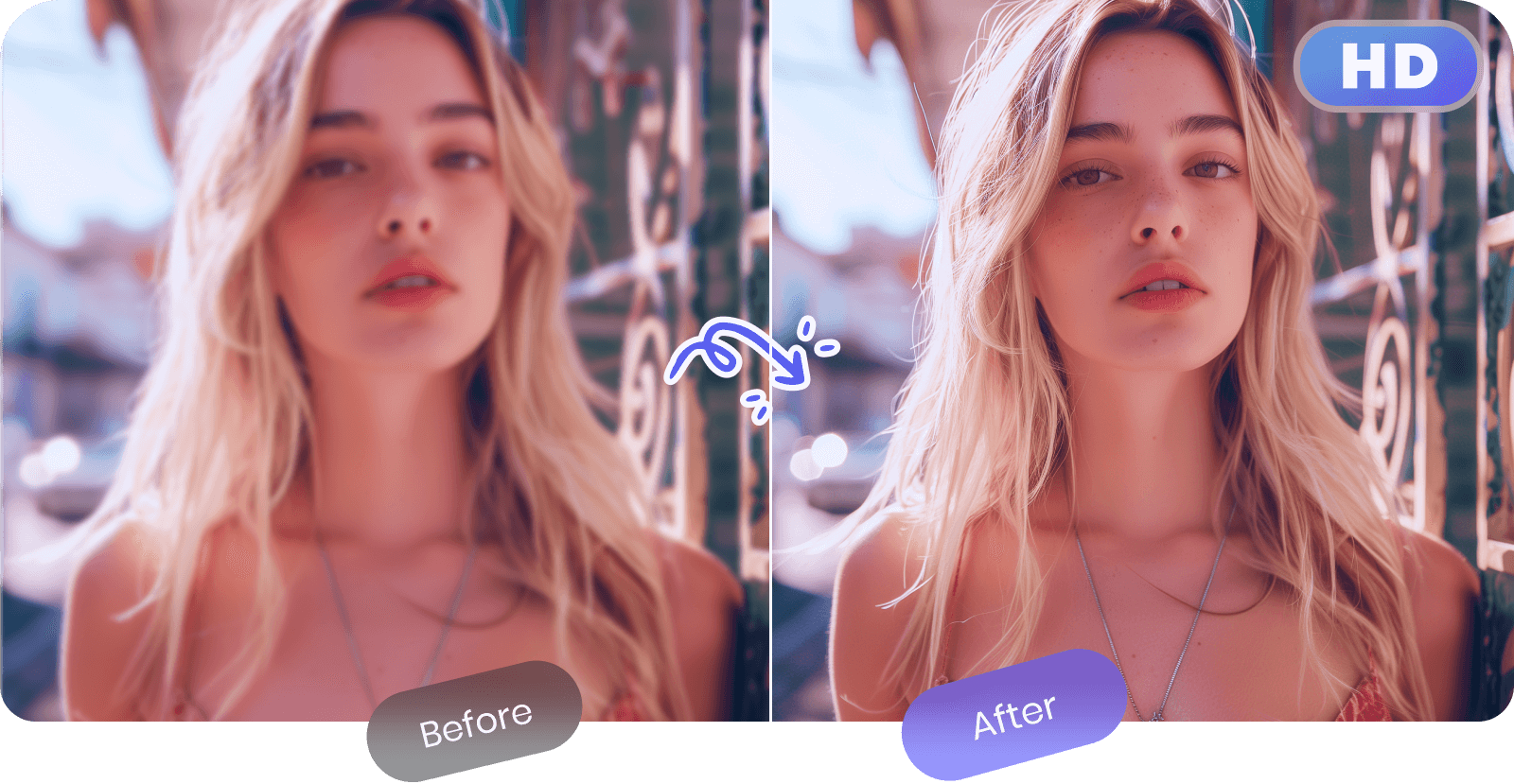
Picwish provides a suite of AI tools that automate and simplify various photo editing processes. Users can upload images to instantly remove backgrounds, erase unwanted objects, upscale and enhance image quality, or even generate new images from text prompts. The platform utilizes sophisticated algorithms to analyze image content and perform precise, high-quality edits with minimal manual intervention, drastically reducing the time and effort typically required for such tasks.
Pricing
Pricing Plans
Access to core AI editing tools with a limited number of credits and potentially watermarked output for testing purposes.
- Limited credits for basic features
- Watermarked results for some features
Ideal for casual users or small projects, offering a moderate number of credits monthly for high-quality, watermark-free edits.
- 50 credits/month
- No watermarks
- Batch processing
- High-quality output
A popular choice for professionals and small businesses, providing a generous credit allowance and enhanced support.
- 200 credits/month
- No watermarks
- Batch processing
- High-quality output
- Priority support
Designed for heavy users and larger teams, offering a substantial number of credits and access to advanced features.
- 500 credits/month
- No watermarks
- Batch processing
- High-quality output
- Priority support
- +1 more
Core Value Propositions
Effortless Professional Edits
Achieve high-quality, professional-looking photo edits without needing extensive graphic design skills or complex software, thanks to intuitive AI.
Significant Time Savings
Automate tedious and time-consuming tasks like background removal and object erasing, dramatically speeding up content creation workflows.
Versatile Creative Toolkit
Access a broad range of tools from image enhancement and ID photo creation to AI art generation, supporting diverse visual content needs.
Cost-Effective Solution
Reduce reliance on expensive software licenses or outsourced design work, making advanced photo editing more affordable for businesses and individuals.
Multi-Platform Accessibility
Utilize the tool across web, desktop, and mobile devices, ensuring flexibility and convenience for editing anytime, anywhere.
Use Cases
E-commerce Product Photography
Quickly remove backgrounds from product images and add consistent new ones, enhancing visual appeal for online stores and marketplaces.
Marketing & Advertising Visuals
Create eye-catching banners, ads, and promotional materials by easily isolating subjects, removing text, or enhancing image quality for campaigns.
Social Media Content Creation
Produce engaging posts by cleaning up photos, generating unique AI art for themes, or creating striking profile pictures with custom backgrounds.
Professional ID & Passport Photos
Generate compliant passport, visa, or ID photos with specific background colors and dimensions, meeting official requirements instantly.
Personal Photo Enhancement
Improve personal photos by removing unwanted people or objects, smoothing skin, or upscaling old images for better clarity.
Graphic Design Asset Preparation
Extract precise cutouts of subjects or objects from images for use in larger design projects, saving time on manual masking.
Technical Features & Integration
AI Background Remover
Automatically and accurately removes backgrounds from images, ideal for product photos, portraits, and graphics, saving significant manual editing time.
Smart Object Removal
Effortlessly erases unwanted elements, blemishes, or distractions from photos using AI, ensuring clean and professional-looking images.
Image Enhancer & Upscaler
Improves image quality by sharpening details, reducing noise, and upscaling resolution without pixelation, perfect for low-quality or small images.
AI Art Generator
Transforms text prompts into unique digital art and images, enabling creative content generation for various purposes from simple descriptions.
ID Photo Maker
Creates professional passport, visa, or ID photos with customizable backgrounds and dimensions, adhering to specific official requirements.
Batch Processing
Processes multiple images simultaneously for tasks like background removal or enhancement, significantly boosting productivity for large volumes.
Photo Retouch & Editor
Offers tools for skin smoothing, blemish removal, cropping, rotating, and adding basic elements, providing comprehensive image refinement.
Image Compressor
Reduces image file sizes without significant loss of quality, optimizing images for web loading speed and storage efficiency.
Target Audience
Picwish is primarily targeted at e-commerce businesses needing clean product photos, marketers creating engaging visual content, and social media managers looking to quickly enhance their posts. Graphic designers, photographers, and content creators also benefit from its AI-powered efficiency for routine editing tasks. Individuals needing quick, high-quality photo edits for personal projects or ID photos find it equally valuable.
Frequently Asked Questions
Picwish.com offers a free plan with limited features. Paid plans are available for additional features and capabilities. Available plans include: Free, Basic Monthly, Pro Monthly, Ultimate Monthly.
Picwish provides a suite of AI tools that automate and simplify various photo editing processes. Users can upload images to instantly remove backgrounds, erase unwanted objects, upscale and enhance image quality, or even generate new images from text prompts. The platform utilizes sophisticated algorithms to analyze image content and perform precise, high-quality edits with minimal manual intervention, drastically reducing the time and effort typically required for such tasks.
Key features of Picwish.com include: AI Background Remover: Automatically and accurately removes backgrounds from images, ideal for product photos, portraits, and graphics, saving significant manual editing time.. Smart Object Removal: Effortlessly erases unwanted elements, blemishes, or distractions from photos using AI, ensuring clean and professional-looking images.. Image Enhancer & Upscaler: Improves image quality by sharpening details, reducing noise, and upscaling resolution without pixelation, perfect for low-quality or small images.. AI Art Generator: Transforms text prompts into unique digital art and images, enabling creative content generation for various purposes from simple descriptions.. ID Photo Maker: Creates professional passport, visa, or ID photos with customizable backgrounds and dimensions, adhering to specific official requirements.. Batch Processing: Processes multiple images simultaneously for tasks like background removal or enhancement, significantly boosting productivity for large volumes.. Photo Retouch & Editor: Offers tools for skin smoothing, blemish removal, cropping, rotating, and adding basic elements, providing comprehensive image refinement.. Image Compressor: Reduces image file sizes without significant loss of quality, optimizing images for web loading speed and storage efficiency..
Picwish.com is best suited for Picwish is primarily targeted at e-commerce businesses needing clean product photos, marketers creating engaging visual content, and social media managers looking to quickly enhance their posts. Graphic designers, photographers, and content creators also benefit from its AI-powered efficiency for routine editing tasks. Individuals needing quick, high-quality photo edits for personal projects or ID photos find it equally valuable..
Achieve high-quality, professional-looking photo edits without needing extensive graphic design skills or complex software, thanks to intuitive AI.
Automate tedious and time-consuming tasks like background removal and object erasing, dramatically speeding up content creation workflows.
Access a broad range of tools from image enhancement and ID photo creation to AI art generation, supporting diverse visual content needs.
Reduce reliance on expensive software licenses or outsourced design work, making advanced photo editing more affordable for businesses and individuals.
Utilize the tool across web, desktop, and mobile devices, ensuring flexibility and convenience for editing anytime, anywhere.
Quickly remove backgrounds from product images and add consistent new ones, enhancing visual appeal for online stores and marketplaces.
Create eye-catching banners, ads, and promotional materials by easily isolating subjects, removing text, or enhancing image quality for campaigns.
Produce engaging posts by cleaning up photos, generating unique AI art for themes, or creating striking profile pictures with custom backgrounds.
Generate compliant passport, visa, or ID photos with specific background colors and dimensions, meeting official requirements instantly.
Improve personal photos by removing unwanted people or objects, smoothing skin, or upscaling old images for better clarity.
Extract precise cutouts of subjects or objects from images for use in larger design projects, saving time on manual masking.





Get new AI tools weekly
Join readers discovering the best AI tools every week.