
Photoeditor AI
Last updated:
Photoeditor AI is a robust, free online AI-powered photo editor that simplifies advanced image manipulation for everyone. It integrates a suite of intuitive tools, from removing unwanted objects and backgrounds to enhancing and upscaling image quality, making professional-grade editing capabilities readily accessible without the need for complex software or a financial investment. The platform also ventures into creative AI with text-to-image and image-to-image generation, positioning it as a versatile tool for both corrective editing and content creation.
What It Does
This tool leverages artificial intelligence to automate and streamline common photo editing tasks, allowing users to achieve complex results with minimal effort. By simply uploading an image, users can utilize AI algorithms to intelligently identify and remove elements, improve visual fidelity, or even generate new imagery based on textual prompts, all within a browser-based interface. It democratizes sophisticated image processing, making it fast and efficient.
Pricing
Pricing Plans
Access to all core AI photo editing and generation features without any cost or subscription.
- AI Object Removal
- Automatic Background Removal
- Image Enhancer
- AI Image Upscaler
- Text to Image Generation
- +2 more
Core Value Propositions
Professional Editing Accessibility
Provides advanced AI editing tools like object removal and upscaling without requiring costly software or technical expertise, making high-quality results attainable for all users.
Cost-Free Solution
Offers a comprehensive suite of AI photo editing and generation features entirely free, significantly reducing overhead for individuals and small businesses needing image manipulation.
Browser-Based Convenience
Operates entirely online, eliminating the need for software installation or powerful hardware, allowing users to edit and create from any device with an internet connection.
Efficient Workflow Enhancement
Automates time-consuming tasks like background removal and image enhancement, enabling users to quickly process and refine images for various purposes, boosting productivity.
Use Cases
E-commerce Product Photography
Quickly remove backgrounds from product shots and upscale images for high-resolution display on online stores, ensuring consistent and professional listings.
Social Media Content Creation
Enhance photos, remove distracting elements, or generate unique visuals from text prompts for engaging posts across various social media platforms, saving time on design.
Personal Photo Touch-ups
Effortlessly remove unwanted objects or people from personal photos, enhance clarity, or upscale low-resolution memories for better viewing and sharing.
Blog and Article Imagery
Prepare compelling visuals by enhancing existing images, removing watermarks (if not copyrighted), or generating new, relevant graphics to complement blog posts and articles.
Basic Graphic Design Tasks
Create quick banners, flyers, or digital art by combining background removal, image enhancement, and AI-generated elements for various design projects.
Technical Features & Integration
AI Object Removal
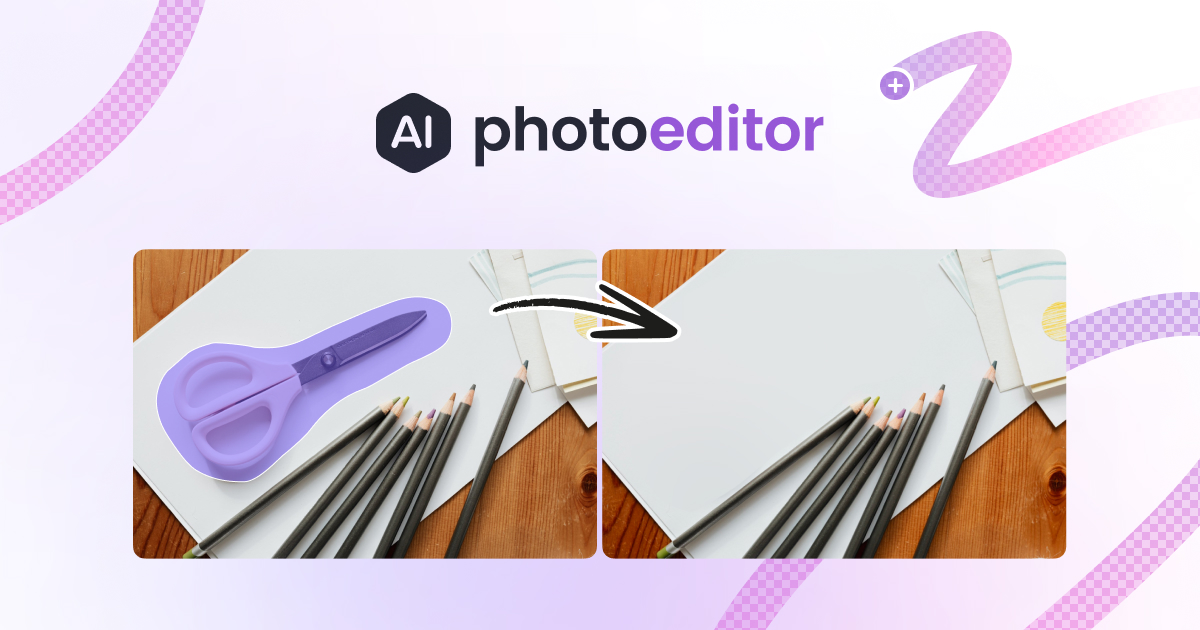
Intelligently erases unwanted elements from photos with a simple brush tool, seamlessly filling the void to maintain image integrity. This saves time on manual cloning and healing.
Automatic Background Removal
Accurately detects and isolates subjects from their backgrounds, providing clean cutouts ideal for product photography or composite images. It eliminates the need for tedious manual selections.
Image Enhancer
Applies AI algorithms to improve image clarity, color, and overall visual quality, transforming dull or poorly lit photos into vibrant, crisp visuals. It's perfect for quick touch-ups.
AI Image Upscaler
Enlarges images by intelligently adding pixels, preserving and even improving detail, allowing small or low-resolution photos to be used in larger formats without pixelation. This is crucial for print or high-resolution displays.
Text to Image Generation
Creates unique images from descriptive text prompts, enabling users to visualize concepts and generate custom graphics from scratch. It's a powerful tool for creative brainstorming and content creation.
Image to Image Transformation
Modifies existing images based on textual prompts, allowing users to creatively alter styles, elements, or scenes within an uploaded photo. This offers unique artistic and design possibilities.
Target Audience
This tool is ideal for casual users, social media managers, small business owners, e-commerce vendors, and content creators who need quick, professional-looking image edits without investing in expensive software or extensive training. It also serves students and hobbyists looking to enhance their personal photos or create new digital art effortlessly.
Frequently Asked Questions
Yes, Photoeditor AI is completely free to use. Available plans include: Free Plan.
This tool leverages artificial intelligence to automate and streamline common photo editing tasks, allowing users to achieve complex results with minimal effort. By simply uploading an image, users can utilize AI algorithms to intelligently identify and remove elements, improve visual fidelity, or even generate new imagery based on textual prompts, all within a browser-based interface. It democratizes sophisticated image processing, making it fast and efficient.
Key features of Photoeditor AI include: AI Object Removal: Intelligently erases unwanted elements from photos with a simple brush tool, seamlessly filling the void to maintain image integrity. This saves time on manual cloning and healing.. Automatic Background Removal: Accurately detects and isolates subjects from their backgrounds, providing clean cutouts ideal for product photography or composite images. It eliminates the need for tedious manual selections.. Image Enhancer: Applies AI algorithms to improve image clarity, color, and overall visual quality, transforming dull or poorly lit photos into vibrant, crisp visuals. It's perfect for quick touch-ups.. AI Image Upscaler: Enlarges images by intelligently adding pixels, preserving and even improving detail, allowing small or low-resolution photos to be used in larger formats without pixelation. This is crucial for print or high-resolution displays.. Text to Image Generation: Creates unique images from descriptive text prompts, enabling users to visualize concepts and generate custom graphics from scratch. It's a powerful tool for creative brainstorming and content creation.. Image to Image Transformation: Modifies existing images based on textual prompts, allowing users to creatively alter styles, elements, or scenes within an uploaded photo. This offers unique artistic and design possibilities..
Photoeditor AI is best suited for This tool is ideal for casual users, social media managers, small business owners, e-commerce vendors, and content creators who need quick, professional-looking image edits without investing in expensive software or extensive training. It also serves students and hobbyists looking to enhance their personal photos or create new digital art effortlessly..
Provides advanced AI editing tools like object removal and upscaling without requiring costly software or technical expertise, making high-quality results attainable for all users.
Offers a comprehensive suite of AI photo editing and generation features entirely free, significantly reducing overhead for individuals and small businesses needing image manipulation.
Operates entirely online, eliminating the need for software installation or powerful hardware, allowing users to edit and create from any device with an internet connection.
Automates time-consuming tasks like background removal and image enhancement, enabling users to quickly process and refine images for various purposes, boosting productivity.
Quickly remove backgrounds from product shots and upscale images for high-resolution display on online stores, ensuring consistent and professional listings.
Enhance photos, remove distracting elements, or generate unique visuals from text prompts for engaging posts across various social media platforms, saving time on design.
Effortlessly remove unwanted objects or people from personal photos, enhance clarity, or upscale low-resolution memories for better viewing and sharing.
Prepare compelling visuals by enhancing existing images, removing watermarks (if not copyrighted), or generating new, relevant graphics to complement blog posts and articles.
Create quick banners, flyers, or digital art by combining background removal, image enhancement, and AI-generated elements for various design projects.





Get new AI tools weekly
Join readers discovering the best AI tools every week.