

Notis AI
Last updated:
Notis AI is an innovative voice-powered AI assistant specifically designed to enhance productivity within Notion. It allows users to interact with their Notion workspace, automate tasks, generate content, and summarize information using simple voice commands. By transforming how individuals manage their notes, tasks, and databases, Notis AI aims to provide a hands-free, efficient, and intuitive experience for Notion users seeking to streamline their workflows and maximize their productivity.
What It Does
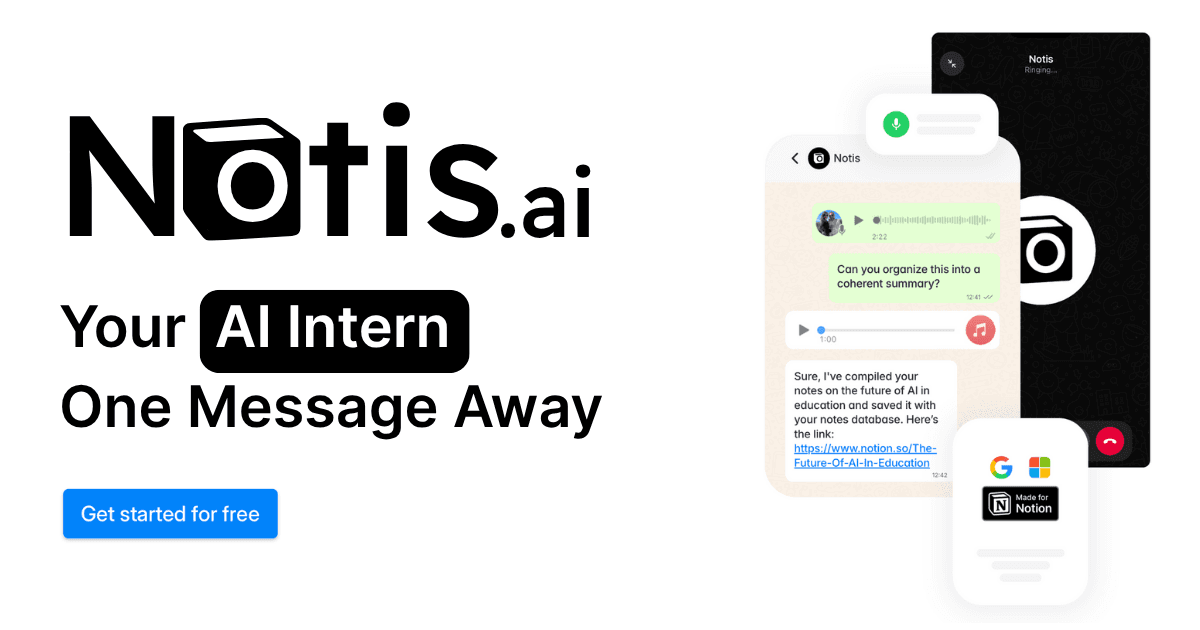
Notis AI seamlessly integrates with Notion, enabling users to control their workspace through natural voice commands. It leverages AI to understand spoken instructions and execute actions such as creating new pages, adding database entries, generating text, summarizing content, and managing tasks directly within Notion. This functionality effectively turns Notion into a voice-activated productivity hub.
Pricing
Pricing Plans
Experience Notis AI's core functionalities for a limited time to see how it can transform your Notion workflow.
- Limited access to features
- 7-day trial period
Unlock unlimited AI commands, custom prompt capabilities, and priority support for maximum productivity and customization.
- Unlimited AI commands
- Custom prompts
- Priority support
- Full feature access
Save money with an annual subscription, granting full access to all Pro features for a year.
- Unlimited AI commands
- Custom prompts
- Priority support
- Full feature access
- Discounted annual rate
Core Value Propositions
Hands-Free Notion Management
Control your entire Notion workspace using just your voice, freeing your hands for other tasks and accelerating your workflow.
Accelerated Content Creation
Generate high-quality text, summaries, and ideas directly in Notion through voice commands, significantly reducing time spent on drafting.
Streamlined Task Automation
Automate repetitive Notion tasks like adding entries, setting reminders, and updating properties with simple spoken instructions, boosting efficiency.
Enhanced Productivity & Focus
Minimize context switching and manual input, allowing users to maintain focus and accomplish more within their Notion environment.
Use Cases
Drafting Meeting Notes
Speak meeting discussions and action items directly into Notion, allowing for instant transcription and organization without manual typing.
Summarizing Research Papers
Use voice commands to summarize lengthy articles or research papers stored in Notion, quickly extracting key insights.
Managing Project Tasks
Add new tasks, update statuses, or assign responsibilities within Notion project databases using simple voice commands while working.
Generating Content Ideas
Brainstorm and generate blog post outlines, social media captions, or creative writing prompts directly into Notion with spoken requests.
Organizing Personal Knowledge
Quickly add new notes, categorize information, or retrieve specific data from your personal Notion knowledge base using voice queries.
Creating Daily Agendas
Voice-create daily to-do lists, schedule events, and organize your agenda within Notion, ensuring a structured start to your day.
Technical Features & Integration
Voice Control & Interaction
Interact with your Notion workspace entirely hands-free using natural language commands, enabling quicker task execution and content creation without typing.
AI Content Generation
Generate various forms of content, including blog posts, social media updates, and creative text, directly within Notion based on voice prompts.
Text Summarization
Quickly condense long notes, articles, or meeting transcripts stored in Notion into concise summaries for efficient information review.
Task & Database Automation
Automate routine Notion tasks such as adding new items to databases, setting reminders, updating properties, or moving pages with voice commands.
Information Retrieval
Ask Notis AI questions to find specific information, notes, or entries within your Notion workspace, acting as a personal knowledge assistant.
Custom Prompts
Tailor the AI's responses and content generation by defining custom prompts, ensuring outputs align perfectly with specific needs and styles.
Cross-Platform Accessibility
Access Notis AI's functionality across desktop and mobile devices, ensuring consistent productivity whether you're at your desk or on the go.
Target Audience
This tool is ideal for Notion power users, content creators, project managers, students, and knowledge workers who spend significant time in Notion. It particularly benefits individuals seeking to enhance productivity, automate repetitive tasks, and reduce manual input through voice-activated commands, thereby streamlining their digital workflow.
Frequently Asked Questions
Notis AI offers a free plan with limited features. Paid plans are available for additional features and capabilities. Available plans include: Free Trial, Pro Plan, Pro Plan (Annual).
Notis AI seamlessly integrates with Notion, enabling users to control their workspace through natural voice commands. It leverages AI to understand spoken instructions and execute actions such as creating new pages, adding database entries, generating text, summarizing content, and managing tasks directly within Notion. This functionality effectively turns Notion into a voice-activated productivity hub.
Key features of Notis AI include: Voice Control & Interaction: Interact with your Notion workspace entirely hands-free using natural language commands, enabling quicker task execution and content creation without typing.. AI Content Generation: Generate various forms of content, including blog posts, social media updates, and creative text, directly within Notion based on voice prompts.. Text Summarization: Quickly condense long notes, articles, or meeting transcripts stored in Notion into concise summaries for efficient information review.. Task & Database Automation: Automate routine Notion tasks such as adding new items to databases, setting reminders, updating properties, or moving pages with voice commands.. Information Retrieval: Ask Notis AI questions to find specific information, notes, or entries within your Notion workspace, acting as a personal knowledge assistant.. Custom Prompts: Tailor the AI's responses and content generation by defining custom prompts, ensuring outputs align perfectly with specific needs and styles.. Cross-Platform Accessibility: Access Notis AI's functionality across desktop and mobile devices, ensuring consistent productivity whether you're at your desk or on the go..
Notis AI is best suited for This tool is ideal for Notion power users, content creators, project managers, students, and knowledge workers who spend significant time in Notion. It particularly benefits individuals seeking to enhance productivity, automate repetitive tasks, and reduce manual input through voice-activated commands, thereby streamlining their digital workflow..
Control your entire Notion workspace using just your voice, freeing your hands for other tasks and accelerating your workflow.
Generate high-quality text, summaries, and ideas directly in Notion through voice commands, significantly reducing time spent on drafting.
Automate repetitive Notion tasks like adding entries, setting reminders, and updating properties with simple spoken instructions, boosting efficiency.
Minimize context switching and manual input, allowing users to maintain focus and accomplish more within their Notion environment.
Speak meeting discussions and action items directly into Notion, allowing for instant transcription and organization without manual typing.
Use voice commands to summarize lengthy articles or research papers stored in Notion, quickly extracting key insights.
Add new tasks, update statuses, or assign responsibilities within Notion project databases using simple voice commands while working.
Brainstorm and generate blog post outlines, social media captions, or creative writing prompts directly into Notion with spoken requests.
Quickly add new notes, categorize information, or retrieve specific data from your personal Notion knowledge base using voice queries.
Voice-create daily to-do lists, schedule events, and organize your agenda within Notion, ensuring a structured start to your day.



Get new AI tools weekly
Join readers discovering the best AI tools every week.