

Ninjatools
Last updated:
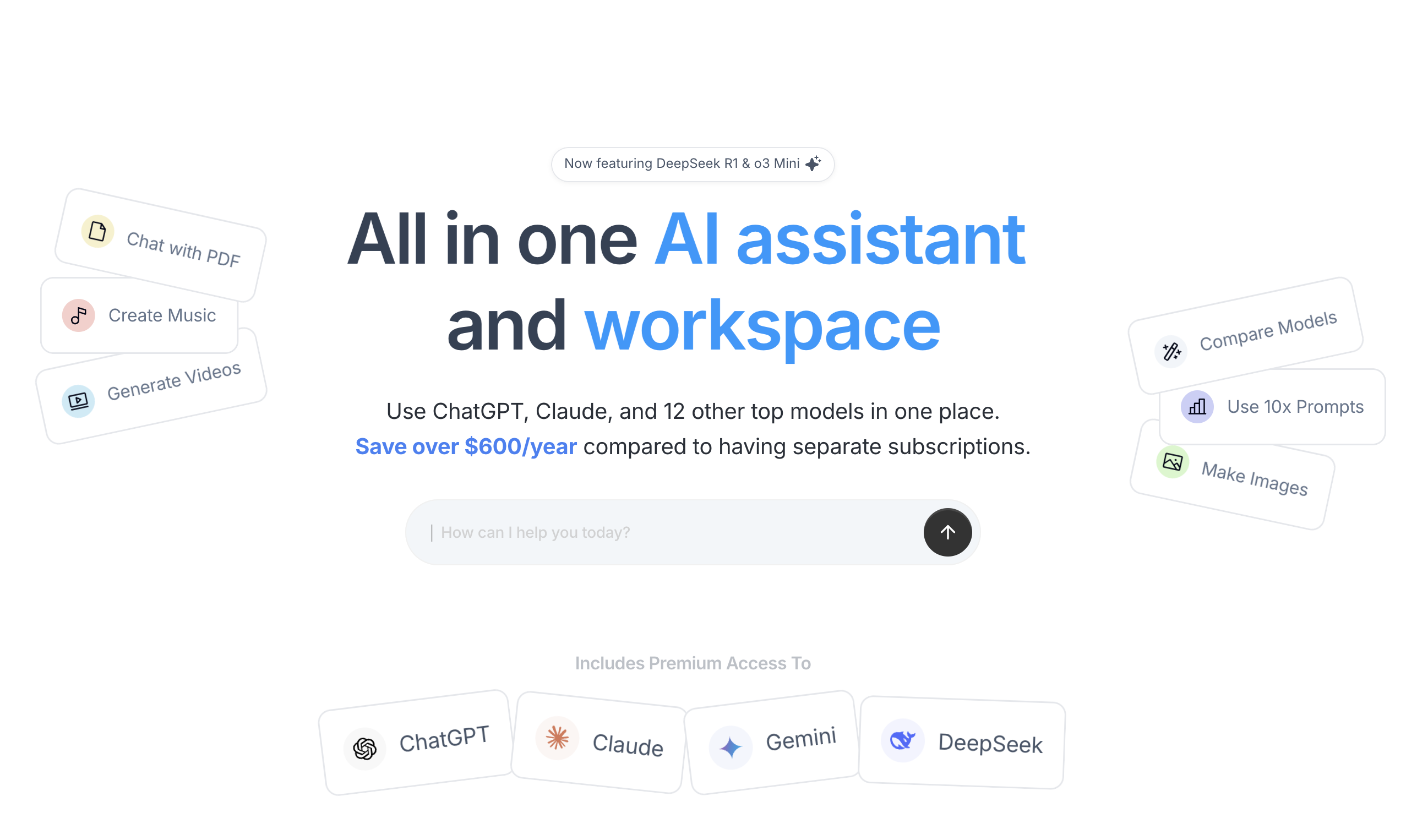
Ninjatools is a comprehensive, all-in-one AI platform designed to consolidate various creative and analytical tools into a single, intuitive interface. It caters to a wide range of users, from content creators and marketers to developers and small business owners, by offering AI-powered solutions for text generation, image creation, video editing, voiceovers, code assistance, and PDF management. The platform aims to streamline workflows and boost productivity by centralizing diverse AI capabilities, eliminating the need for multiple subscriptions to specialized tools.
What It Does
Ninjatools provides a suite of AI-driven functionalities, allowing users to generate written content, create images from text prompts, edit videos, convert text to speech, transcribe audio, assist with coding tasks, and interact with PDF documents. It acts as a central hub where users can switch between different AI tools to accomplish various tasks efficiently. The platform leverages advanced AI models to deliver high-quality outputs across its diverse offerings.
Pricing
Pricing Plans
A limited free trial to explore the basic functionalities of Ninjatools.
- 5,000 words
- 5 images
- 5 minutes voiceover
- 5 minutes transcription
- 1 PDF chat
- +2 more
An entry-level paid plan suitable for individuals or small projects with moderate AI usage needs.
- 50,000 words
- 50 images
- 30 minutes voiceover
- 30 minutes transcription
- 5 PDF chats
- +4 more
A robust plan designed for professional users or small teams with higher demands for AI-powered content and tools.
- 200,000 words
- 200 images
- 120 minutes voiceover
- 120 minutes transcription
- 20 PDF chats
- +4 more
The premium plan offering unrestricted access to all Ninjatools features for intensive usage and large-scale projects.
- Unlimited words
- Unlimited images
- Unlimited voiceover
- Unlimited transcription
- Unlimited PDF chats
- +3 more
Core Value Propositions
Streamlined Workflow Efficiency
Consolidates multiple AI tools into one platform, reducing context switching and saving time for users managing diverse tasks.
Cost-Effective AI Access
Offers a broad suite of AI capabilities under a single subscription, providing significant savings compared to subscribing to individual specialized tools.
Enhanced Creative Output
Empowers users to generate high-quality text, images, audio, and video content quickly, accelerating content creation and marketing efforts.
Integrated Productivity Tools
Combines content creation with practical tools like code assistance and PDF management, boosting overall productivity for professionals.
Use Cases
Content Creation for Marketing
Generate blog posts, social media captions, ad copy, and email newsletters, then create accompanying images and voiceovers for campaigns.
Developer Code Assistance
Use the AI Code Assistant to generate code snippets, debug existing code, and understand complex algorithms, improving development speed.
Academic Research & Study
Summarize lengthy research papers using AI PDF Tools and generate outlines or drafts for essays and presentations with the AI Writer.
Multimedia Production
Create voiceovers for videos, transcribe interviews, and perform basic video editing, streamlining the production of multimedia content.
Repurposing Existing Content
Utilize the AI Rewriter to create variations of existing articles or marketing materials, extending their reach and preventing content fatigue.
Quick Information Retrieval
Engage with the AI Chatbot or use AI PDF Tools to quickly extract information or get answers from documents and general knowledge queries.
Technical Features & Integration
AI Writer & Article Wizard
Generates diverse written content, from blog posts and ad copies to emails and social media updates, and assists in creating full articles from scratch.
AI Image Generator
Transforms text prompts into unique images, enabling users to quickly create visual assets for various projects without design skills.
AI Voiceover & Transcriber
Converts text into natural-sounding speech and transcribes audio into text, useful for content creation, accessibility, and documentation.
AI Video Editor
Simplifies video editing tasks, potentially including automatic cuts, transitions, and effects, making video creation more accessible.
AI Code Assistant
Aids developers with code generation, debugging, and explanation across multiple programming languages, enhancing coding efficiency.
AI PDF Tools
Allows users to summarize PDF documents, extract key information, and engage in conversational chat with their content.
AI Rewriter
Rewrites existing text to improve clarity, conciseness, or to generate variations, useful for avoiding plagiarism or repurposing content.
AI Chatbot
Provides an interactive conversational AI interface for quick answers, brainstorming, and general assistance across various topics.
Target Audience
This tool is ideal for content creators, digital marketers, small business owners, developers, and students who require multiple AI functionalities without managing numerous subscriptions. It particularly benefits individuals and teams looking for a cost-effective and streamlined approach to content generation, creative design, coding assistance, and document management.
Frequently Asked Questions
Ninjatools offers a free plan with limited features. Paid plans are available for additional features and capabilities. Available plans include: Free Plan, Basic Plan, Pro Plan, Unlimited Plan.
Ninjatools provides a suite of AI-driven functionalities, allowing users to generate written content, create images from text prompts, edit videos, convert text to speech, transcribe audio, assist with coding tasks, and interact with PDF documents. It acts as a central hub where users can switch between different AI tools to accomplish various tasks efficiently. The platform leverages advanced AI models to deliver high-quality outputs across its diverse offerings.
Key features of Ninjatools include: AI Writer & Article Wizard: Generates diverse written content, from blog posts and ad copies to emails and social media updates, and assists in creating full articles from scratch.. AI Image Generator: Transforms text prompts into unique images, enabling users to quickly create visual assets for various projects without design skills.. AI Voiceover & Transcriber: Converts text into natural-sounding speech and transcribes audio into text, useful for content creation, accessibility, and documentation.. AI Video Editor: Simplifies video editing tasks, potentially including automatic cuts, transitions, and effects, making video creation more accessible.. AI Code Assistant: Aids developers with code generation, debugging, and explanation across multiple programming languages, enhancing coding efficiency.. AI PDF Tools: Allows users to summarize PDF documents, extract key information, and engage in conversational chat with their content.. AI Rewriter: Rewrites existing text to improve clarity, conciseness, or to generate variations, useful for avoiding plagiarism or repurposing content.. AI Chatbot: Provides an interactive conversational AI interface for quick answers, brainstorming, and general assistance across various topics..
Ninjatools is best suited for This tool is ideal for content creators, digital marketers, small business owners, developers, and students who require multiple AI functionalities without managing numerous subscriptions. It particularly benefits individuals and teams looking for a cost-effective and streamlined approach to content generation, creative design, coding assistance, and document management..
Consolidates multiple AI tools into one platform, reducing context switching and saving time for users managing diverse tasks.
Offers a broad suite of AI capabilities under a single subscription, providing significant savings compared to subscribing to individual specialized tools.
Empowers users to generate high-quality text, images, audio, and video content quickly, accelerating content creation and marketing efforts.
Combines content creation with practical tools like code assistance and PDF management, boosting overall productivity for professionals.
Generate blog posts, social media captions, ad copy, and email newsletters, then create accompanying images and voiceovers for campaigns.
Use the AI Code Assistant to generate code snippets, debug existing code, and understand complex algorithms, improving development speed.
Summarize lengthy research papers using AI PDF Tools and generate outlines or drafts for essays and presentations with the AI Writer.
Create voiceovers for videos, transcribe interviews, and perform basic video editing, streamlining the production of multimedia content.
Utilize the AI Rewriter to create variations of existing articles or marketing materials, extending their reach and preventing content fatigue.
Engage with the AI Chatbot or use AI PDF Tools to quickly extract information or get answers from documents and general knowledge queries.





Get new AI tools weekly
Join readers discovering the best AI tools every week.