

Navamai Enhance Your Craft With AI
Last updated:
Navamai is an innovative personal AI application designed to embed large language model (LLM) capabilities directly into the command-line interface. It empowers developers and power users to interact with various LLM providers, including both cloud-based services like OpenAI and Anthropic, and local models via Ollama, to execute custom AI commands and automate a wide range of tasks. This tool stands out for its strong emphasis on privacy, deep customization options, and seamless integration into existing terminal workflows, making it ideal for enhancing productivity and streamlining development processes.
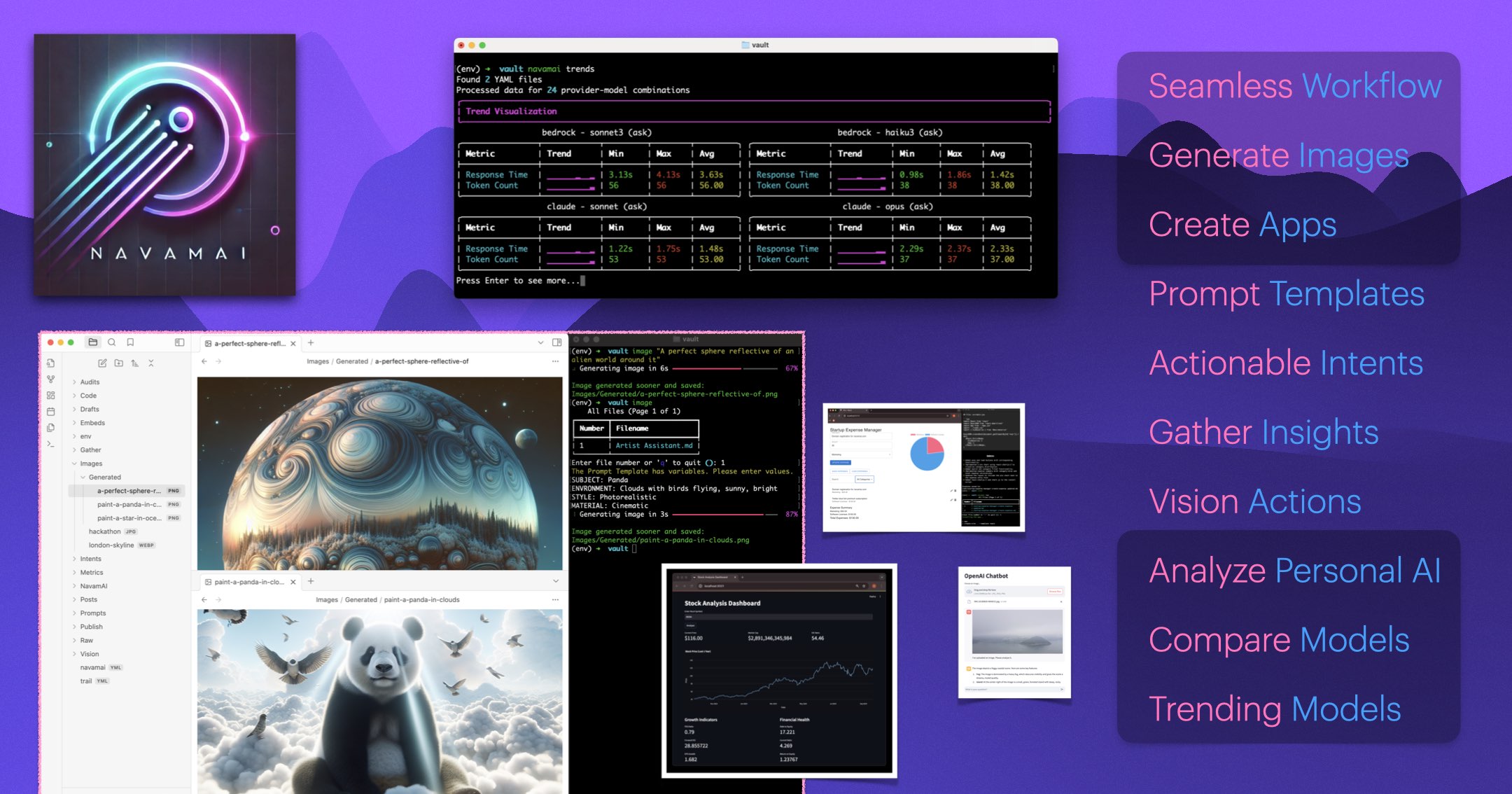
What It Does
Navamai integrates LLMs into the terminal, allowing users to run AI commands directly from their command line. It connects to diverse LLM providers, facilitating tasks from code generation to text summarization. Users can define custom AI commands using a simple YAML syntax, enabling highly personalized automation and interaction with AI models.
Pricing
Pricing Plans
Navamai is completely free and open source, offering full functionality without any cost.
- Full access to all features
- Multi-LLM provider support
- Custom AI commands
- Cross-platform compatibility
- Open-source code
Core Value Propositions
Streamlined Terminal Productivity
Integrates AI capabilities directly into the command line, enabling faster task execution and reduced context switching for power users.
Flexible LLM Ecosystem
Offers the freedom to choose between popular cloud-based LLMs or privacy-focused local models via Ollama, adapting to user needs.
Enhanced Data Privacy
Facilitates local processing of sensitive data using on-device LLMs, ensuring information remains private and secure.
Unleashed Customization
Empowers users to create bespoke AI commands and extend functionality, tailoring the tool precisely to their unique workflows.
Use Cases
Generate Code Snippets
Quickly produce boilerplate code, functions, or script fragments directly within the terminal environment.
Automate Development Workflows
Create AI commands to handle repetitive coding tasks, generate test cases, or build complex deployment scripts.
Summarize Documents & Logs
Process text files, command outputs, or log entries to extract key information or generate concise summaries.
Refactor Code & Debug
Receive AI suggestions for improving code quality, identifying potential bugs, or explaining complex code sections.
Create Commit Messages
Automatically generate descriptive and consistent Git commit messages based on staged code changes.
Perform Data Analysis via CLI
Utilize LLMs to interpret structured or unstructured data from files directly from the command line.
Technical Features & Integration
Terminal-Native Interface
Interact with large language models directly from your command line, streamlining workflows without context switching.
Multi-LLM Provider Support
Connects to various LLM services, including OpenAI, Anthropic, and local models via Ollama, offering flexibility and choice.
Custom AI Commands
Define and execute personalized AI-driven commands using a simple YAML configuration for tailored automation.
Privacy-Centric Operation
Supports local model execution to ensure sensitive data processing remains on your device, enhancing privacy.
Cross-Platform Compatibility
Available and fully functional across macOS, Linux, and Windows operating systems, ensuring broad accessibility.
Extensible Architecture
Allows for the development and integration of plugins to expand its capabilities and adapt to new use cases.
Automated Task Execution
Leverage AI to automate repetitive development, system administration, and general productivity tasks efficiently.
Target Audience
Navamai is primarily designed for developers, system administrators, and power users who spend significant time in the terminal. It caters to individuals seeking to integrate AI directly into their command-line workflows, automate tasks, enhance coding efficiency, and prioritize data privacy by using local LLMs.
Frequently Asked Questions
Yes, Navamai Enhance Your Craft With AI is completely free to use. Available plans include: Free.
Navamai integrates LLMs into the terminal, allowing users to run AI commands directly from their command line. It connects to diverse LLM providers, facilitating tasks from code generation to text summarization. Users can define custom AI commands using a simple YAML syntax, enabling highly personalized automation and interaction with AI models.
Key features of Navamai Enhance Your Craft With AI include: Terminal-Native Interface: Interact with large language models directly from your command line, streamlining workflows without context switching.. Multi-LLM Provider Support: Connects to various LLM services, including OpenAI, Anthropic, and local models via Ollama, offering flexibility and choice.. Custom AI Commands: Define and execute personalized AI-driven commands using a simple YAML configuration for tailored automation.. Privacy-Centric Operation: Supports local model execution to ensure sensitive data processing remains on your device, enhancing privacy.. Cross-Platform Compatibility: Available and fully functional across macOS, Linux, and Windows operating systems, ensuring broad accessibility.. Extensible Architecture: Allows for the development and integration of plugins to expand its capabilities and adapt to new use cases.. Automated Task Execution: Leverage AI to automate repetitive development, system administration, and general productivity tasks efficiently..
Navamai Enhance Your Craft With AI is best suited for Navamai is primarily designed for developers, system administrators, and power users who spend significant time in the terminal. It caters to individuals seeking to integrate AI directly into their command-line workflows, automate tasks, enhance coding efficiency, and prioritize data privacy by using local LLMs..
Integrates AI capabilities directly into the command line, enabling faster task execution and reduced context switching for power users.
Offers the freedom to choose between popular cloud-based LLMs or privacy-focused local models via Ollama, adapting to user needs.
Facilitates local processing of sensitive data using on-device LLMs, ensuring information remains private and secure.
Empowers users to create bespoke AI commands and extend functionality, tailoring the tool precisely to their unique workflows.
Quickly produce boilerplate code, functions, or script fragments directly within the terminal environment.
Create AI commands to handle repetitive coding tasks, generate test cases, or build complex deployment scripts.
Process text files, command outputs, or log entries to extract key information or generate concise summaries.
Receive AI suggestions for improving code quality, identifying potential bugs, or explaining complex code sections.
Automatically generate descriptive and consistent Git commit messages based on staged code changes.
Utilize LLMs to interpret structured or unstructured data from files directly from the command line.


Get new AI tools weekly
Join readers discovering the best AI tools every week.