

Lokal So
Last updated:
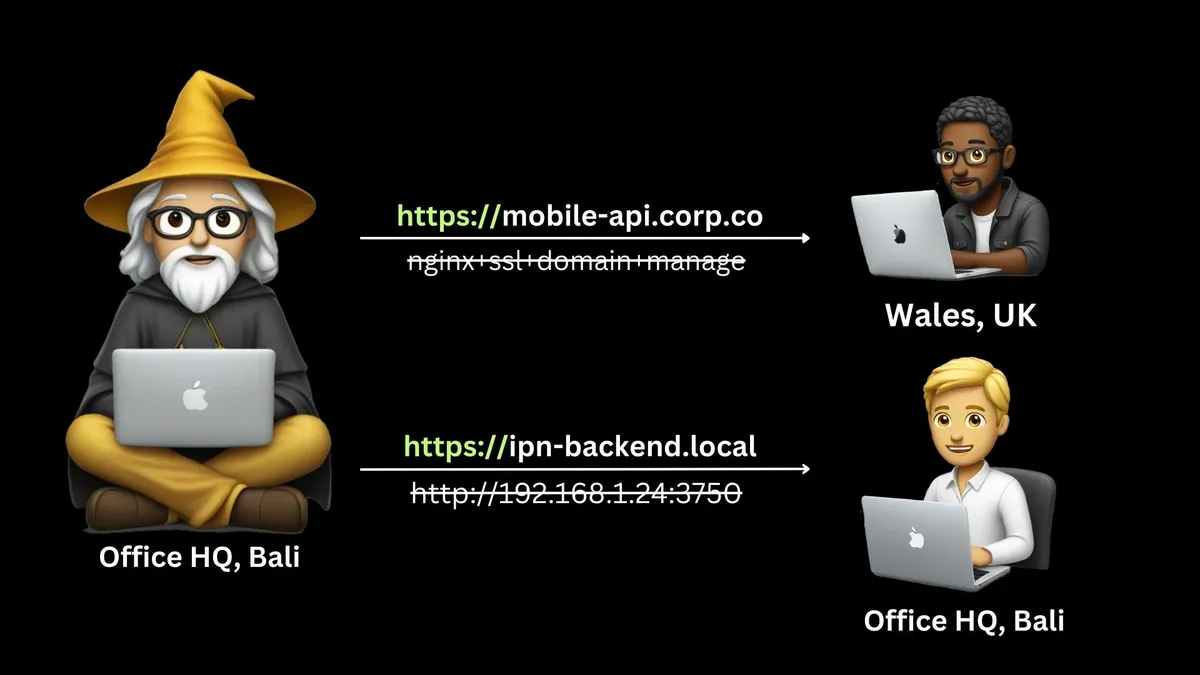
Lokal So is an innovative tunneling software designed to empower developers by instantly creating secure public URLs for local development servers, webhooks, and services. It uniquely extends its capabilities by supporting `.local` mDNS domains, making it a robust solution for accessing local network services remotely. The tool streamlines the development workflow, enabling seamless sharing for testing, collaborative debugging, and client demonstrations without the overhead of complex deployments or firewall configurations.
Why was this tool discontinued?
Automatically marked inactive after 7 consecutive failed health checks (last error: DNS resolution failed)
What It Does
Lokal So functions by establishing encrypted tunnels from a user's local machine to its cloud infrastructure, effectively exposing local services to the internet via a public URL. Users initiate a tunnel through a simple CLI command, specifying the local port or an mDNS hostname, and Lokal So manages the secure routing. This allows external parties to interact with applications running purely on localhost, facilitating testing and feedback in real-time.
Pricing
Pricing Plans
Lokal So is open-source and free forever.
- Open Source
- Public URLs
- .local mDNS
Key Features
Lokal So provides immediate public access to local endpoints, supporting both standard HTTP/HTTPS and raw TCP connections. Developers can customize their public URLs with unique subdomains and enhance security with password protection for shared tunnels. A standout feature is its native support for `.local` mDNS, allowing direct tunneling of services on mDNS hosts, which simplifies remote access to local network devices or specialized development environments.
Target Audience
Lokal So is primarily designed for developers, QA engineers, and web designers who frequently need to expose local applications or services for testing, client demonstrations, or webhook integration. It is particularly beneficial for teams seeking to accelerate feedback loops and streamline collaboration without the complexities of deploying to staging environments.
Value Proposition
Lokal So dramatically simplifies the process of sharing local development work, eliminating the common hurdles of firewall configurations, IP whitelisting, or cloud deployments. Its distinctive support for `.local` mDNS offers unparalleled flexibility for developers working with local network services, solving a niche but critical problem. This unique combination significantly boosts productivity by enabling rapid sharing and iteration, making the development and testing phases far more efficient.
Use Cases
Sharing local web servers, testing webhooks, demonstrating local applications, collaborating on dev projects, remote access to local services.
Frequently Asked Questions
Yes, Lokal So is completely free to use. Available plans include: Free.
Lokal So functions by establishing encrypted tunnels from a user's local machine to its cloud infrastructure, effectively exposing local services to the internet via a public URL. Users initiate a tunnel through a simple CLI command, specifying the local port or an mDNS hostname, and Lokal So manages the secure routing. This allows external parties to interact with applications running purely on localhost, facilitating testing and feedback in real-time.
Lokal So is best suited for Lokal So is primarily designed for developers, QA engineers, and web designers who frequently need to expose local applications or services for testing, client demonstrations, or webhook integration. It is particularly beneficial for teams seeking to accelerate feedback loops and streamline collaboration without the complexities of deploying to staging environments..


Get new AI tools weekly
Join readers discovering the best AI tools every week.