
Kaneai
Last updated:
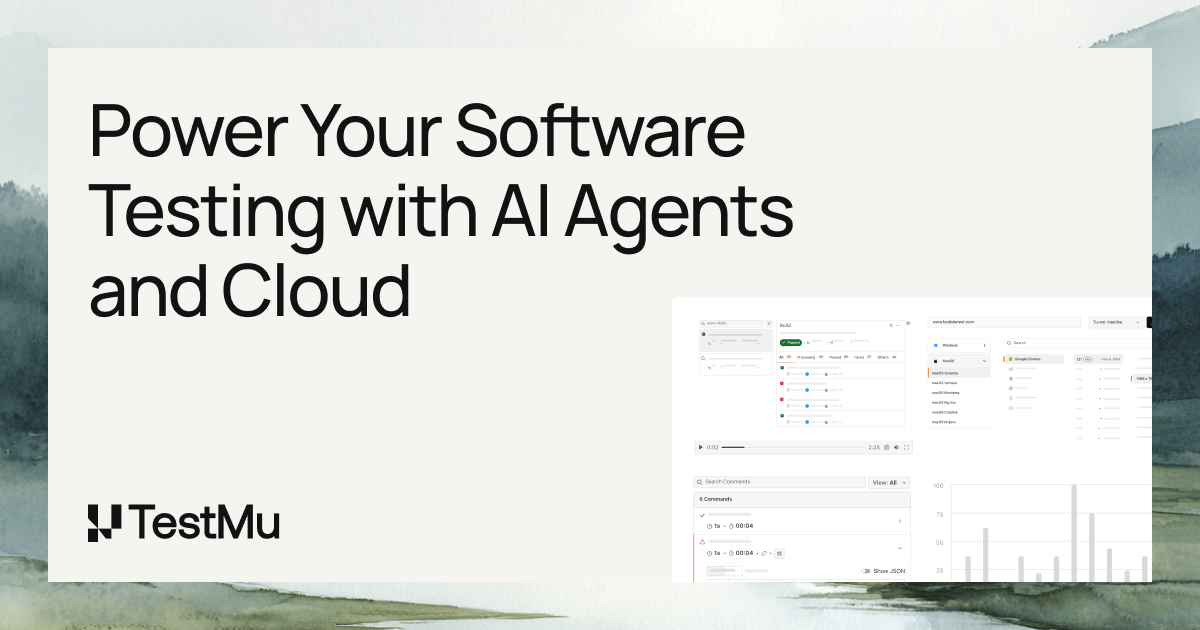
Kaneai, as represented by LambdaTest's advanced AI capabilities, is an intelligent, unified cloud platform designed for comprehensive software testing. It empowers QA teams, developers, and product managers to accelerate release cycles and enhance product quality across web and mobile applications. By leveraging sophisticated AI, it streamlines test automation, provides smart insights, and addresses common challenges like flaky tests and slow feedback, making testing more efficient and reliable.
What It Does
This platform integrates AI to automate and optimize various aspects of software testing. It facilitates cross-browser, cross-device, and real device testing, enabling parallel execution and intelligent orchestration. The AI analyzes test results, identifies root causes of failures, and provides actionable recommendations to improve product quality and testing efficiency.
Pricing
Pricing Plans
A free tier for individuals and small projects to get started with basic testing capabilities.
- Limited parallel tests
- Limited real-time testing minutes
- Limited automation minutes
Designed for growing teams needing more extensive testing resources and features than the free plan.
- Increased parallel tests
- More real-time testing minutes
- More automation minutes
- Basic analytics
A comprehensive plan for professional QA teams requiring advanced AI-powered features and higher testing volumes.
- Higher parallel tests
- Extensive real-time testing minutes
- Extensive automation minutes
- Smart Visual Regression
- Advanced Analytics
Tailored solutions for large enterprises with specific security, scaling, and integration requirements.
- Unlimited parallel tests
- Dedicated infrastructure
- Advanced security
- Custom integrations
- All AI features
Core Value Propositions
Accelerated Release Cycles
AI-driven test orchestration and faster feedback loops significantly reduce testing time, allowing for quicker software releases.
Enhanced Test Reliability
Self-healing tests and smart analytics reduce flakiness and provide clearer insights into test stability, leading to more trustworthy test results.
Reduced Manual Effort
Automation of test execution, visual regression, and bug reporting frees up QA teams to focus on more complex testing scenarios and innovation.
Improved Product Quality
Comprehensive cross-browser/device testing combined with intelligent bug detection ensures a higher quality, more consistent user experience across platforms.
Use Cases
Continuous Integration/Delivery
Automating test execution and analysis within CI/CD pipelines to ensure rapid feedback on code changes and maintain continuous quality.
Large-Scale Regression Testing
Efficiently running extensive regression test suites with AI-powered orchestration to identify new bugs and prevent regressions after code updates.
Cross-Browser Compatibility
Verifying application functionality and UI consistency across a vast array of web browsers and operating systems using automated tests.
Mobile Application Testing
Conducting automated functional and visual tests on real mobile devices and emulators/simulators for native and hybrid apps.
Visual UI Testing
Detecting pixel-perfect visual discrepancies and layout issues across different resolutions and devices using AI-driven visual regression.
Performance Optimization
Leveraging intelligent analytics to pinpoint performance bottlenecks and areas for optimization within the testing process and application.
Technical Features & Integration
AI Test Orchestration
Intelligently groups and prioritizes test cases, optimizing execution order for faster feedback and efficient resource utilization across diverse environments.
Smart Visual Regression
Utilizes AI to compare UI snapshots, accurately detecting visual changes and highlighting genuine bugs while reducing false positives in pixel-by-pixel comparisons.
Self-Healing Tests
Automatically re-runs identified flaky tests to confirm failures and provides insights, minimizing manual intervention and improving test reliability.
Intelligent Test Analytics
Offers comprehensive dashboards and reports with AI-driven insights into test performance, failure patterns, root cause analysis, and actionable recommendations.
Cross-Browser/Device Testing
Enables seamless testing across thousands of real browsers, operating systems, and mobile devices, ensuring broad compatibility and coverage.
Smart Test Recorder
Assists in generating and optimizing test scripts by recording user interactions, reducing the effort required for test case creation.
Automated Bug Reporting
Automatically logs detailed bug reports into popular issue trackers upon test failure, including screenshots, videos, and console logs.
Target Audience
This tool is ideal for QA engineers, software developers, DevOps teams, and product managers in organizations of all sizes. It caters to those seeking to enhance their continuous testing pipelines, reduce manual testing efforts, and accelerate the delivery of high-quality web and mobile applications.
Frequently Asked Questions
Kaneai offers a free plan with limited features. Paid plans are available for additional features and capabilities. Available plans include: Free, Starter, Pro, Enterprise.
This platform integrates AI to automate and optimize various aspects of software testing. It facilitates cross-browser, cross-device, and real device testing, enabling parallel execution and intelligent orchestration. The AI analyzes test results, identifies root causes of failures, and provides actionable recommendations to improve product quality and testing efficiency.
Key features of Kaneai include: AI Test Orchestration: Intelligently groups and prioritizes test cases, optimizing execution order for faster feedback and efficient resource utilization across diverse environments.. Smart Visual Regression: Utilizes AI to compare UI snapshots, accurately detecting visual changes and highlighting genuine bugs while reducing false positives in pixel-by-pixel comparisons.. Self-Healing Tests: Automatically re-runs identified flaky tests to confirm failures and provides insights, minimizing manual intervention and improving test reliability.. Intelligent Test Analytics: Offers comprehensive dashboards and reports with AI-driven insights into test performance, failure patterns, root cause analysis, and actionable recommendations.. Cross-Browser/Device Testing: Enables seamless testing across thousands of real browsers, operating systems, and mobile devices, ensuring broad compatibility and coverage.. Smart Test Recorder: Assists in generating and optimizing test scripts by recording user interactions, reducing the effort required for test case creation.. Automated Bug Reporting: Automatically logs detailed bug reports into popular issue trackers upon test failure, including screenshots, videos, and console logs..
Kaneai is best suited for This tool is ideal for QA engineers, software developers, DevOps teams, and product managers in organizations of all sizes. It caters to those seeking to enhance their continuous testing pipelines, reduce manual testing efforts, and accelerate the delivery of high-quality web and mobile applications..
AI-driven test orchestration and faster feedback loops significantly reduce testing time, allowing for quicker software releases.
Self-healing tests and smart analytics reduce flakiness and provide clearer insights into test stability, leading to more trustworthy test results.
Automation of test execution, visual regression, and bug reporting frees up QA teams to focus on more complex testing scenarios and innovation.
Comprehensive cross-browser/device testing combined with intelligent bug detection ensures a higher quality, more consistent user experience across platforms.
Automating test execution and analysis within CI/CD pipelines to ensure rapid feedback on code changes and maintain continuous quality.
Efficiently running extensive regression test suites with AI-powered orchestration to identify new bugs and prevent regressions after code updates.
Verifying application functionality and UI consistency across a vast array of web browsers and operating systems using automated tests.
Conducting automated functional and visual tests on real mobile devices and emulators/simulators for native and hybrid apps.
Detecting pixel-perfect visual discrepancies and layout issues across different resolutions and devices using AI-driven visual regression.
Leveraging intelligent analytics to pinpoint performance bottlenecks and areas for optimization within the testing process and application.



Get new AI tools weekly
Join readers discovering the best AI tools every week.