

Jumper
Last updated:
Jumper is an innovative AI-powered video editing and search tool that revolutionizes how users interact with video footage. By leveraging natural language processing, it transcribes and visually indexes video content, transforming previously unstructured media into an instantly searchable database. This enables professionals to quickly locate specific moments, objects, actions, or spoken words, drastically streamlining post-production workflows and content analysis.
What It Does
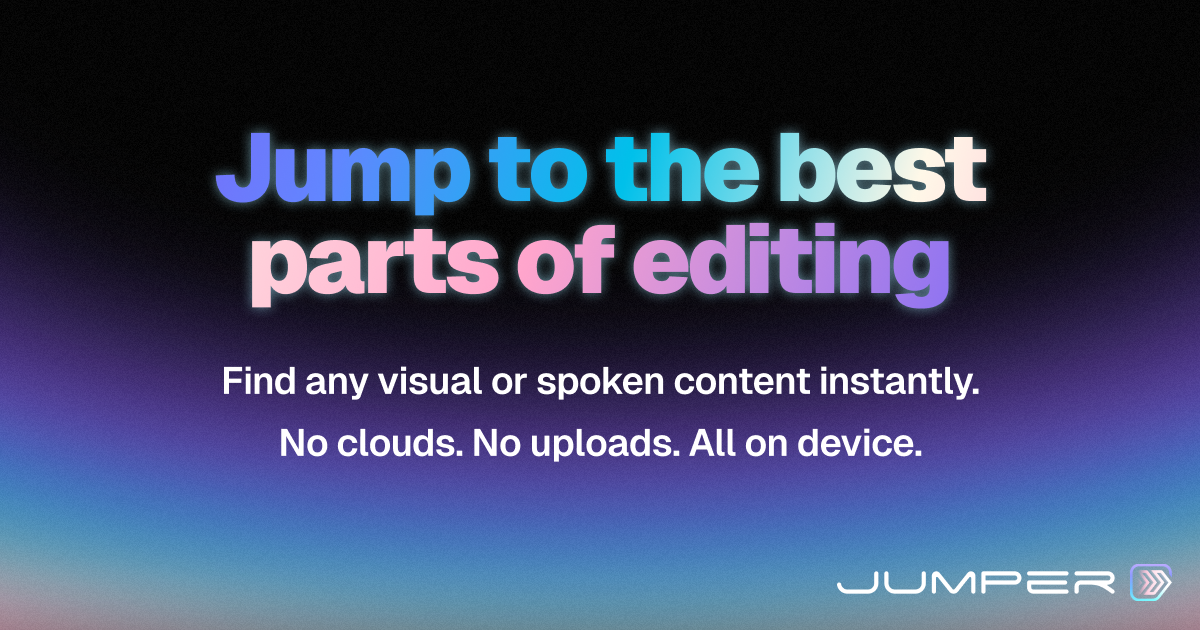
Jumper processes uploaded video files by automatically transcribing audio and visually indexing on-screen elements like objects and actions. It then provides an intuitive natural language search interface, allowing users to query their video content as easily as searching text documents. This AI-driven indexing facilitates rapid navigation and the extraction of precise clips for editing or analysis.
Pricing
Pricing Plans
Ideal for individuals starting out or with minimal video search needs.
- 1 Project
- 1 Hour of video per month
- Basic search features
Designed for professionals and small teams requiring more capacity and advanced capabilities.
- 5 Projects
- 10 Hours of video per month
- Advanced search features
- Faster processing
- Priority support
Tailored for larger organizations and enterprises with extensive video processing and collaboration requirements.
- Unlimited Projects
- Unlimited Hours of video
- Dedicated support
- Custom integrations
- Team management
Core Value Propositions
Accelerated Post-Production
Significantly reduces the time spent searching for specific moments in video, allowing editors to focus more on creative tasks rather than tedious scrubbing.
Enhanced Content Discoverability
Unlocks insights and specific content within large video libraries, making it easy to find and reuse footage for various projects and purposes.
Improved Workflow Efficiency
Automates the transcription and indexing process, streamlining the initial stages of video analysis and editing for greater overall productivity.
Democratized Video Search
Makes advanced video search accessible to non-technical users through natural language, broadening who can effectively interact with video content.
Use Cases
Documentary Filmmaking & Editing
Quickly find specific interviews, B-roll shots, or soundbites across vast amounts of raw footage, saving countless hours in the edit suite.
Content Repurposing for Social Media
Extract short, impactful clips from long-form videos (e.g., webinars, podcasts) for social media posts, marketing campaigns, or blog content.
Journalism & Media Analysis
Rapidly locate key quotes, events, or individuals within news footage, interviews, or public records for reporting and analysis.
Corporate Training & E-learning
Index and search training videos to quickly find relevant sections for review, creating highlights, or answering specific questions during learning.
Qualitative Research & Analysis
Researchers can search through interview transcripts or visually indexed observational videos to identify patterns, themes, or specific behaviors for analysis.
Legal & Compliance Review
Efficiently review surveillance footage, depositions, or recorded meetings to find specific statements or actions for evidence or compliance checks.
Technical Features & Integration
AI Natural Language Search
Allows users to query video content using everyday language to find specific moments, objects, or actions, making video as searchable as text.
Automatic Transcription
Accurately transcribes all spoken words in a video, creating a searchable text layer that can be used for navigation and content extraction.
Visual Indexing
Identifies and tags objects, actions, and scenes within the video frames, providing a visual dimension to the search functionality.
Instant Clip Generation
Enables users to select and export precise video clips directly from their search results, accelerating the editing process and content creation.
Project Collaboration
Supports sharing projects with team members, allowing for collaborative searching, clip extraction, and feedback within the platform.
High-Speed Processing
Optimized algorithms ensure quick video uploads, transcription, indexing, and search result delivery, minimizing wait times.
Target Audience
Jumper is ideal for video editors, content creators, media production companies, journalists, researchers, and anyone who regularly works with extensive video archives. It caters to professionals seeking to drastically reduce the time spent sifting through footage for specific moments or insights, enhancing overall productivity.
Frequently Asked Questions
Jumper offers a free plan with limited features. Paid plans are available for additional features and capabilities. Available plans include: Free, Pro, Business.
Jumper processes uploaded video files by automatically transcribing audio and visually indexing on-screen elements like objects and actions. It then provides an intuitive natural language search interface, allowing users to query their video content as easily as searching text documents. This AI-driven indexing facilitates rapid navigation and the extraction of precise clips for editing or analysis.
Key features of Jumper include: AI Natural Language Search: Allows users to query video content using everyday language to find specific moments, objects, or actions, making video as searchable as text.. Automatic Transcription: Accurately transcribes all spoken words in a video, creating a searchable text layer that can be used for navigation and content extraction.. Visual Indexing: Identifies and tags objects, actions, and scenes within the video frames, providing a visual dimension to the search functionality.. Instant Clip Generation: Enables users to select and export precise video clips directly from their search results, accelerating the editing process and content creation.. Project Collaboration: Supports sharing projects with team members, allowing for collaborative searching, clip extraction, and feedback within the platform.. High-Speed Processing: Optimized algorithms ensure quick video uploads, transcription, indexing, and search result delivery, minimizing wait times..
Jumper is best suited for Jumper is ideal for video editors, content creators, media production companies, journalists, researchers, and anyone who regularly works with extensive video archives. It caters to professionals seeking to drastically reduce the time spent sifting through footage for specific moments or insights, enhancing overall productivity..
Significantly reduces the time spent searching for specific moments in video, allowing editors to focus more on creative tasks rather than tedious scrubbing.
Unlocks insights and specific content within large video libraries, making it easy to find and reuse footage for various projects and purposes.
Automates the transcription and indexing process, streamlining the initial stages of video analysis and editing for greater overall productivity.
Makes advanced video search accessible to non-technical users through natural language, broadening who can effectively interact with video content.
Quickly find specific interviews, B-roll shots, or soundbites across vast amounts of raw footage, saving countless hours in the edit suite.
Extract short, impactful clips from long-form videos (e.g., webinars, podcasts) for social media posts, marketing campaigns, or blog content.
Rapidly locate key quotes, events, or individuals within news footage, interviews, or public records for reporting and analysis.
Index and search training videos to quickly find relevant sections for review, creating highlights, or answering specific questions during learning.
Researchers can search through interview transcripts or visually indexed observational videos to identify patterns, themes, or specific behaviors for analysis.
Efficiently review surveillance footage, depositions, or recorded meetings to find specific statements or actions for evidence or compliance checks.





Get new AI tools weekly
Join readers discovering the best AI tools every week.