
Inbox Zero AI Smartest Email AI
Last updated:
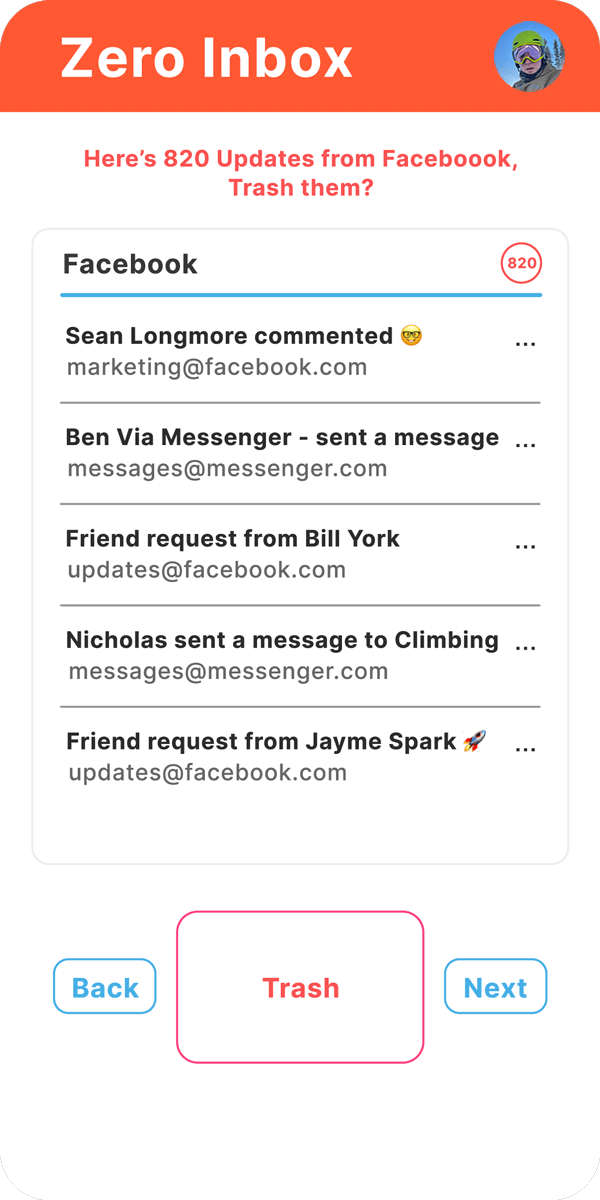
Inbox Zero AI is an intelligent email assistant designed to transform overwhelming inboxes into organized, manageable spaces. It leverages advanced AI to automate email management, from quickly summarizing long threads to categorizing incoming messages and generating context-aware replies. This tool is ideal for professionals and individuals seeking to enhance productivity and reduce the time spent on email, ultimately helping users achieve and maintain an 'Inbox Zero' state.
What It Does
The tool integrates with popular email clients like Gmail, Outlook, and Apple Mail, analyzing incoming emails to understand their content and intent. It automatically sorts emails into user-defined or smart categories, provides concise summaries of lengthy messages, and can draft personalized replies based on the email's context and desired tone. This intelligent automation significantly streamlines the email workflow.
Pricing
Pricing Plans
A limited-time trial to experience the full capabilities of Inbox Zero AI Pro before subscribing.
- 7-day access to all Pro features
Full access to all AI-powered email management features on a monthly subscription basis.
- Unlimited AI Summaries
- Unlimited AI Replies
- Unlimited AI Categorization
- Priority Support
- Future Pro Features
Full access to all AI-powered email management features with a discount for annual commitment.
- Unlimited AI Summaries
- Unlimited AI Replies
- Unlimited AI Categorization
- Priority Support
- Future Pro Features
- +1 more
Core Value Propositions
Significantly boosts productivity
By automating email management tasks, users save hours each week, allowing them to focus on more critical work.
Reduces email-related stress
Transforms overwhelming inboxes into manageable spaces, providing a sense of control and reducing anxiety associated with email overload.
Ensures timely and relevant communication
AI-generated replies and smart follow-up reminders help maintain professional communication standards and prevent missed actions.
Maintains an organized digital workspace
Automated categorization and cleaning features keep the inbox tidy, making it easier to find important information when needed.
Use Cases
Daily Email Triage
Professionals can quickly process hundreds of daily emails by getting instant summaries and automated categorization, prioritizing urgent tasks.
Client Communication Management
Sales or support teams can rapidly draft personalized responses to client inquiries, improving response times and customer satisfaction.
Project Management Updates
Team leads can efficiently summarize project update threads and generate concise acknowledgments or follow-up questions.
Reducing Newsletter Clutter
Individuals can automatically categorize promotional emails and newsletters into a specific folder, keeping their primary inbox clean.
Managing Complex Discussions
Users involved in lengthy email discussions can quickly grasp the latest developments and contribute relevant replies without re-reading entire threads.
Never Miss a Follow-up
Set smart reminders for important emails that require future action, ensuring no crucial task or communication falls through the cracks.
Technical Features & Integration
AI Email Summarization
Quickly condense long email threads into concise summaries, enabling users to grasp key information at a glance and save reading time.
Smart Email Categorization
Automatically sorts emails into predefined or custom categories (e.g., Important, Follow-up, Promotions), bringing order to chaotic inboxes.
AI Reply Generation
Drafts context-aware email responses with customizable tone and length, drastically reducing the effort and time spent on replying.
Inbox Cleaning & Organization
Identifies and helps archive or delete unimportant emails, subscriptions, and spam, contributing to a cleaner, more focused inbox.
Intelligent Follow-up Reminders
Sets smart reminders for emails that require future action or attention, ensuring critical tasks are not forgotten.
Cross-Platform Integration
Seamlessly works with major email clients including Gmail, Outlook, and Apple Mail via IMAP/SMTP, offering broad compatibility.
Chrome Extension
Provides a convenient browser extension for quick access and control over email management features directly within the browser.
Target Audience
This tool is ideal for busy professionals, entrepreneurs, executives, and anyone overwhelmed by a high volume of emails daily. It caters to individuals seeking to boost their personal productivity, reduce digital clutter, and reclaim time spent on manual email management tasks.
Frequently Asked Questions
Inbox Zero AI Smartest Email AI offers a free plan with limited features. Paid plans are available for additional features and capabilities. Available plans include: Free Trial, Inbox Zero AI Pro (Monthly), Inbox Zero AI Pro (Annually).
The tool integrates with popular email clients like Gmail, Outlook, and Apple Mail, analyzing incoming emails to understand their content and intent. It automatically sorts emails into user-defined or smart categories, provides concise summaries of lengthy messages, and can draft personalized replies based on the email's context and desired tone. This intelligent automation significantly streamlines the email workflow.
Key features of Inbox Zero AI Smartest Email AI include: AI Email Summarization: Quickly condense long email threads into concise summaries, enabling users to grasp key information at a glance and save reading time.. Smart Email Categorization: Automatically sorts emails into predefined or custom categories (e.g., Important, Follow-up, Promotions), bringing order to chaotic inboxes.. AI Reply Generation: Drafts context-aware email responses with customizable tone and length, drastically reducing the effort and time spent on replying.. Inbox Cleaning & Organization: Identifies and helps archive or delete unimportant emails, subscriptions, and spam, contributing to a cleaner, more focused inbox.. Intelligent Follow-up Reminders: Sets smart reminders for emails that require future action or attention, ensuring critical tasks are not forgotten.. Cross-Platform Integration: Seamlessly works with major email clients including Gmail, Outlook, and Apple Mail via IMAP/SMTP, offering broad compatibility.. Chrome Extension: Provides a convenient browser extension for quick access and control over email management features directly within the browser..
Inbox Zero AI Smartest Email AI is best suited for This tool is ideal for busy professionals, entrepreneurs, executives, and anyone overwhelmed by a high volume of emails daily. It caters to individuals seeking to boost their personal productivity, reduce digital clutter, and reclaim time spent on manual email management tasks..
By automating email management tasks, users save hours each week, allowing them to focus on more critical work.
Transforms overwhelming inboxes into manageable spaces, providing a sense of control and reducing anxiety associated with email overload.
AI-generated replies and smart follow-up reminders help maintain professional communication standards and prevent missed actions.
Automated categorization and cleaning features keep the inbox tidy, making it easier to find important information when needed.
Professionals can quickly process hundreds of daily emails by getting instant summaries and automated categorization, prioritizing urgent tasks.
Sales or support teams can rapidly draft personalized responses to client inquiries, improving response times and customer satisfaction.
Team leads can efficiently summarize project update threads and generate concise acknowledgments or follow-up questions.
Individuals can automatically categorize promotional emails and newsletters into a specific folder, keeping their primary inbox clean.
Users involved in lengthy email discussions can quickly grasp the latest developments and contribute relevant replies without re-reading entire threads.
Set smart reminders for important emails that require future action, ensuring no crucial task or communication falls through the cracks.






Get new AI tools weekly
Join readers discovering the best AI tools every week.