
GitHub Copilot
Last updated:
GitHub Copilot is an advanced AI pair programmer designed to supercharge developer productivity by providing real-time code suggestions, auto-completions, and even entire function generations directly within the integrated development environment (IDE). Leveraging the power of OpenAI Codex, it understands context, translates natural language comments into code, and assists developers across a multitude of programming languages and frameworks. This tool is invaluable for individual developers, engineering teams, and educational institutions looking to accelerate coding workflows, reduce repetitive tasks, and maintain high code quality.
What It Does
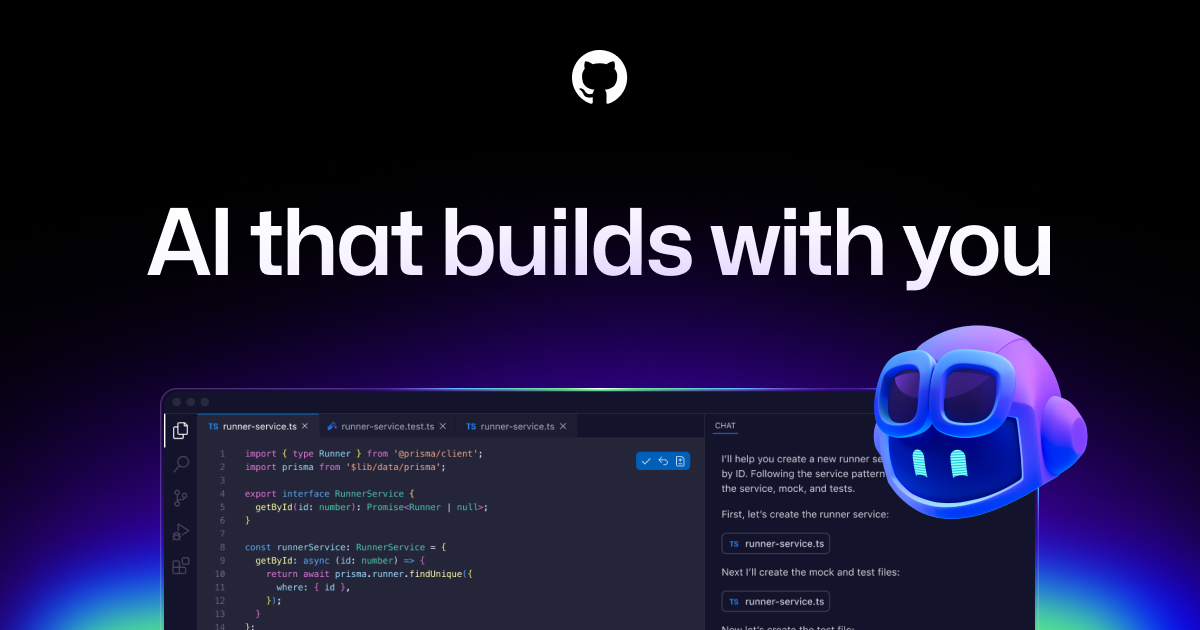
GitHub Copilot functions as an intelligent coding assistant, offering context-aware suggestions as you type, from single lines to full functions and files. It analyzes the code you're writing, comments, and project files to provide highly relevant and syntactically correct code snippets. By interpreting natural language prompts, it can transform plain English into executable code, significantly streamlining the development process.
Pricing
Pricing Plans
Designed for individual developers, offering a powerful AI pair programmer at an affordable monthly or annual rate, with a 1-month free trial.
- AI code suggestions
- Supports many languages
- Integrates with popular IDEs
- Free for verified students & open-source maintainers
Tailored for organizations and teams, providing all individual features plus administrative controls, security features, and a 30-day free trial.
- All individual features
- Centralized policy management
- Organization-wide license management
- VPN proxy support
- IP allow list
Core Value Propositions
Accelerated Development Speed
Reduces the time spent on writing boilerplate code and repetitive patterns, allowing developers to complete tasks much faster and meet deadlines.
Enhanced Code Quality
Suggests idiomatic code and helps prevent common errors, leading to more robust, maintainable, and consistent codebases across a team.
Reduced Cognitive Load
Minimizes the need to recall exact syntax or API details, freeing up mental resources for higher-level architectural and logical challenges.
Powerful Learning Tool
Exposes developers to new coding patterns, language features, and best practices, making it an excellent resource for learning and skill development.
Seamless Workflow Integration
Integrates directly into popular IDEs, ensuring a fluid and natural coding experience without needing to switch contexts or tools frequently.
Use Cases
Rapid Prototyping
Quickly generate initial code structures and functionalities from high-level comments or requirements, speeding up the start of new projects.
Writing Unit Tests
Automatically suggest and generate unit test cases, assertions, and mock data for functions, significantly reducing manual testing effort.
Learning New APIs/Languages
Receive instant examples and usage patterns for unfamiliar libraries, frameworks, or programming languages, accelerating the learning curve.
Code Refactoring
Get suggestions for improving existing code, such as optimizing algorithms, simplifying logic, or adopting more idiomatic patterns.
Generating Documentation
Automatically create descriptive docstrings and comments for functions, classes, and modules, ensuring consistent and thorough code documentation.
Boilerplate Code Generation
Effortlessly generate repetitive code patterns, configuration files, or database schemas, freeing developers from mundane typing tasks.
Technical Features & Integration
Real-time Code Suggestions
Provides instant, context-aware code completions and suggestions as developers type, ranging from single lines to entire functions, accelerating coding speed.
Natural Language to Code
Translates plain English comments and descriptions into executable code, enabling rapid prototyping and reducing the time spent on boilerplate.
Multi-language Support
Supports a wide array of programming languages, including Python, JavaScript, TypeScript, Ruby, Go, C#, and C++, making it versatile for diverse projects.
IDE Integration
Seamlessly integrates with popular Integrated Development Environments such as VS Code, Visual Studio, Neovim, and JetBrains IDEs, enhancing the native coding experience.
Test Case Generation
Assists in writing unit tests by suggesting relevant test cases and assertions based on the function or module being developed, improving code reliability.
Code Explanation
Leveraging Copilot Chat, it can explain complex code snippets, helping developers understand unfamiliar codebases or intricate logic more quickly.
Refactoring Suggestions
Offers suggestions for improving code structure, readability, and performance, aiding in maintaining high code quality and best practices.
Contextual Understanding
Analyzes the surrounding code, open files, and project context to provide highly relevant and intelligent suggestions tailored to the specific task at hand.
Target Audience
GitHub Copilot is primarily designed for software developers, engineers, data scientists, and students across all experience levels. It is particularly beneficial for those working with various programming languages, rapidly prototyping, or learning new frameworks. Teams and organizations seeking to boost collective productivity and streamline their development pipelines will also find significant value.
Frequently Asked Questions
GitHub Copilot is a paid tool. Available plans include: GitHub Copilot for Individuals, GitHub Copilot for Business.
GitHub Copilot functions as an intelligent coding assistant, offering context-aware suggestions as you type, from single lines to full functions and files. It analyzes the code you're writing, comments, and project files to provide highly relevant and syntactically correct code snippets. By interpreting natural language prompts, it can transform plain English into executable code, significantly streamlining the development process.
Key features of GitHub Copilot include: Real-time Code Suggestions: Provides instant, context-aware code completions and suggestions as developers type, ranging from single lines to entire functions, accelerating coding speed.. Natural Language to Code: Translates plain English comments and descriptions into executable code, enabling rapid prototyping and reducing the time spent on boilerplate.. Multi-language Support: Supports a wide array of programming languages, including Python, JavaScript, TypeScript, Ruby, Go, C#, and C++, making it versatile for diverse projects.. IDE Integration: Seamlessly integrates with popular Integrated Development Environments such as VS Code, Visual Studio, Neovim, and JetBrains IDEs, enhancing the native coding experience.. Test Case Generation: Assists in writing unit tests by suggesting relevant test cases and assertions based on the function or module being developed, improving code reliability.. Code Explanation: Leveraging Copilot Chat, it can explain complex code snippets, helping developers understand unfamiliar codebases or intricate logic more quickly.. Refactoring Suggestions: Offers suggestions for improving code structure, readability, and performance, aiding in maintaining high code quality and best practices.. Contextual Understanding: Analyzes the surrounding code, open files, and project context to provide highly relevant and intelligent suggestions tailored to the specific task at hand..
GitHub Copilot is best suited for GitHub Copilot is primarily designed for software developers, engineers, data scientists, and students across all experience levels. It is particularly beneficial for those working with various programming languages, rapidly prototyping, or learning new frameworks. Teams and organizations seeking to boost collective productivity and streamline their development pipelines will also find significant value..
Reduces the time spent on writing boilerplate code and repetitive patterns, allowing developers to complete tasks much faster and meet deadlines.
Suggests idiomatic code and helps prevent common errors, leading to more robust, maintainable, and consistent codebases across a team.
Minimizes the need to recall exact syntax or API details, freeing up mental resources for higher-level architectural and logical challenges.
Exposes developers to new coding patterns, language features, and best practices, making it an excellent resource for learning and skill development.
Integrates directly into popular IDEs, ensuring a fluid and natural coding experience without needing to switch contexts or tools frequently.
Quickly generate initial code structures and functionalities from high-level comments or requirements, speeding up the start of new projects.
Automatically suggest and generate unit test cases, assertions, and mock data for functions, significantly reducing manual testing effort.
Receive instant examples and usage patterns for unfamiliar libraries, frameworks, or programming languages, accelerating the learning curve.
Get suggestions for improving existing code, such as optimizing algorithms, simplifying logic, or adopting more idiomatic patterns.
Automatically create descriptive docstrings and comments for functions, classes, and modules, ensuring consistent and thorough code documentation.
Effortlessly generate repetitive code patterns, configuration files, or database schemas, freeing developers from mundane typing tasks.



Get new AI tools weekly
Join readers discovering the best AI tools every week.