

Droplette
Last updated:
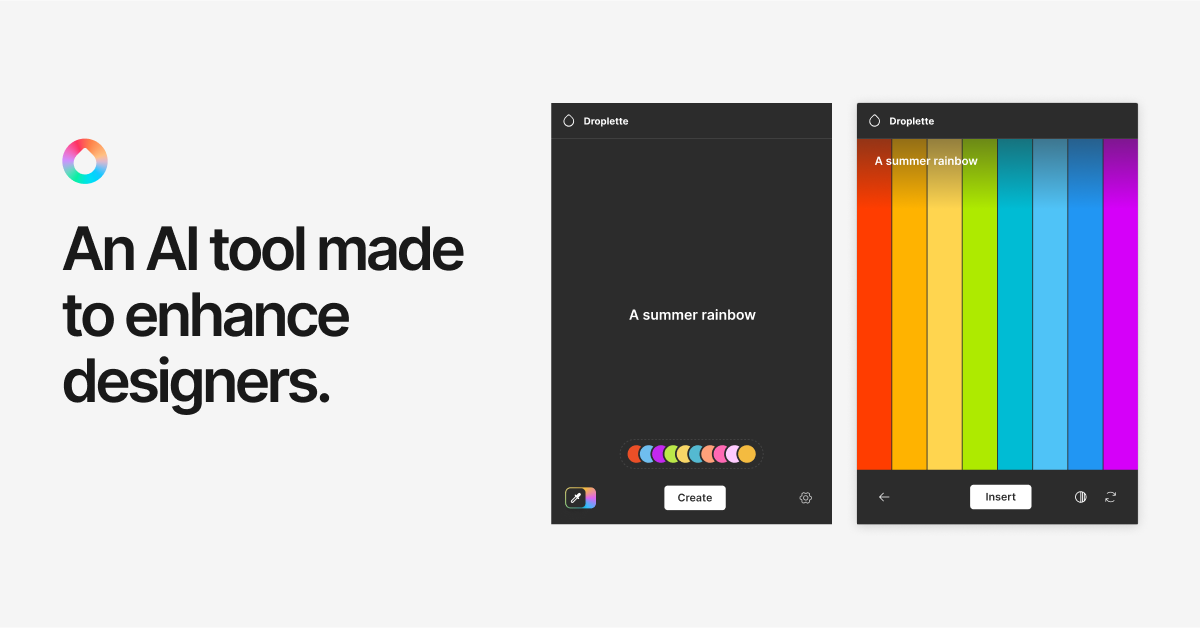
Droplette is an innovative AI-powered plugin for Figma and FigJam that revolutionizes the color palette generation process for designers. It enables users to quickly create harmonious color schemes by leveraging artificial intelligence, generating palettes from simple text descriptions, uploaded images, or even an existing color. This tool significantly streamlines design workflows, helping designers maintain visual consistency, ensure accessibility, and overcome creative blocks efficiently within their familiar design environment.
What It Does
Droplette acts as an intelligent assistant within Figma, allowing designers to input various sources like textual prompts (e.g., \
Pricing
Pricing Plans
Access all features for generating and applying color palettes directly within Figma and FigJam.
- AI-powered color generation
- Figma & FigJam integration
- Unlimited palette creation
Key Features
The tool boasts robust generation capabilities, allowing designers to create palettes from diverse inputs like text prompts or images, ensuring a versatile starting point for any project. It offers various harmony rules (e.g., Monochromatic, Complementary) to guide the AI's output, ensuring design consistency and aesthetic appeal. Additionally, Droplette provides practical features like saving and managing palettes, exporting directly to Figma styles and variables, and an accessibility checker for contrast ratios, all integrated seamlessly into the design workflow.
Target Audience
This tool is ideal for UI/UX designers, product designers, graphic designers, and design agencies working extensively with Figma and FigJam. It particularly benefits those looking to accelerate their design process, ensure color harmony, and maintain brand consistency across various digital products and marketing materials.
Value Proposition
Droplette uniquely streamlines the traditionally time-consuming process of color selection by leveraging AI, offering instant, harmonious palettes directly within Figma. It solves the challenge of creative blocks and inconsistency by providing intelligent suggestions and practical export options, significantly boosting design efficiency, ensuring accessibility, and elevating overall output quality.
Use Cases
Droplette excels in scenarios requiring rapid UI prototyping, comprehensive brand identity development, and creating visually appealing user interfaces. It's also highly effective for developing consistent design systems, generating aesthetic mood boards, and ensuring accessibility compliance in digital products and marketing collateral.
Frequently Asked Questions
Yes, Droplette is completely free to use. Available plans include: Free.
Droplette acts as an intelligent assistant within Figma, allowing designers to input various sources like textual prompts (e.g., \
Droplette is best suited for This tool is ideal for UI/UX designers, product designers, graphic designers, and design agencies working extensively with Figma and FigJam. It particularly benefits those looking to accelerate their design process, ensure color harmony, and maintain brand consistency across various digital products and marketing materials..




Get new AI tools weekly
Join readers discovering the best AI tools every week.