
Deckassistant
Last updated:
Deckassistant is an innovative Stream Deck plugin that seamlessly integrates large language models (LLMs) into a user's workflow, transforming their Stream Deck into a powerful AI command center. It empowers users to configure custom prompts, manage AI chat interactions, and execute various text-based and productivity tasks directly from their physical buttons. This tool significantly reduces context switching and enhances efficiency for creators, developers, and professionals seeking immediate AI assistance.
What It Does
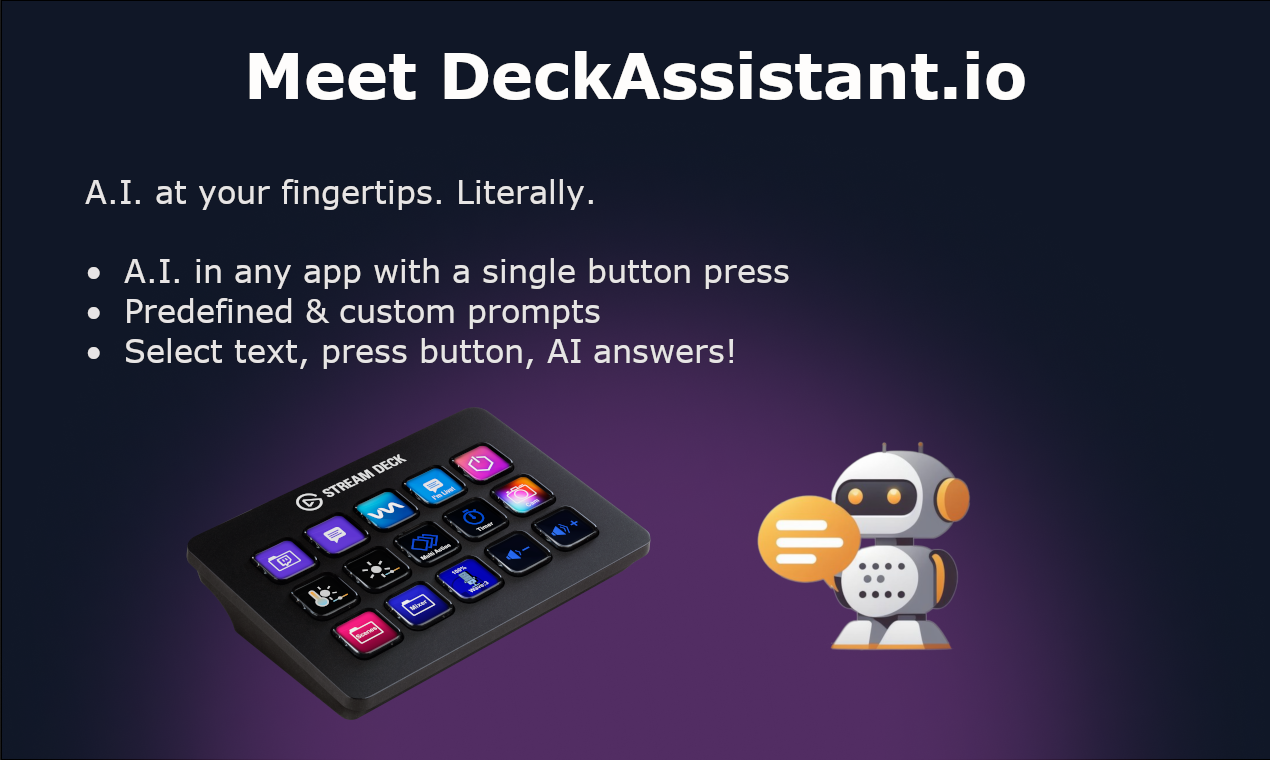
Deckassistant allows users to assign predefined AI prompts or initiate chat interactions to individual Stream Deck buttons. When pressed, it can send clipboard content, selected text, or other dynamic inputs to an LLM of choice, returning the AI's response directly to their application, clipboard, or a file. It acts as a bridge, making AI readily accessible for tasks like summarization, generation, and code assistance.
Pricing
Pricing Plans
The Deckassistant plugin is free to download and use. Users are responsible for obtaining and managing their own API keys for the integrated Large Language Models (LLMs).
- All plugin features
- Unlimited custom prompts
- Multi-LLM support
- Dynamic inputs
- Chat history
- +1 more
Core Value Propositions
Instant AI Access
Execute complex AI prompts or initiate chats with a single button press, drastically reducing time spent on manual input and context switching.
Streamlined Workflows
Automate routine text-based tasks, content generation, and coding assistance directly within your existing desktop environment, enhancing overall efficiency.
Personalized AI Assistant
Tailor AI interactions precisely to your needs with custom prompts and dynamic inputs, making the AI a more powerful and relevant tool for your specific tasks.
Flexible LLM Choice
Leverage your preferred AI models from various providers, or even local solutions, ensuring you always use the best AI for the job.
Use Cases
Rapid Content Generation
Generate social media posts, video scripts, or blog outlines instantly from a brief idea or current context using a dedicated Stream Deck button.
On-Demand Code Assistance
Request code explanations, generate code snippets, or debug errors by sending selected code to an LLM with a single press, directly from your IDE.
Instant Text Summarization
Summarize long articles, emails, or documents by copying text to the clipboard and triggering a summarization prompt via Stream Deck.
Efficient Email Drafting
Use custom prompts to draft professional emails, reply to messages, or refine existing text with AI, speeding up communication tasks.
Creative Brainstorming
Quickly generate ideas, expand on concepts, or overcome writer's block by using AI prompts to brainstorm different angles or topics.
Meeting Note Processing
During or after meetings, use AI to extract key action items, summarize discussions, or rephrase notes for clarity, enhancing productivity.
Technical Features & Integration
Custom Prompt Configuration
Users can create, save, and assign an unlimited number of personalized AI prompts to Stream Deck buttons, streamlining specific tasks with a single press.
Multi-LLM Support
The plugin integrates with popular LLM providers like OpenAI, Anthropic, Google, and local Ollama instances, offering users diverse model options and flexibility.
Dynamic Input Variables
Automatically feeds AI prompts with content from the clipboard, selected text, or the active window title, providing context-aware assistance without manual copying.
Persistent Chat History
Maintains context across multiple interactions for ongoing conversations, allowing for more natural and coherent AI assistance over time.
Flexible Output Options
AI responses can be automatically pasted into applications, copied to the clipboard, or appended to a specified file, adapting to various workflow needs.
Prompt Library & Sharing
A built-in library helps organize prompts, and the ability to import/export allows for easy sharing of useful AI workflows with others.
Context Management
Users can manage different conversation threads, ensuring that AI interactions remain relevant to the specific task or topic at hand.
Target Audience
This tool is ideal for Stream Deck owners, including content creators, streamers, developers, writers, and productivity enthusiasts. Anyone who frequently uses AI for text generation, summarization, coding assistance, or creative tasks and seeks to integrate it seamlessly into their existing desktop workflow will benefit greatly.
Frequently Asked Questions
Yes, Deckassistant is completely free to use. Available plans include: Free Plugin.
Deckassistant allows users to assign predefined AI prompts or initiate chat interactions to individual Stream Deck buttons. When pressed, it can send clipboard content, selected text, or other dynamic inputs to an LLM of choice, returning the AI's response directly to their application, clipboard, or a file. It acts as a bridge, making AI readily accessible for tasks like summarization, generation, and code assistance.
Key features of Deckassistant include: Custom Prompt Configuration: Users can create, save, and assign an unlimited number of personalized AI prompts to Stream Deck buttons, streamlining specific tasks with a single press.. Multi-LLM Support: The plugin integrates with popular LLM providers like OpenAI, Anthropic, Google, and local Ollama instances, offering users diverse model options and flexibility.. Dynamic Input Variables: Automatically feeds AI prompts with content from the clipboard, selected text, or the active window title, providing context-aware assistance without manual copying.. Persistent Chat History: Maintains context across multiple interactions for ongoing conversations, allowing for more natural and coherent AI assistance over time.. Flexible Output Options: AI responses can be automatically pasted into applications, copied to the clipboard, or appended to a specified file, adapting to various workflow needs.. Prompt Library & Sharing: A built-in library helps organize prompts, and the ability to import/export allows for easy sharing of useful AI workflows with others.. Context Management: Users can manage different conversation threads, ensuring that AI interactions remain relevant to the specific task or topic at hand..
Deckassistant is best suited for This tool is ideal for Stream Deck owners, including content creators, streamers, developers, writers, and productivity enthusiasts. Anyone who frequently uses AI for text generation, summarization, coding assistance, or creative tasks and seeks to integrate it seamlessly into their existing desktop workflow will benefit greatly..
Execute complex AI prompts or initiate chats with a single button press, drastically reducing time spent on manual input and context switching.
Automate routine text-based tasks, content generation, and coding assistance directly within your existing desktop environment, enhancing overall efficiency.
Tailor AI interactions precisely to your needs with custom prompts and dynamic inputs, making the AI a more powerful and relevant tool for your specific tasks.
Leverage your preferred AI models from various providers, or even local solutions, ensuring you always use the best AI for the job.
Generate social media posts, video scripts, or blog outlines instantly from a brief idea or current context using a dedicated Stream Deck button.
Request code explanations, generate code snippets, or debug errors by sending selected code to an LLM with a single press, directly from your IDE.
Summarize long articles, emails, or documents by copying text to the clipboard and triggering a summarization prompt via Stream Deck.
Use custom prompts to draft professional emails, reply to messages, or refine existing text with AI, speeding up communication tasks.
Quickly generate ideas, expand on concepts, or overcome writer's block by using AI prompts to brainstorm different angles or topics.
During or after meetings, use AI to extract key action items, summarize discussions, or rephrase notes for clarity, enhancing productivity.




Get new AI tools weekly
Join readers discovering the best AI tools every week.