

Chattab
Last updated:
Chattab is a native macOS application designed to integrate ChatGPT directly into the Mac desktop experience, offering unparalleled convenience and efficiency. It provides instant access to powerful AI capabilities through a customizable hotkey and a persistent, floating window, eliminating the need to constantly switch between browser tabs. This tool is ideal for macOS users who frequently interact with AI for writing, coding, brainstorming, and general productivity, delivering a seamless and privacy-conscious way to leverage advanced language models within their native workflow.
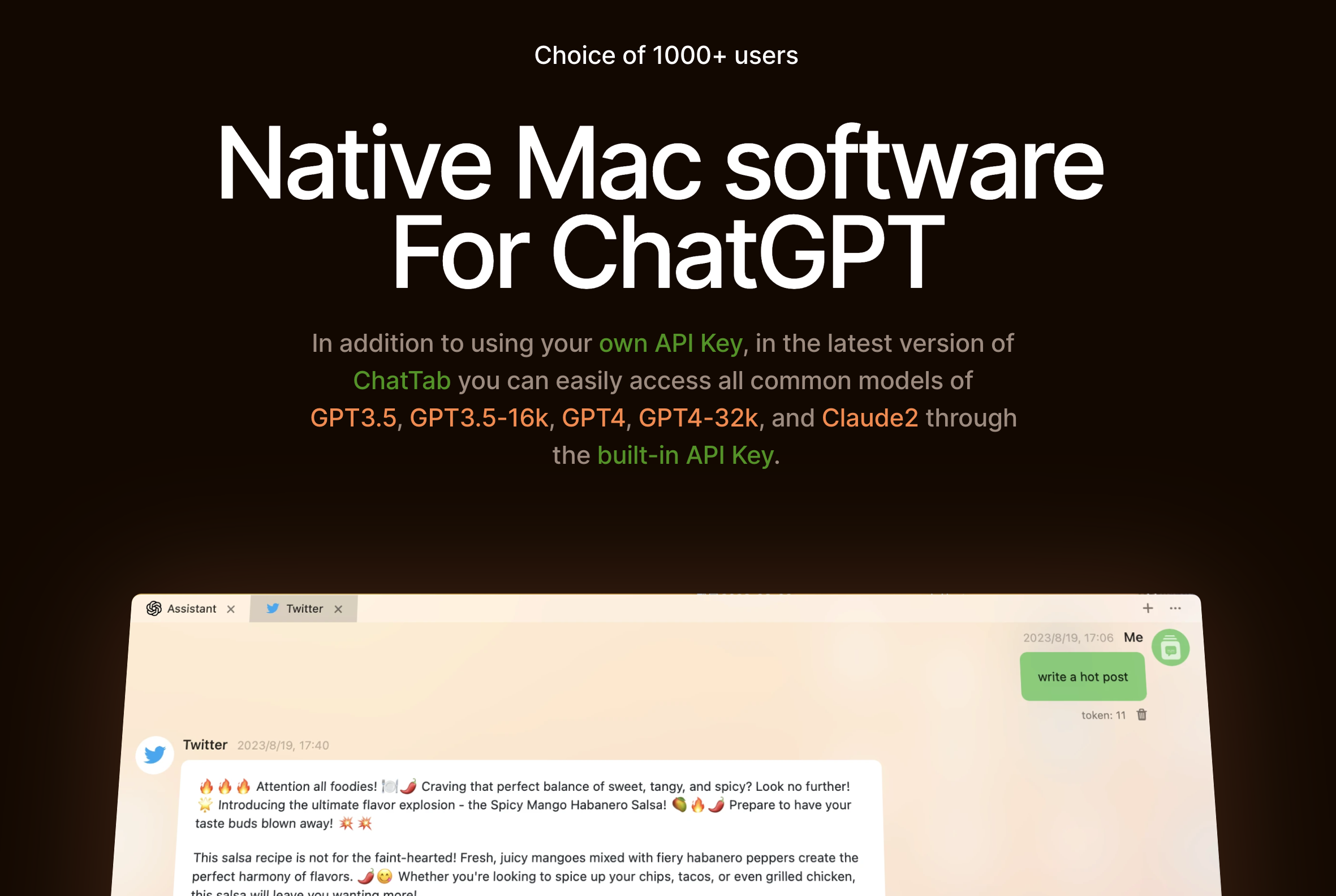
What It Does
Chattab provides a dedicated, native macOS interface for ChatGPT, accessible instantly via a user-defined hotkey. It launches a floating window that allows users to send prompts, receive responses, and manage their AI conversations without leaving their current application. The app supports various OpenAI models and custom API keys, ensuring flexibility and data privacy.
Pricing
Pricing Plans
A one-time purchase to unlock all features and provide full access to Chattab, leveraging your own OpenAI API key for AI interactions.
- Unlimited AI interactions
- Access to all AI models (via user's API key)
- Custom hotkey access
- Prompt library
- Conversation history
- +2 more
Core Value Propositions
Instant Desktop AI Access
Eliminates the need to open a browser, providing immediate AI assistance via a hotkey, saving time and reducing distractions.
Enhanced Productivity on macOS
Integrates AI capabilities directly into the Mac workflow, allowing users to stay focused on their primary tasks while leveraging AI assistance.
Privacy and Model Flexibility
Users maintain control over their data by using their own OpenAI API key and can switch between various advanced AI models as needed.
Seamless Workflow Integration
The floating window and quick actions enable smooth copy-pasting and interaction with other applications, making AI a natural part of daily tasks.
Use Cases
Drafting Emails & Messages
Quickly generate professional email drafts, social media posts, or instant messages using AI without leaving your communication app.
Generating Code Snippets
Developers can instantly request code examples, debug suggestions, or explanations from ChatGPT while working in their IDE.
Brainstorming & Idea Generation
Summon Chattab to quickly brainstorm ideas for projects, content, or solutions while working in any application, capturing thoughts instantly.
Summarizing Documents & Articles
Paste text from documents or web pages into Chattab to get instant summaries, saving time on reading lengthy content.
Text Translation & Rewriting
Effortlessly translate phrases or rewrite sentences for clarity and style, making it useful for content creation and international communication.
Learning & Research Assistance
Students and researchers can ask quick questions, define terms, or get explanations on complex topics without switching contexts.
Technical Features & Integration
Customizable Hotkey Access
Instantly summon Chattab's floating window from any application with a user-defined keyboard shortcut, streamlining access to AI assistance.
Native macOS Floating Window
Interact with ChatGPT in a non-intrusive, always-on-top window that integrates seamlessly with the macOS environment, enhancing multitasking.
Flexible AI Model Selection
Choose between GPT-3.5, GPT-4, GPT-4o, and other custom models by inputting your own OpenAI API key, offering control and versatility.
Prompt Library & History
Save frequently used prompts for quick reuse and review past conversations, improving workflow efficiency and consistency.
Markdown & Code Highlighting
Enjoy well-formatted AI responses with full markdown support and syntax highlighting for code, making it highly useful for developers and writers.
Privacy-Focused API Integration
Utilize your own OpenAI API key, ensuring that your data remains under your control and is not processed or stored by Chattab's servers.
System-Wide Quick Actions
Quickly copy responses, paste content into other applications, or share AI-generated text, further embedding the tool into daily tasks.
Dark Mode Support
Seamlessly integrates with macOS dark mode preferences, providing a comfortable viewing experience in various lighting conditions.
Target Audience
This tool is primarily for macOS users across various professions who regularly leverage AI for text-based tasks. This includes writers, developers, content creators, students, and business professionals seeking to enhance their productivity and streamline their workflow by integrating AI directly into their desktop environment.
Frequently Asked Questions
Chattab is a paid tool. Available plans include: Full Access.
Chattab provides a dedicated, native macOS interface for ChatGPT, accessible instantly via a user-defined hotkey. It launches a floating window that allows users to send prompts, receive responses, and manage their AI conversations without leaving their current application. The app supports various OpenAI models and custom API keys, ensuring flexibility and data privacy.
Key features of Chattab include: Customizable Hotkey Access: Instantly summon Chattab's floating window from any application with a user-defined keyboard shortcut, streamlining access to AI assistance.. Native macOS Floating Window: Interact with ChatGPT in a non-intrusive, always-on-top window that integrates seamlessly with the macOS environment, enhancing multitasking.. Flexible AI Model Selection: Choose between GPT-3.5, GPT-4, GPT-4o, and other custom models by inputting your own OpenAI API key, offering control and versatility.. Prompt Library & History: Save frequently used prompts for quick reuse and review past conversations, improving workflow efficiency and consistency.. Markdown & Code Highlighting: Enjoy well-formatted AI responses with full markdown support and syntax highlighting for code, making it highly useful for developers and writers.. Privacy-Focused API Integration: Utilize your own OpenAI API key, ensuring that your data remains under your control and is not processed or stored by Chattab's servers.. System-Wide Quick Actions: Quickly copy responses, paste content into other applications, or share AI-generated text, further embedding the tool into daily tasks.. Dark Mode Support: Seamlessly integrates with macOS dark mode preferences, providing a comfortable viewing experience in various lighting conditions..
Chattab is best suited for This tool is primarily for macOS users across various professions who regularly leverage AI for text-based tasks. This includes writers, developers, content creators, students, and business professionals seeking to enhance their productivity and streamline their workflow by integrating AI directly into their desktop environment..
Eliminates the need to open a browser, providing immediate AI assistance via a hotkey, saving time and reducing distractions.
Integrates AI capabilities directly into the Mac workflow, allowing users to stay focused on their primary tasks while leveraging AI assistance.
Users maintain control over their data by using their own OpenAI API key and can switch between various advanced AI models as needed.
The floating window and quick actions enable smooth copy-pasting and interaction with other applications, making AI a natural part of daily tasks.
Quickly generate professional email drafts, social media posts, or instant messages using AI without leaving your communication app.
Developers can instantly request code examples, debug suggestions, or explanations from ChatGPT while working in their IDE.
Summon Chattab to quickly brainstorm ideas for projects, content, or solutions while working in any application, capturing thoughts instantly.
Paste text from documents or web pages into Chattab to get instant summaries, saving time on reading lengthy content.
Effortlessly translate phrases or rewrite sentences for clarity and style, making it useful for content creation and international communication.
Students and researchers can ask quick questions, define terms, or get explanations on complex topics without switching contexts.






Get new AI tools weekly
Join readers discovering the best AI tools every week.