

Byebackground
Last updated:
Byebackground is a completely free, privacy-focused AI tool designed for effortlessly removing backgrounds from images. It distinguishes itself by performing all processing directly within the user's web browser, leveraging WebAssembly and ONNX Runtime to ensure that no image data ever leaves the device. This client-side approach makes it an ideal solution for users who prioritize data security and privacy while needing quick, efficient, and unlimited background removal for various personal and professional applications.
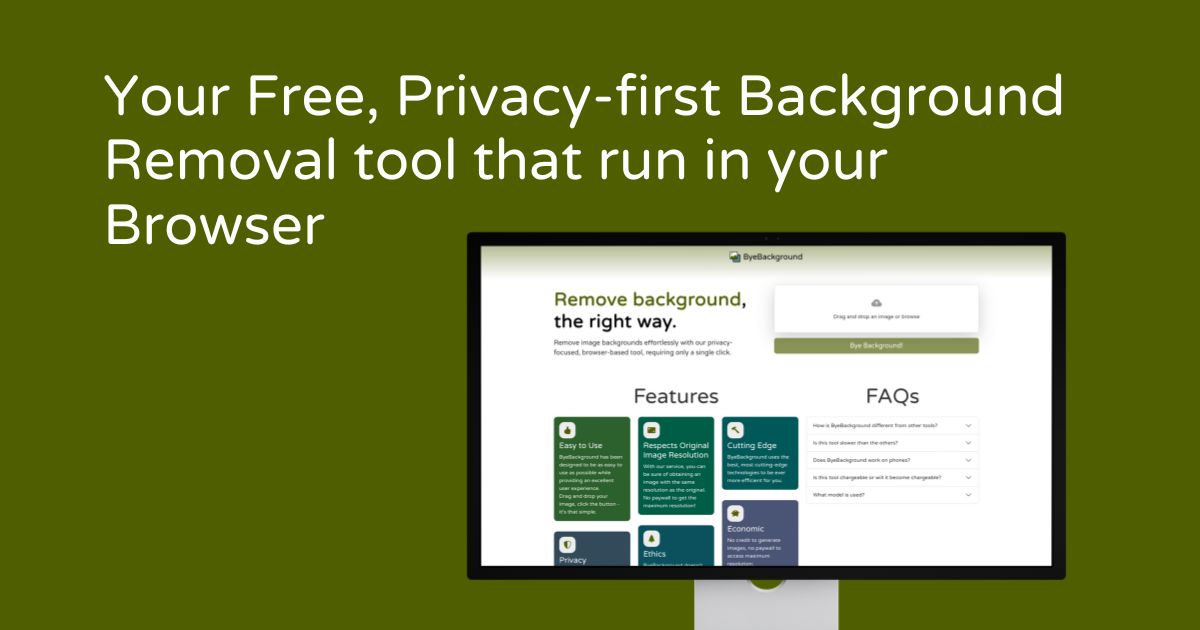
What It Does
Byebackground's core functionality involves accurately detecting and removing backgrounds from uploaded images using an AI model that runs entirely in the user's browser. Users simply drag and drop or upload an image, and the tool processes it locally to generate a transparent PNG output. This method ensures maximum privacy as images are never uploaded to external servers, providing a secure and fast background removal experience.
Pricing
Pricing Plans
Access all features of Byebackground for free, with no limitations on usage or privacy compromises.
- Unlimited background removals
- In-browser processing
- Transparent PNG output
- No data upload
- Instant preview
Core Value Propositions
Uncompromised Data Privacy
Your images are processed locally on your device, ensuring no data ever leaves your computer or is stored on external servers, offering peace of mind.
Completely Free AI Tool
Access professional-grade AI background removal without any cost, subscriptions, or hidden fees, making it accessible to everyone.
Instant Client-Side Processing
Benefit from rapid results as the AI model runs directly in your browser, bypassing server latency and offering immediate feedback.
Simplicity & Accessibility
The tool features an intuitive interface that makes background removal effortless for users of all skill levels, without requiring complex software installations.
Use Cases
E-commerce Product Photography
Quickly remove backgrounds from product images to create clean, consistent visuals for online stores, enhancing product presentation.
Social Media Content Creation
Generate eye-catching posts and stories by easily isolating subjects from photos, making them suitable for various social platforms.
Presentation & Report Design
Enhance professional presentations and reports by inserting images with transparent backgrounds, ensuring a polished and focused look.
Personal Photo Editing
Customize personal photos by removing unwanted backgrounds for profile pictures, creative collages, or digital scrapbooking projects.
Quick Graphic Design Tasks
For designers, rapidly isolate elements for mockups, prototypes, or composite images without the need for complex, resource-intensive software.
Website & Blog Asset Preparation
Prepare images for web integration by stripping backgrounds, ensuring they blend seamlessly into website layouts and improve user experience.
Technical Features & Integration
In-Browser AI Processing
All image background removal is executed locally within your web browser using WebAssembly, ensuring maximum privacy as images never leave your device.
Privacy-Focused Design
The tool is built with privacy at its core, meaning no user data or images are ever uploaded, stored, or processed on external servers.
Intuitive Drag-and-Drop
Easily upload images by dragging them directly into the browser window, simplifying the user experience for quick and efficient processing.
Instant Preview & Download
View a clear side-by-side comparison of your original and processed image, then download the transparent PNG result immediately.
Completely Free to Use
Access all background removal functionalities without any cost, subscriptions, hidden fees, or advertisements.
Unlimited Usage
Process as many images as you need without any restrictions on quantity, file size (within browser limits), or frequency of use.
Target Audience
Byebackground is perfectly suited for content creators, small business owners, marketers, and individuals who regularly need to remove image backgrounds quickly and securely. It's particularly valuable for users like e-commerce sellers, social media managers, or graphic designers working on personal projects who prioritize data privacy and prefer not to upload sensitive images to third-party servers.
Frequently Asked Questions
Yes, Byebackground is completely free to use. Available plans include: Free.
Byebackground's core functionality involves accurately detecting and removing backgrounds from uploaded images using an AI model that runs entirely in the user's browser. Users simply drag and drop or upload an image, and the tool processes it locally to generate a transparent PNG output. This method ensures maximum privacy as images are never uploaded to external servers, providing a secure and fast background removal experience.
Key features of Byebackground include: In-Browser AI Processing: All image background removal is executed locally within your web browser using WebAssembly, ensuring maximum privacy as images never leave your device.. Privacy-Focused Design: The tool is built with privacy at its core, meaning no user data or images are ever uploaded, stored, or processed on external servers.. Intuitive Drag-and-Drop: Easily upload images by dragging them directly into the browser window, simplifying the user experience for quick and efficient processing.. Instant Preview & Download: View a clear side-by-side comparison of your original and processed image, then download the transparent PNG result immediately.. Completely Free to Use: Access all background removal functionalities without any cost, subscriptions, hidden fees, or advertisements.. Unlimited Usage: Process as many images as you need without any restrictions on quantity, file size (within browser limits), or frequency of use..
Byebackground is best suited for Byebackground is perfectly suited for content creators, small business owners, marketers, and individuals who regularly need to remove image backgrounds quickly and securely. It's particularly valuable for users like e-commerce sellers, social media managers, or graphic designers working on personal projects who prioritize data privacy and prefer not to upload sensitive images to third-party servers..
Your images are processed locally on your device, ensuring no data ever leaves your computer or is stored on external servers, offering peace of mind.
Access professional-grade AI background removal without any cost, subscriptions, or hidden fees, making it accessible to everyone.
Benefit from rapid results as the AI model runs directly in your browser, bypassing server latency and offering immediate feedback.
The tool features an intuitive interface that makes background removal effortless for users of all skill levels, without requiring complex software installations.
Quickly remove backgrounds from product images to create clean, consistent visuals for online stores, enhancing product presentation.
Generate eye-catching posts and stories by easily isolating subjects from photos, making them suitable for various social platforms.
Enhance professional presentations and reports by inserting images with transparent backgrounds, ensuring a polished and focused look.
Customize personal photos by removing unwanted backgrounds for profile pictures, creative collages, or digital scrapbooking projects.
For designers, rapidly isolate elements for mockups, prototypes, or composite images without the need for complex, resource-intensive software.
Prepare images for web integration by stripping backgrounds, ensuring they blend seamlessly into website layouts and improve user experience.




Get new AI tools weekly
Join readers discovering the best AI tools every week.