
AI Expand Image
Last updated:
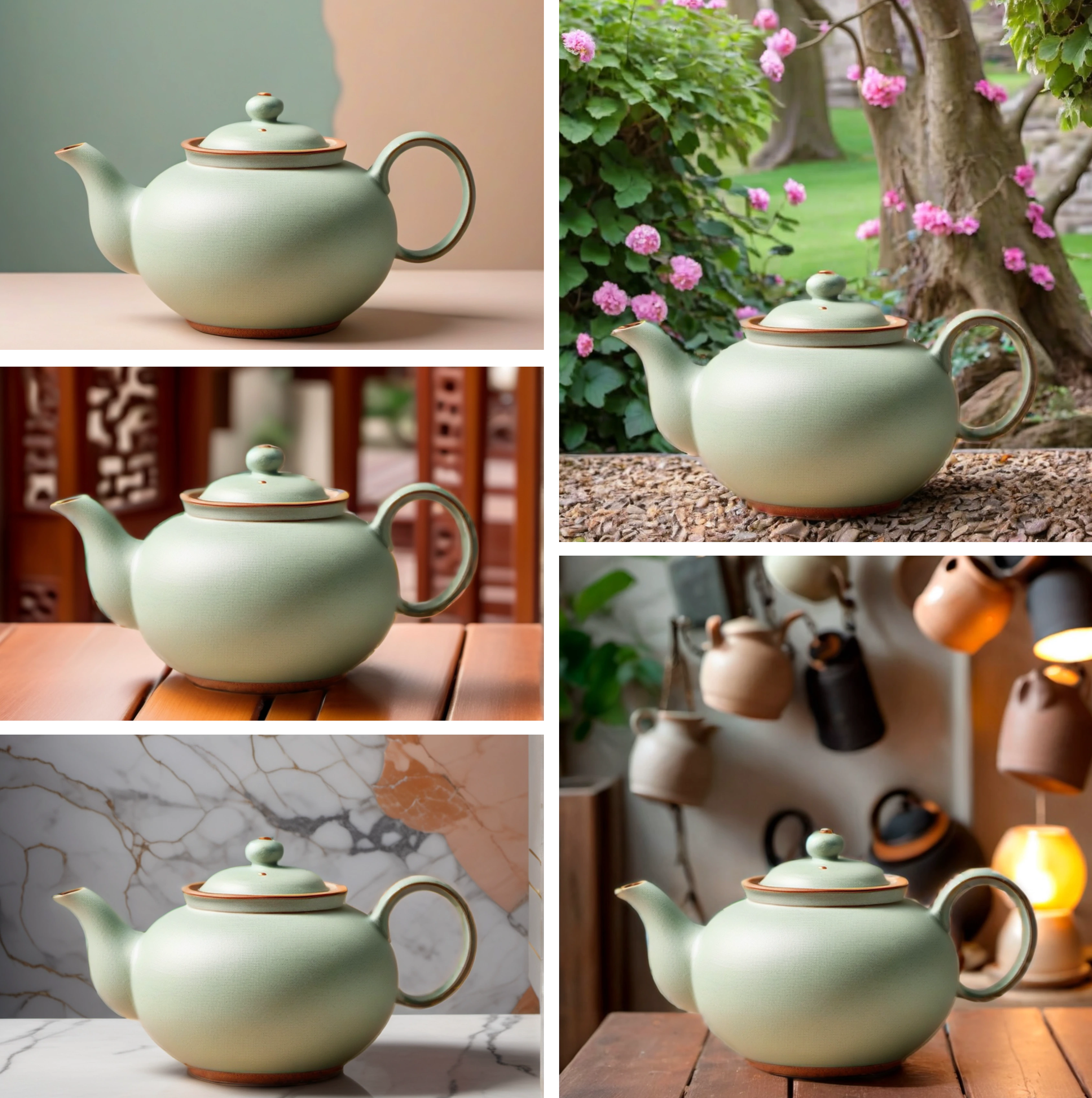
AI Expand Image is a straightforward, free online tool leveraging generative AI to expand images beyond their original borders. It specializes in 'outpainting,' intelligently generating new visual content to seamlessly extend the canvas of an uploaded image in any direction. This tool is ideal for users who need to adjust image aspect ratios, create more negative space, or fix awkwardly cropped photos without the need for complex design software or a hefty price tag. Its simplicity and accessibility make it a valuable resource for quick, AI-powered visual adjustments.
Why was this tool discontinued?
Automatically marked inactive after 7 consecutive failed health checks (last error: DNS resolution failed)
What It Does
The tool's core functionality involves taking an existing image and using generative artificial intelligence to create new, contextual content around its edges. Users upload an image, select a direction for expansion (up, down, left, or right), and the AI algorithm then intelligently fills in the new canvas area. This process effectively 'outpaints' the image, seamlessly blending the generated content with the original to produce a larger, expanded version.
Pricing
Pricing Plans
Expand images using advanced generative AI without any cost or limitations.
- AI image expansion
- One-click operation
- Multi-directional expansion
- No account required
Core Value Propositions
Effortless Image Resizing
Quickly adapt any image to fit new dimensions for various platforms or creative projects, eliminating the hassle of manual cropping or resizing.
Cost-Free Generative Editing
Access advanced AI-powered image expansion capabilities without any subscription fees or software purchases, democratizing high-end photo manipulation.
Enhanced Creative Flexibility
Expand scenes, add context, or create negative space around subjects, opening up new creative possibilities for visual storytelling and design.
Time-Saving Workflow
Achieve professional-quality image expansions in seconds, drastically reducing the time spent on image preparation compared to traditional editing methods.
Use Cases
Adapting Images for Social Media
Easily expand photos to fit various social media aspect ratios (e.g., Instagram stories, Facebook covers) without losing important visual information.
Creating Wider Banner Graphics
Extend existing images to generate broader headers or banner images for websites, blogs, or digital advertisements, maintaining visual continuity.
Fixing Awkwardly Cropped Photos
Restore missing parts of an image that were inadvertently cut off during capture or previous editing, bringing back lost context.
Generating Backgrounds for Text
Expand an image to create additional negative space, providing a clean area for overlaying text, logos, or other graphic elements in presentations or marketing.
Enhancing Visual Storytelling
Widen a scene or add more environmental context to an image, enriching its narrative and creating a more immersive visual experience.
Technical Features & Integration
Generative AI Outpainting
Utilizes advanced generative AI models to intelligently create and fill in new parts of an image, extending its canvas naturally and contextually.
Multi-Directional Expansion
Provides flexibility to expand images in any desired direction—up, down, left, or right—catering to various compositional needs and aspect ratio adjustments.
Intuitive User Interface
Features a simple, clean, and easy-to-navigate interface that allows for quick image uploads and one-click expansion, requiring no prior design experience.
Completely Free Access
Offers all its powerful image expansion capabilities entirely free of charge, making advanced AI photo editing accessible to a broad audience without subscriptions.
Target Audience
This tool is best suited for content creators, social media managers, casual photographers, marketers, and small business owners who frequently need to adjust image dimensions. It's also highly valuable for anyone seeking a quick and free solution to extend images without investing in professional design software or complex AI art tools.
Frequently Asked Questions
Yes, AI Expand Image is completely free to use. Available plans include: Free.
The tool's core functionality involves taking an existing image and using generative artificial intelligence to create new, contextual content around its edges. Users upload an image, select a direction for expansion (up, down, left, or right), and the AI algorithm then intelligently fills in the new canvas area. This process effectively 'outpaints' the image, seamlessly blending the generated content with the original to produce a larger, expanded version.
Key features of AI Expand Image include: Generative AI Outpainting: Utilizes advanced generative AI models to intelligently create and fill in new parts of an image, extending its canvas naturally and contextually.. Multi-Directional Expansion: Provides flexibility to expand images in any desired direction—up, down, left, or right—catering to various compositional needs and aspect ratio adjustments.. Intuitive User Interface: Features a simple, clean, and easy-to-navigate interface that allows for quick image uploads and one-click expansion, requiring no prior design experience.. Completely Free Access: Offers all its powerful image expansion capabilities entirely free of charge, making advanced AI photo editing accessible to a broad audience without subscriptions..
AI Expand Image is best suited for This tool is best suited for content creators, social media managers, casual photographers, marketers, and small business owners who frequently need to adjust image dimensions. It's also highly valuable for anyone seeking a quick and free solution to extend images without investing in professional design software or complex AI art tools..
Quickly adapt any image to fit new dimensions for various platforms or creative projects, eliminating the hassle of manual cropping or resizing.
Access advanced AI-powered image expansion capabilities without any subscription fees or software purchases, democratizing high-end photo manipulation.
Expand scenes, add context, or create negative space around subjects, opening up new creative possibilities for visual storytelling and design.
Achieve professional-quality image expansions in seconds, drastically reducing the time spent on image preparation compared to traditional editing methods.
Easily expand photos to fit various social media aspect ratios (e.g., Instagram stories, Facebook covers) without losing important visual information.
Extend existing images to generate broader headers or banner images for websites, blogs, or digital advertisements, maintaining visual continuity.
Restore missing parts of an image that were inadvertently cut off during capture or previous editing, bringing back lost context.
Expand an image to create additional negative space, providing a clean area for overlaying text, logos, or other graphic elements in presentations or marketing.
Widen a scene or add more environmental context to an image, enriching its narrative and creating a more immersive visual experience.




Get new AI tools weekly
Join readers discovering the best AI tools every week.