
Docdriven vs Writegpt
Writegpt has been discontinued. This comparison is kept for historical reference.
Docdriven wins in 1 out of 4 categories.
Rating
Neither tool has been rated yet.
Popularity
Docdriven is more popular with 37 views.
Pricing
Both tools have freemium pricing.
Community Reviews
Both tools have a similar number of reviews.
| Criteria | Docdriven | Writegpt |
|---|---|---|
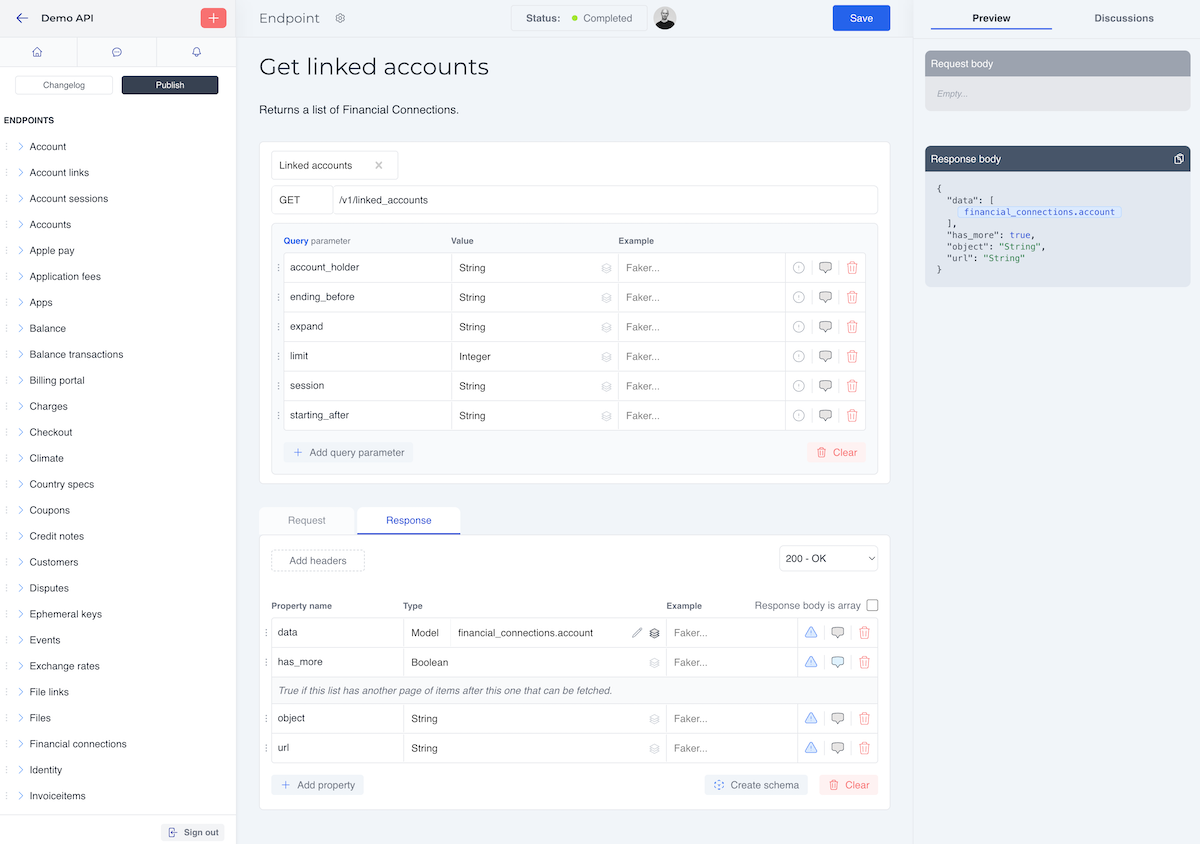
| Description | Docdriven is an advanced AI-powered visual API design and documentation platform that streamlines the entire API lifecycle. It enables development teams to visually model APIs, automatically generate comprehensive documentation and OpenAPI specifications, and facilitate seamless collaboration. By integrating AI into the design and documentation process, Docdriven significantly reduces manual effort, accelerates development workflows, and ensures API consistency across projects, making API development more efficient and less error-prone. | Writegpt is a versatile browser extension that seamlessly integrates advanced AI capabilities, including ChatGPT 3.5 and GPT-4, directly into any website. It empowers users to generate, rewrite, summarize, translate, and refine text content on the fly, transforming how professionals, marketers, and students interact with online text fields. By bringing AI assistance into the user's workflow, Writegpt significantly enhances productivity and communication efficiency across various platforms like email, social media, and content management systems. |
| What It Does | Docdriven provides a visual interface for designing APIs, where users can intuitively define endpoints, data models, and relationships through a drag-and-drop mechanism. Leveraging AI, it then automatically generates detailed, up-to-date documentation, OpenAPI specifications (Swagger), and practical code snippets based on these visual designs. The platform also supports robust team collaboration, version control, and mock server generation to accelerate testing and integration processes. | The tool functions as an omnipresent AI writing assistant within the browser. Users can highlight existing text or open the Writegpt interface in any text input field to access AI models. It provides context-aware suggestions, generates new content based on prompts, and performs various text manipulations like summarization, paraphrasing, and translation, all without leaving the current webpage. |
| Pricing Type | freemium | freemium |
| Pricing Model | freemium | freemium |
| Pricing Plans | Free: Free, Starter: 29, Pro: 99 | Free: Free |
| Rating | N/A | N/A |
| Reviews | N/A | N/A |
| Views | 37 | 14 |
| Verified | No | No |
| Key Features | N/A | N/A |
| Value Propositions | N/A | N/A |
| Use Cases | N/A | N/A |
| Target Audience | Frontend developers, backend developers, API architects, product managers, and development teams focused on efficient API design and lifecycle management. | Writegpt is ideal for content creators, digital marketers, busy professionals, students, and anyone who frequently writes or communicates online. It specifically benefits individuals looking to accelerate their writing process, improve content quality, and streamline communication across various web platforms without disrupting their workflow. |
| Categories | Design, Code & Development, Code Generation, Documentation, Business & Productivity, Automation | Text & Writing, Text Generation, Text Summarization, Text Translation, Text Editing, Business & Productivity, Email, Content Marketing, Email Writer |
| Tags | N/A | N/A |
| GitHub Stars | N/A | N/A |
| Last Updated | N/A | N/A |
| Website | docdriven.com | writegpt.ai |
| GitHub | N/A | N/A |
Who is Docdriven best for?
Frontend developers, backend developers, API architects, product managers, and development teams focused on efficient API design and lifecycle management.
Who is Writegpt best for?
Writegpt is ideal for content creators, digital marketers, busy professionals, students, and anyone who frequently writes or communicates online. It specifically benefits individuals looking to accelerate their writing process, improve content quality, and streamline communication across various web platforms without disrupting their workflow.




