
2slash vs Make A Scene
Make A Scene wins in 2 out of 4 categories.
Rating
Not yet rated
Not yet rated
Neither tool has been rated yet.
Popularity
32 views
35 views
Make A Scene is more popular with 35 views.
Pricing
Freemium
Free
Make A Scene is completely free.
Community Reviews
0 reviews
0 reviews
Both tools have a similar number of reviews.
| Criteria | 2slash | Make A Scene |
|---|---|---|
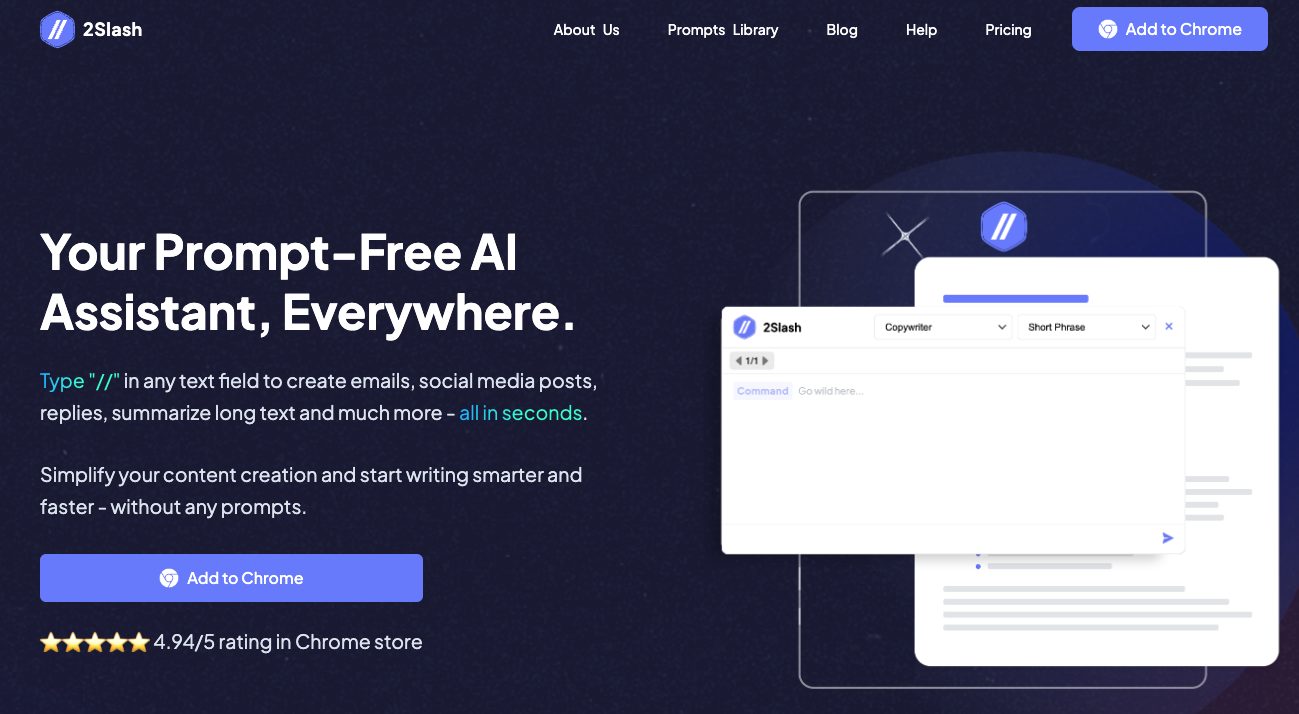
| Description | 2slash is an innovative AI browser extension designed to act as a comprehensive co-pilot for web browsing. It seamlessly integrates powerful AI capabilities directly onto any webpage, empowering users to generate, summarize, translate, and rewrite text content with unparalleled ease. Beyond text, it also supports image creation workflows, making it a versatile tool for enhancing productivity across various online tasks. This extension aims to streamline digital workflows by bringing advanced AI functionality right where users need it most. | Make-A-Scene by Meta is a pioneering multimodal generative AI research method that empowers users with significantly enhanced creative control over AI-generated images. By uniquely combining natural language text descriptions with freeform sketches, it allows individuals to precisely dictate the composition, object placement, and style of their desired visuals. This innovative approach addresses the limitations of text-only prompts, enabling the visualization of complex concepts and specific artistic ideas with unprecedented accuracy, making it invaluable for creatives and researchers alike. |
| What It Does | The tool provides a suite of AI-powered features accessible directly within the browser, either through a sidebar or by selecting text on a webpage. It analyzes the context of the current page to offer relevant content generation, summarization, translation, and rewriting options. Users can also leverage it to generate original images from text prompts, effectively transforming their browsing experience into a dynamic content creation hub. | This AI method generates images by interpreting two distinct inputs simultaneously: a textual prompt describing the desired content and style, and a freeform sketch outlining the composition and placement of elements. The sketch acts as a structural guide, allowing users to draw simple shapes or stick figures to define the scene's layout. The AI then synthesizes these inputs to produce a high-fidelity image that adheres to both the textual description and the spatial arrangement provided by the user. |
| Pricing Type | freemium | free |
| Pricing Model | freemium | free |
| Pricing Plans | Free Plan: Free, Pro Plan (Monthly): 9.99, Pro Plan (Yearly): 6.99 | Free: Free |
| Rating | N/A | N/A |
| Reviews | N/A | N/A |
| Views | 32 | 35 |
| Verified | No | No |
| Key Features | Contextual AI Assistance, Text Generation, Content Summarization, Real-time Text Translation, Text Rewriting & Paraphrasing | N/A |
| Value Propositions | Integrated AI Workflow, Versatile Content Creation, Enhanced Productivity | N/A |
| Use Cases | Drafting Marketing Content, Summarizing Research Papers, Translating Foreign Articles, Rewriting Professional Emails, Generating Blog Post Outlines | N/A |
| Target Audience | This tool is ideal for content creators, marketers, writers, researchers, students, and professionals who frequently interact with and generate content online. Anyone looking to boost their productivity, streamline writing tasks, overcome language barriers, or quickly create visual assets directly within their web browser will find 2slash highly beneficial. | Digital artists, designers, illustrators, concept artists, creatives seeking precise control over AI image generation, and researchers. |
| Categories | Text & Writing, Text Generation, Image Generation, Business & Productivity | Image & Design, Image Generation |
| Tags | browser extension, ai assistant, content creation, text generation, text summarization, text translation, text rewriting, image generation, productivity tool, web browsing | N/A |
| GitHub Stars | N/A | N/A |
| Last Updated | N/A | N/A |
| Website | 2slash.ai | ai.facebook.com |
| GitHub | N/A | N/A |
Who is 2slash best for?
This tool is ideal for content creators, marketers, writers, researchers, students, and professionals who frequently interact with and generate content online. Anyone looking to boost their productivity, streamline writing tasks, overcome language barriers, or quickly create visual assets directly within their web browser will find 2slash highly beneficial.
Who is Make A Scene best for?
Digital artists, designers, illustrators, concept artists, creatives seeking precise control over AI image generation, and researchers.
Frequently Asked Questions
Neither tool has been rated yet. The best choice depends on your specific needs and use case.
2slash offers a freemium model with both free and paid features.
Yes, Make A Scene is free to use.
The main differences include pricing (freemium vs free), user ratings (not yet rated vs not yet rated), and community engagement (0 vs 0 reviews). Compare features above for a detailed breakdown.
2slash is best for This tool is ideal for content creators, marketers, writers, researchers, students, and professionals who frequently interact with and generate content online. Anyone looking to boost their productivity, streamline writing tasks, overcome language barriers, or quickly create visual assets directly within their web browser will find 2slash highly beneficial.. Make A Scene is best for Digital artists, designers, illustrators, concept artists, creatives seeking precise control over AI image generation, and researchers..




